Ref ID : ADR233B/IM/SI
Rev No. : 05
Page No. : 81 of 479
ADR233B
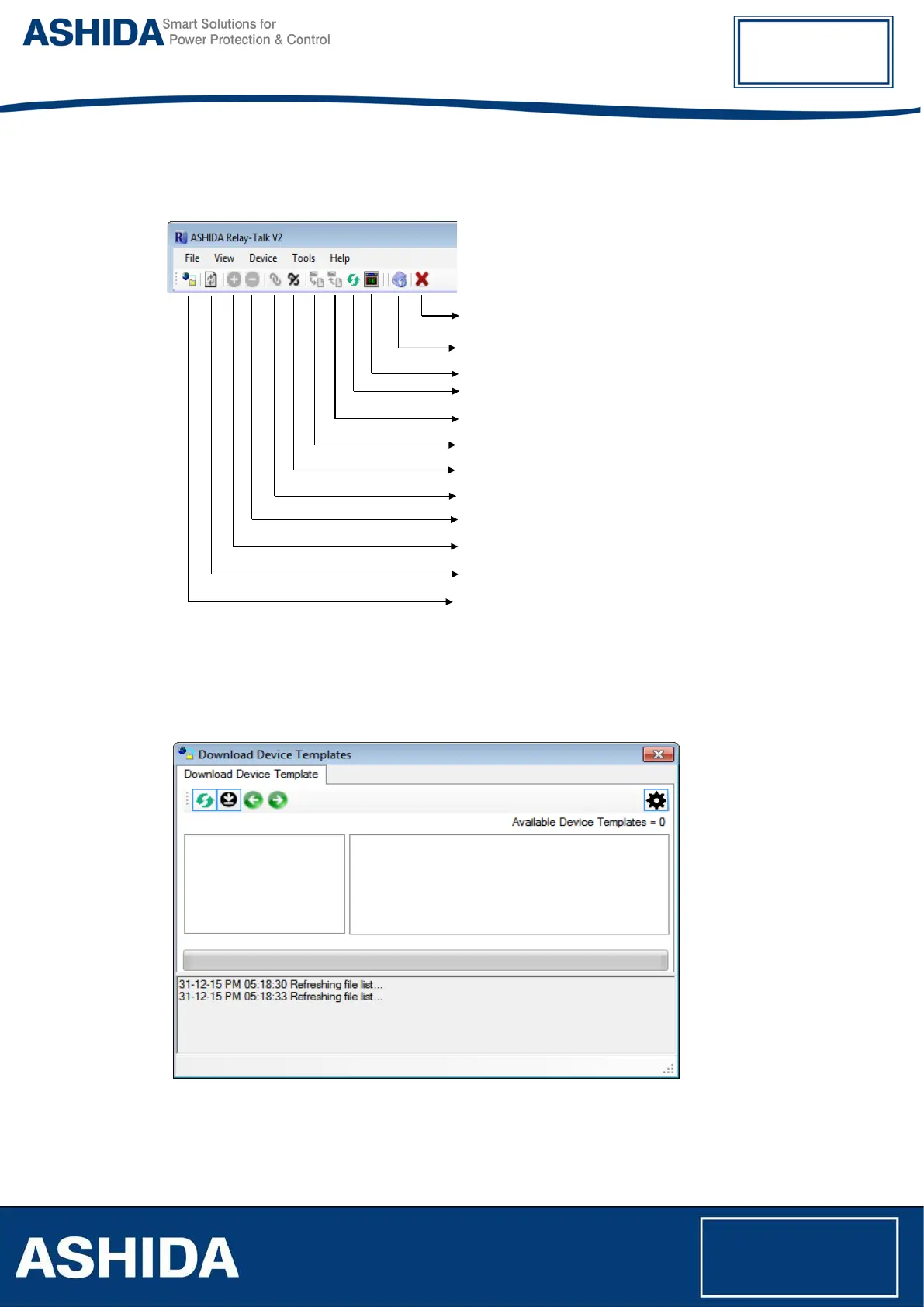
3.3.3 Standard Toolbar buttons
Following figure shows description of toolbar buttons:
Close: Application Exit
About: Display application about screen
Write: Send data to selected device
Connect: Connect to the selected device
Read: Read data to selected device
Time Synchronize
Device Refresh: To Refresh device
Disconnect: Disconnect to the selected device
Delete: Delete the substation/bay/device
Add: Add the substation/bay/device
Refresh System: Refresh the RT System
Download Device Templates
3.3.4 Download Device Template
To Download Device template, click on “Download Device Template”. Following window will
appear.
Figure 9: Download Device Template screen



 To Next Page