Ref ID : ADR233B/IM/SI
Rev No. : 05
Page No. : 82 of 479
ADR233B
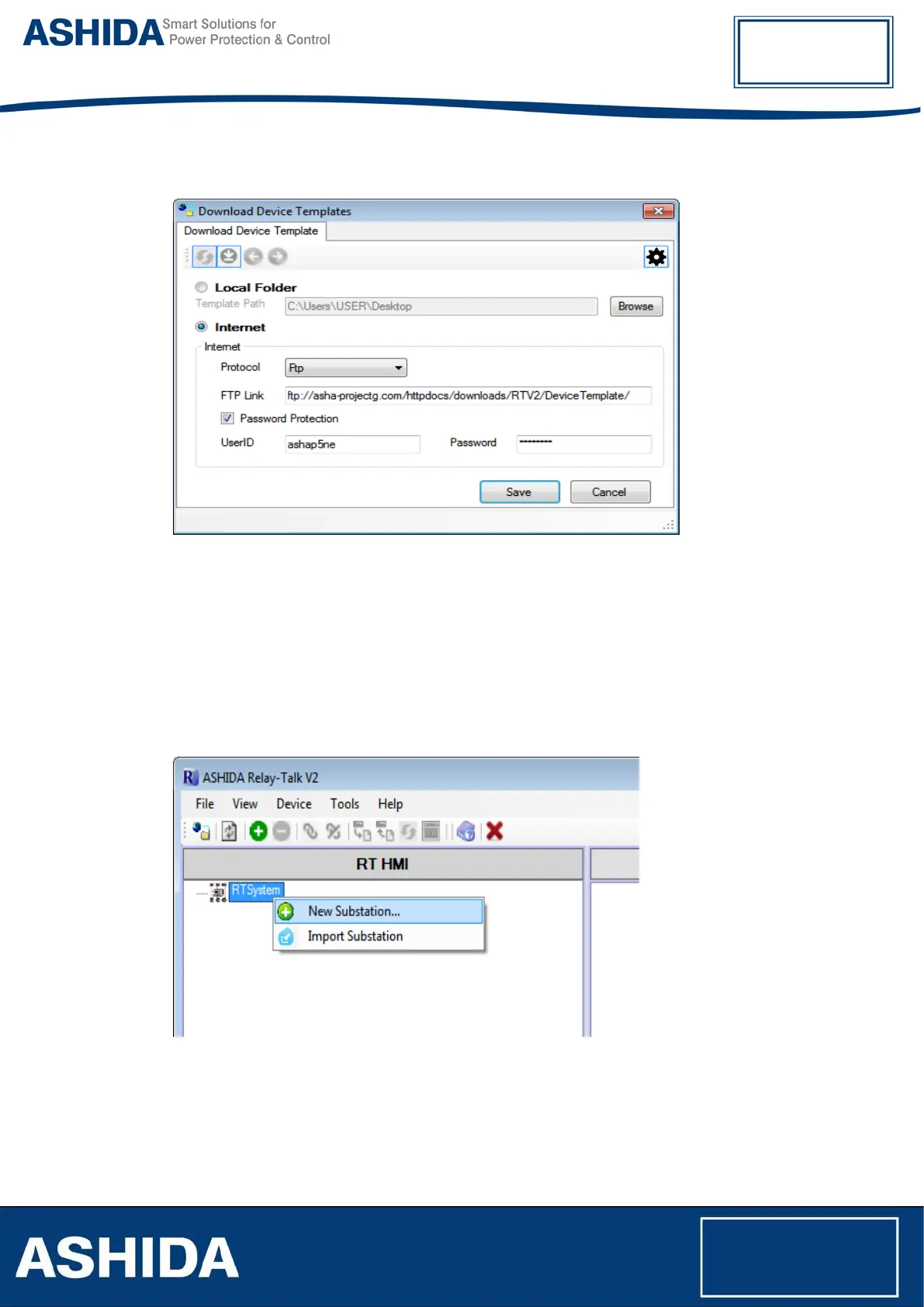
Figure 10: Download Device Template
Write Web URL and click save. Then click on Refresh button to check available Device
templates. Select suitable Device template to download, and click on Download button.
3.4 Substation
3.4.1 Adding Substation to RT System
To add new substations right click on “RT System”. Following context menu will appear.
Figure 11: Add new substation
Now click on “New Substation” then the following window will appear.



 To Next Page