Ref ID : ADR233B/IM/SI
Rev No. : 05
Page No. : 87 of 479
ADR233B
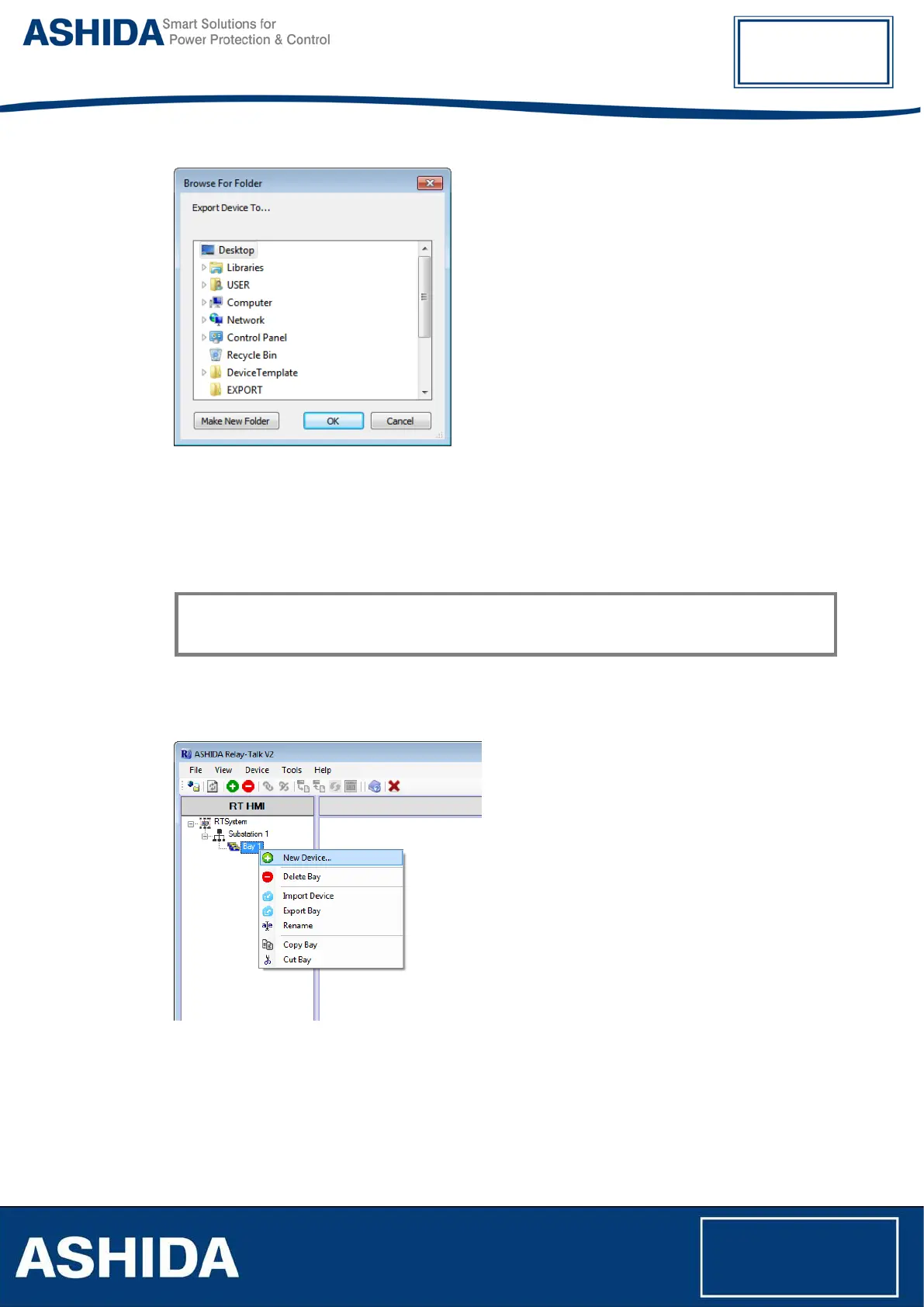
Figure 20: Export Bay Dialogue
In the “Export Bay” dialogue, select a destination path and click Ok.
3.6 Device
This section is generalized and applicable for all ASHIDA Relay models. The User should choose
relevant Device Template based on Relay Model.
3.6.1 Adding New Device
To add a device right click on bay and select “New Device”
Figure 21: Add new device
After Downloading the device template, Click on Add Device then list of Available Device
templates will display as follows:



 To Next Page