Ref ID : ADR233B/IM/SI
Rev No. : 05
Page No. : 90 of 479
ADR233B
3.7 Communication Setting
3.7.1 Editing connection settings of Device
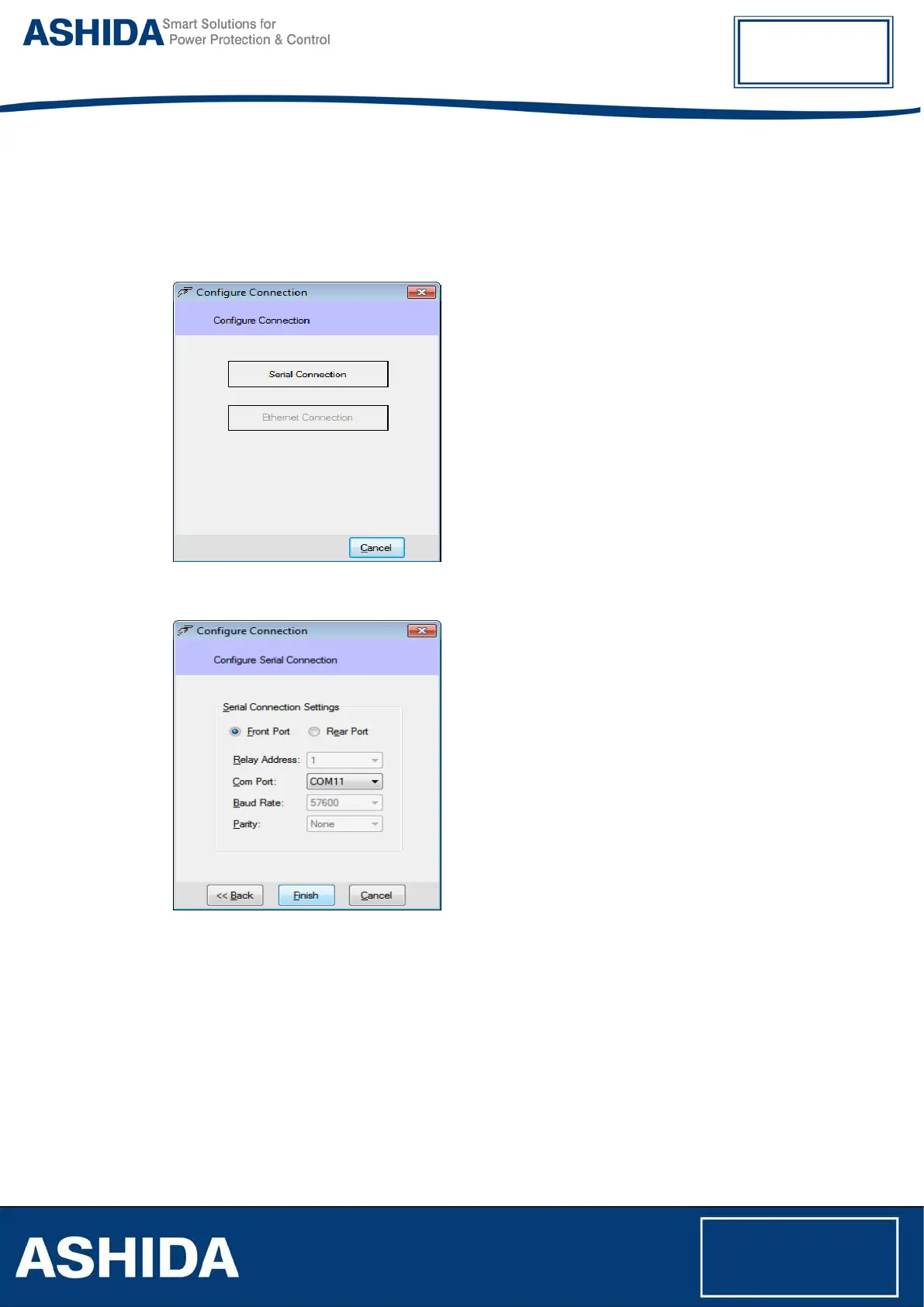
To Edit or Initialize Serial communication Settings Double click on Connection button.
Below shown window will appear on screen.
Figure 26: Serial Connection
Figure 27: Communication settings
Edit communication settings as required and click Finish to save.
3.7.2 Communicating with Device
Once the communication settings are done, then the Device can communicate using ASHIDA
Relay Talk System Version2. The Configurator internally uses a separate communication driver
to communicate with the device. This communication driver communicates with the device using
communication parameters (e.g. com port, baud rate, parity) supplied in device connection.
Status of this driver is reflected in status bar at the bottom rightmost corner.



 To Next Page