Centering originals
Centering originals
Printing Originals Centered on Rolls ...................................................................................................................... 120
Printing Originals Centered on Rolls (Windows) ......................................................................................... 120
Printing Originals Centered on Rolls (Mac OS) ........................................................................................... 122
Printing Originals Centered on Sheets .................................................................................................................. 124
Printing Originals Centered on Sheets (Windows) ..................................................................................... 124
Printing Originals Centered on Sheets (Mac OS) ....................................................................................... 126
Printing Originals Centered on Rolls
Printing Originals Centered on Rolls
You can print originals centered on a page—for example, if the paper is larger than the original, or if you are reduc-
ing the original.
•
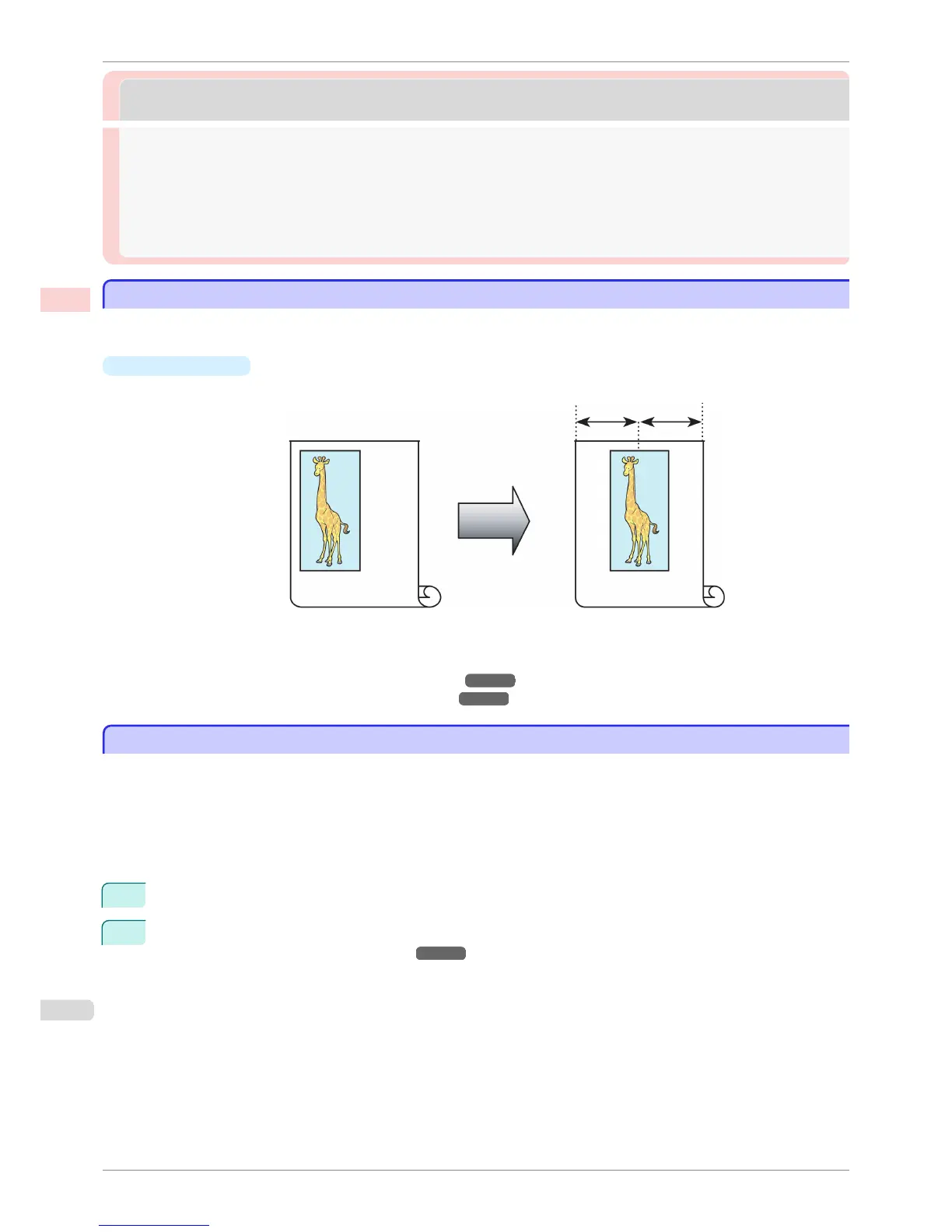
Print Centered
If you use originals smaller than the roll paper width, you can center them relative to the width when printing.
For instructions on centering originals when printing on rolls, refer to the following topics, as appropriate for
your computer and operating system.
•
Printing Originals Centered on Rolls (Windows) ➔ P.120
•
Printing Originals Centered on Rolls (Mac OS) ➔ P.122
Printing Originals Centered on Rolls (Windows)
Printing Originals Centered on Rolls (Windows)
This topic describes how to center originals before printing on rolls based on the following example.
•
Document: Any type
•
Page size: A4 (210.0×297.0 mm)/Letter (8.3 × 11.7 in)
•
Paper: Roll
•
Paper type: Plain Paper
•
Roll width: A3/A4 roll (297.0 mm [11.7 in])
1
Choose Print in the application menu.
2
Select the printer in the dialog box, and then display the printer driver dialog box. (See "Accessing the Print-
er Driver Dialog Box from Applications .") ➔ P.156
Printing Originals Centered on Rolls
iPF6400S
User's Guide
Enhanced Printing Options Centering originals
120













 To Next Page