4
Click the OK button.
5
Click the OK button to close the Print History De-
tails dialog box.
Set Information to Print with Image
Set Information to Print with Image
You can print information with an image that is related, such as the file name and the time and date.
Note
• When you use the borderless printing function to print, the information will not be printed. (See "Print with No Bor-
ders.") ➔ P.265
• When the printed information is too long as does not fit on the media, a break will appear in the printed information.
• The information may print on the image data with some media sizes, enlargement rates and print position values.
• When Keep Media Size is set to On on the printer, a portion of bottom of the print data is not printed.
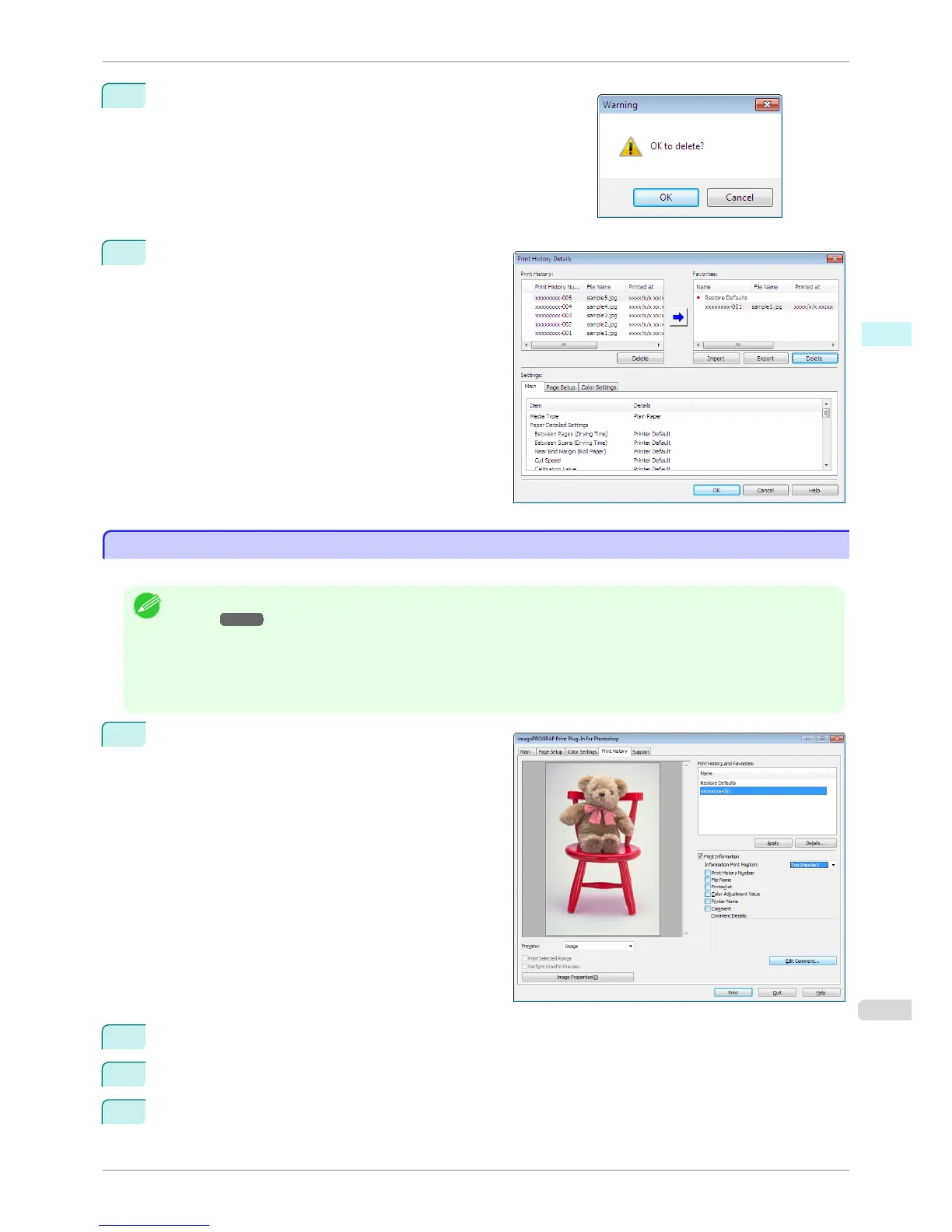
1
Display the Print History sheet.
2
Click the Print Information check box on.
3
Select the position where you wish to print the information in Information Print Position.
4
Click the information check box you wish to print on.
iPF6400S
Set Information to Print with Image
User's Guide
Windows Software Print Plug-In for Photoshop / Digital Photo Professional
275













 To Next Page