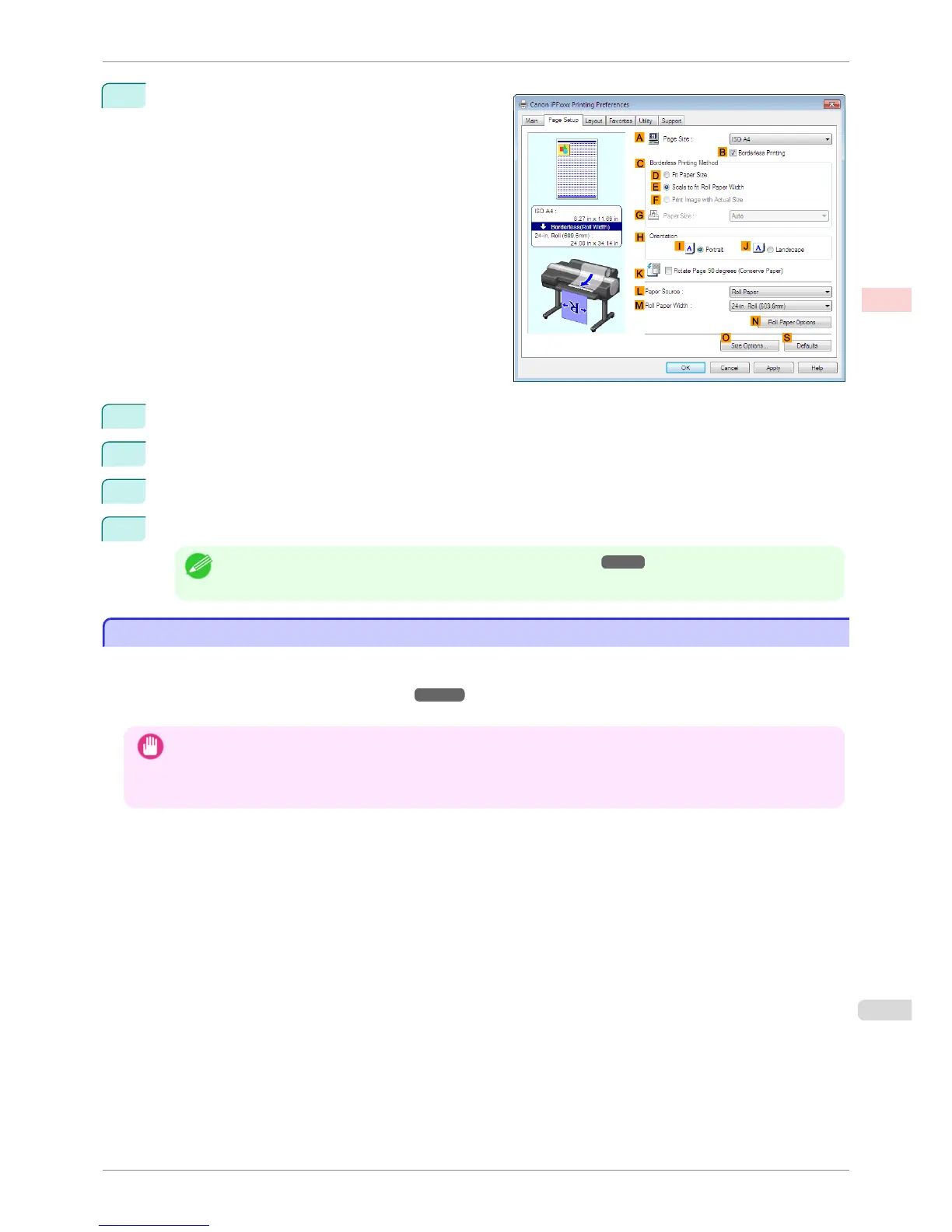
10
Select the B Borderless Printing check box to dis-
play the Information dialog box.
11
Select the width of the loaded roll in the Roll Paper Width list—in this case, click 10-in. Roll (254.0mm).
12
Click OK to close the Information dialog box.
13
In C Borderless Printing Method, click F Print Image with Actual Size.
14
Confirm the print settings and print as desired.
Note
• For tips on confirming print settings, see "Confirming Print Settings ." ➔ P.153
Borderless Printing at Actual Size (Mac OS)
Borderless Printing at Actual Size (Mac OS)
This topic describes how to print borderlessly at actual size based on the following example.
If you use an A1 or A2 roll for borderless printing, insert the provided Spacer for Borderless Printing on the Roll
Holder. (See "Loading Rolls on the Roll Holder.") ➔ P.471
The platen may be soiled from borderless printing if you do not attach it.
Important
• When borderless printing is used, the edge of the paper is cut during printing. Thus, ink density may be uneven at the
edges. If you require higher image quality, select No from the Automatic Cutting list in the Paper Detailed Settings
dialog box. In this case, the paper can be printed without borders on the left and right sides only. Once printed and cut,
please cut the upper and lower bands with scissors.
•
Document: Any type
•
Page size: 10 × 12 inches (254.0×304.8 mm)–Borderless
•
Paper: Roll
•
Paper type: Canon Heavyweight Coated Paper
•
Roll paper width: 10 inches (254.0 mm)
iPF6400S
Borderless Printing at Actual Size (Mac OS)
User's Guide
Enhanced Printing Options Printing at full size
81













 To Next Page