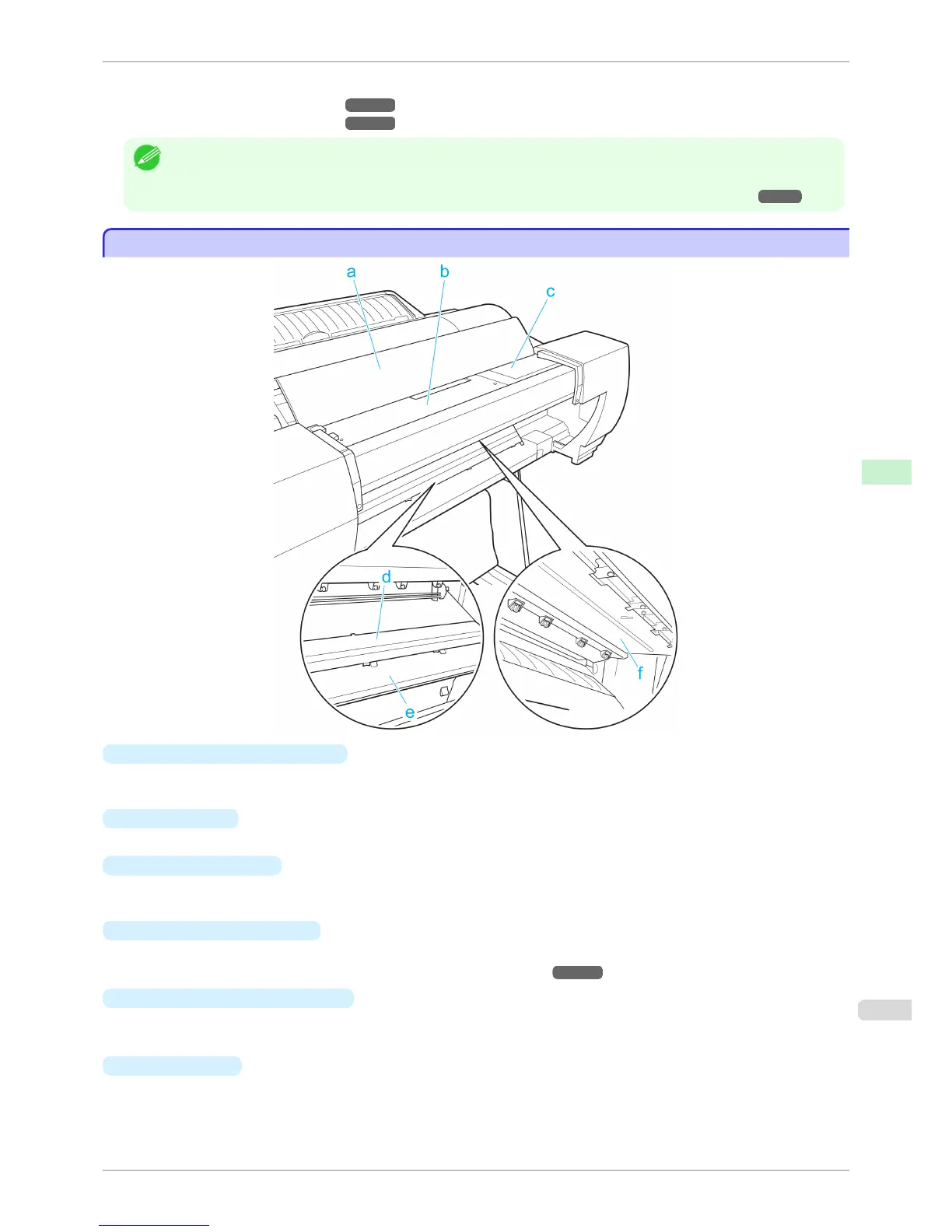
For more information on the main parts of the Spectrophotometer Unit, refer to the following topics.
•
Spectrophotometer Unit Parts - 1 ➔ P.617
•
Spectrophotometer Unit Parts - 2 ➔ P.618
Note
• For instructions on installing the Spectrophotometer Unit, refer to the instructions provided with the Spectrophotometer
Unit.
• For more information on managing colors with the Spectrophotometer Unit, refer to see "Managing Colors." ➔ P.729
Spectrophotometer Unit Parts - 1
Spectrophotometer Unit Parts - 1
a
Spectrophotometer Unit Cover
This cover keeps out unnecessary outside light during color measurement. Open this cover to clean inside the
Spectrophotometer Unit.
b
Up-down Unit
The Spectrophotometer Carriage moves left and right inside the Up-down Unit.
c
Up-down Unit Cover
This item covers the Spectrophotometer Carriage for safety purposes. Open this cover to replace the Spectro-
photometer Sensor and perform other tasks.
d
White/Black Backing Plate
Provides a backing (either white or black) for color measurement.
(See "Switching the White/Black Backing Plate (Optional) Color.") ➔ P.746
e
Spectrophotometer Eject Guide
Supports output paper.
The White/Black Backing Plate attaches to this guide.
f
Paper presser
Holds the paper in place during color measurement.
iPF6400S
Spectrophotometer Unit Parts - 1
User's Guide
Printer Parts Optional accessories
617













 To Next Page