Important
•
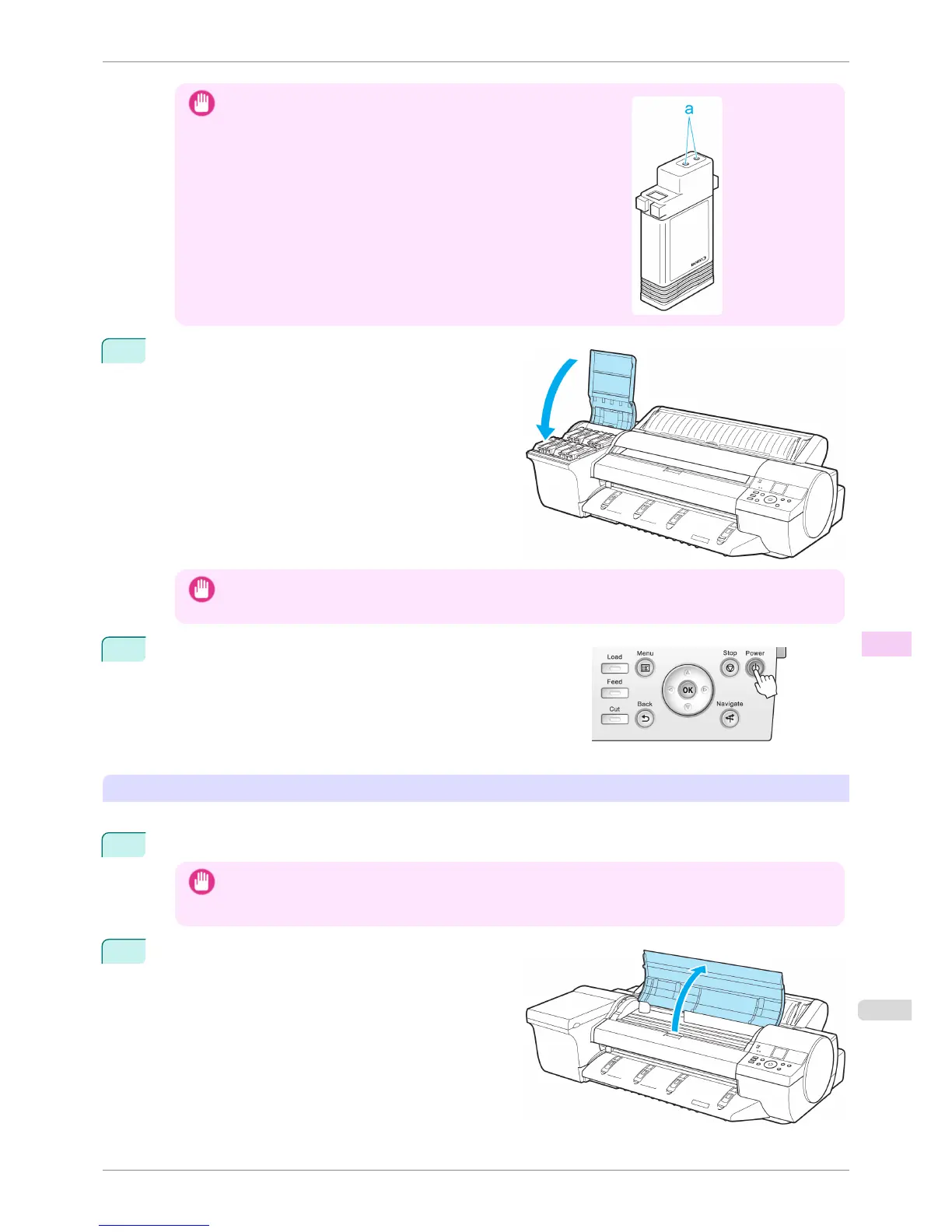
Store the ink tanks you removed with the ink holes (a) facing up. Other-
wise, ink may leak and cause stains.
3
Close all ink tank lock levers, and then close the Ink
Tank Cover.
At this point, ink is drawn out from inside the tubes.
Important
• Do not remove the Maintenance Cartridge unless a replacement message appears.
Removing the Maintenance Cartridge while the ink is bring drawn in may cause the ink to leak out.
4
When the process is finished, "Completed! Turn Power Off!!" is
displayed.
Press the Power button and turn off the printer.
Pack the printer
Refer to the Setup Guide for details on packing the printer and installing it after transfer.
1
Disconnect the power cord and interface cable.
Important
• Unplug the power cord once the power is turned off. Unplugging the printer before it is off and moving it may
cause damage. If you accidentally unplug the printer before turning it off, plug it in again, reinstall the ink tank,
and perform the procedure again.
2
Open the Top Cover.
iPF6400S
Preparing to Transfer the Printer
User's Guide
Maintenance and Consumables Other Maintenance
857













 To Next Page