Handling rolls
Handling rolls
Loading Rolls on the Roll Holder ............................................................................................................................. 471
Loading Rolls in the Printer ........................................................................................................................................ 473
Changing the Type of Paper ..................................................................................................................................... 476
Specifying the Paper Length ..................................................................................................................................... 477
Removing the Roll from the Printer ....................................................................................................................... 478
Removing Rolls From the Roll Holder .................................................................................................................... 480
➔ Clearing Jammed Roll Paper .............................................................................................................................. 870
➔ Clearing Jammed Paper (Paper Feed Slot) .................................................................................................. 875
Feeding Roll Paper Manually ..................................................................................................................................... 481
Keeping Track of the Amount of Roll Paper Left ............................................................................................ 481
Specifying the Ink Drying Time for Rolls ............................................................................................................. 482
Specifying the Cutting Method for Rolls ............................................................................................................. 483
Cutting the Leading Edge of Roll Paper Automatically ................................................................................. 489
Reducing Dust from Cutting Rolls .......................................................................................................................... 491
Roll Holder Set ................................................................................................................................................................. 491
Removing the Roll Feed Unit ..................................................................................................................................... 492
Installing the Roll Feed Unit ....................................................................................................................................... 493
Lowering the Up-down Unit of the Spectrophotometer Unit (option) Manually ................................ 494
Loading Rolls on the Roll Holder
Loading Rolls on the Roll Holder
When printing on rolls, attach the Roll Holder to the roll.
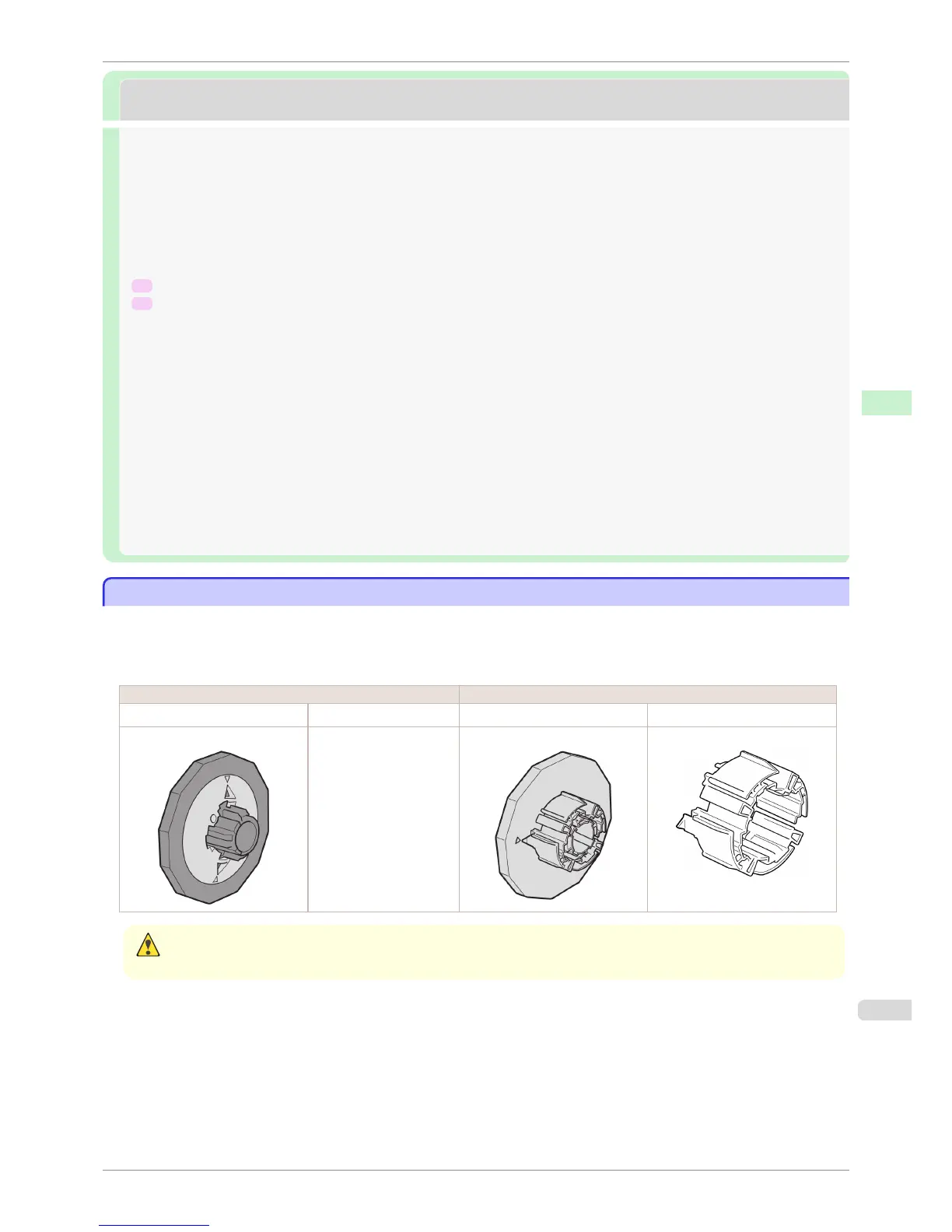
Rolls have a two- or three-inch paper core. Use the correct Holder Stopper and attachment for the paper core.
For borderless printing on A1 (594 mm) or A2 (420 mm) rolls, attach the included Spacer for Borderless Printing to
the Roll Holder.
Using Rolls with a 2-inch Paper Core Using Rolls with a 3-inch Paper Core
Holder Stopper Roll Holder Side Holder Stopper Roll Holder Side
For 2-inch paper cores No Attachment Needed For 3-inch paper cores 3-Inch Paper Core Attachment
Caution
• Set the roll on a table or other flat surface so that it does not roll or fall. Rolls are heavy, and dropping a roll may cause
injury.
iPF6400S
Loading Rolls on the Roll Holder
User's Guide
Handling and Use of Paper Handling rolls
471













 To Next Page