UNIT:Letter Sheet
Counters for maintenance purposes. Needed when service is re-
quested.
Set./Adj. Menu Settings and adjustment information.
Adjust Printer Adjustment settings.
Calibration Color calibration settings.
Calibration Log (Unique Calibration) A record of when unique calibration was performed.
No. Log number.
Paper Type Indicates the date when calibration was performed
and the type of paper used.
Date
AdjType The adjustment type.
PatternSize The pattern size.
Temp/Humid The temperature and humidity when executed.
Backing Information on the backing plate when executed.
Printing Interface Setting Reports
Printing Interface Setting Reports
You can print an Interface Print report indicating the current interface settings values of the printer.
Interface Print reports indicate settings values for TCP/IP, NetWare, and other settings.
Printing Interface Print reports
1
Load the paper.
If using sheets, load paper A4/Letter-sized, you will need at least three sheets.
2
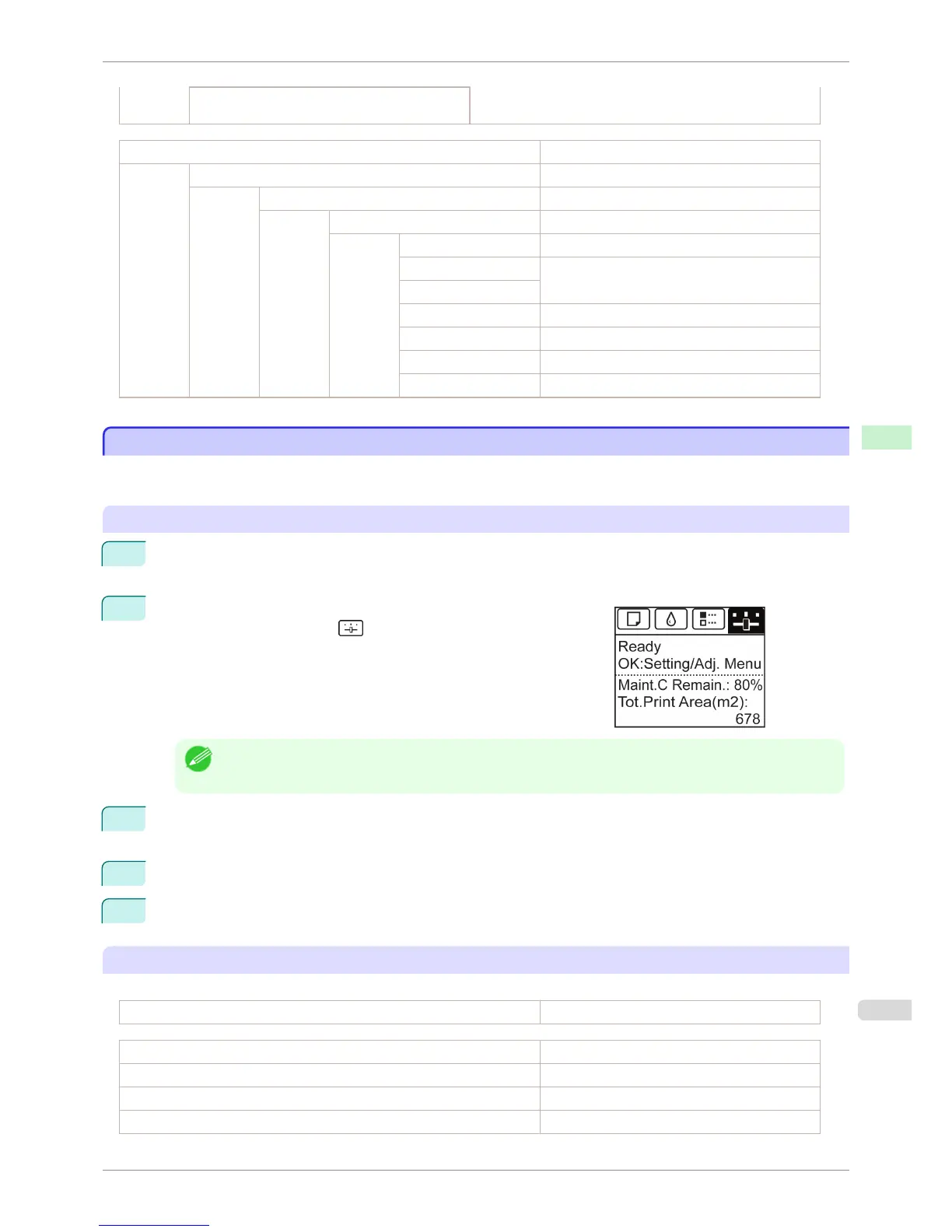
On the Tab Selection screen of the Control Panel, press ◀ or ▶ to
select the Settings/Adj. tab ( ).
Note
• If the Tab Selection screen is not displayed, press the Menu button.
3
Press the OK button.
The Set./Adj. Menu is displayed.
4
Press ▲ or ▼ to select Test Print, and then press the OK button.
5
Press ▲ or ▼ to select Interface Print, and then press the OK button.
Confirming Interface Print information
The following information is included in the Interface Print report.
Canon imagePROGRAF iPFxxxx Interface Print Printer model
Firm Firmware Version
Boot Boot ROM Version
MIT(DBF) MIT Database Format Version
MIT(DB) MIT Database Version
iPF6400S
Printing Interface Setting Reports
User's Guide
Control Panel Printer Menu
599













 To Next Page