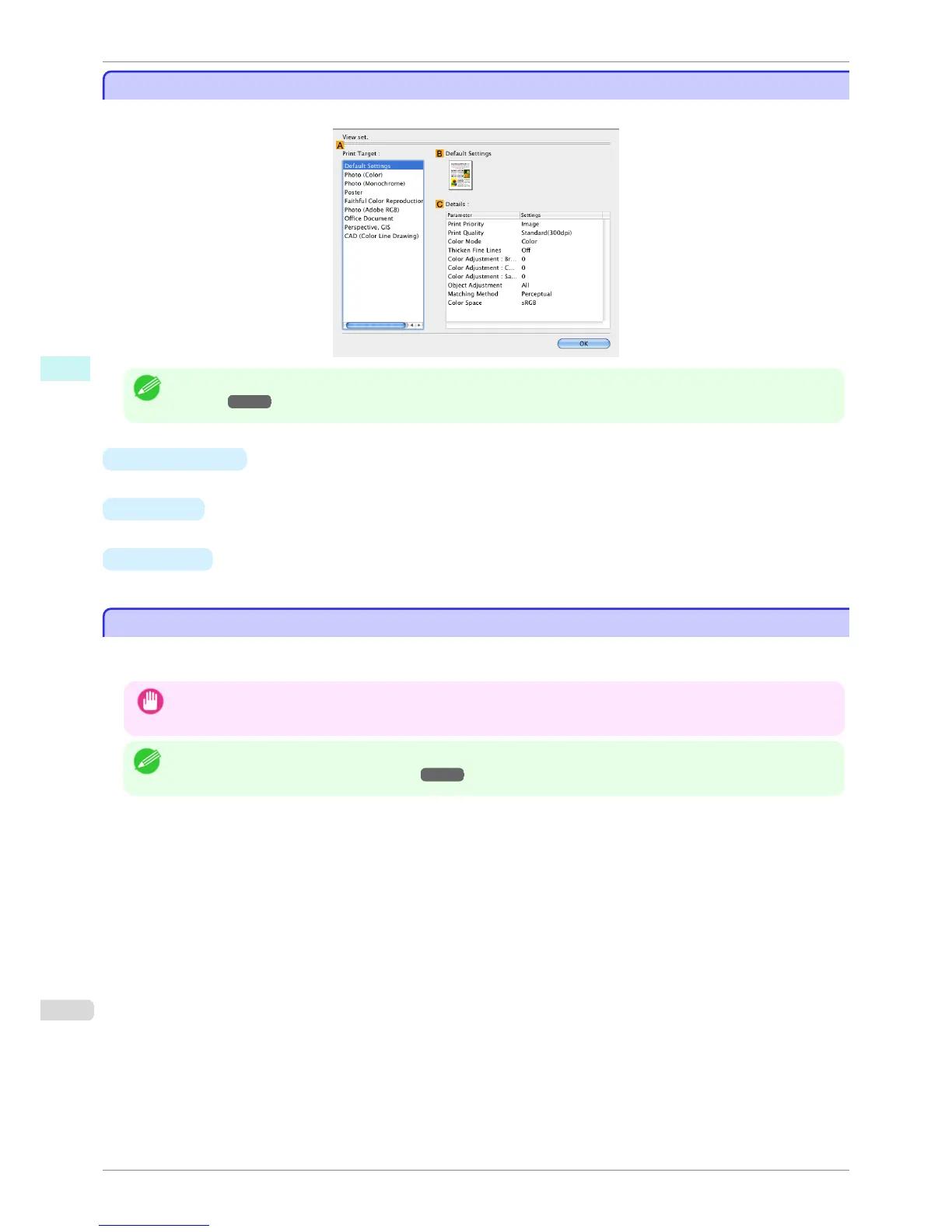
View settings Dialog Box for the Printing Application
View settings Dialog Box for the Printing Application
In the View settings dialog box, you can check details of the selected printing application.
Note
• To display the View settings dialog box, on the Main pane, click View settings by Print Target. (See "Main
Pane .") ➔ P.323
• A Print Target
Shows all Print Target options (settings items for the printing application).
• B Name
Identifies the item selected in Print Target by its name and an icon.
• C Details
Here, you can confirm detailed settings values for each item selected in the Print Target list.
Matching pane
Matching pane
On the Matching pane, you can specify color matching to compensate for differences in the appearance of colors
on various devices.
Important
• The Matching pane is not displayed when No color correction or Monochrome is selected in Color Mode.
Note
• To display the Matching pane, on the Main pane click Color Settings by Color Mode in Advanced Settings, and then
click the Matching tab. (See "Main Pane .") ➔ P.323
View settings Dialog Box for the Printing Application
iPF6400S
User's Guide
Mac OS Software Printer Driver
328













 To Next Page