3
Holding the Carrying Handles (a) of the Roll Feed
Unit, remove the Roll Feed Unit from the printer.
Installing the Roll Feed Unit
Installing the Roll Feed Unit
Important
• Always turn off the printer before attaching the Roll Feed Unit. The printer may be damaged if you do not turn it off first.
1
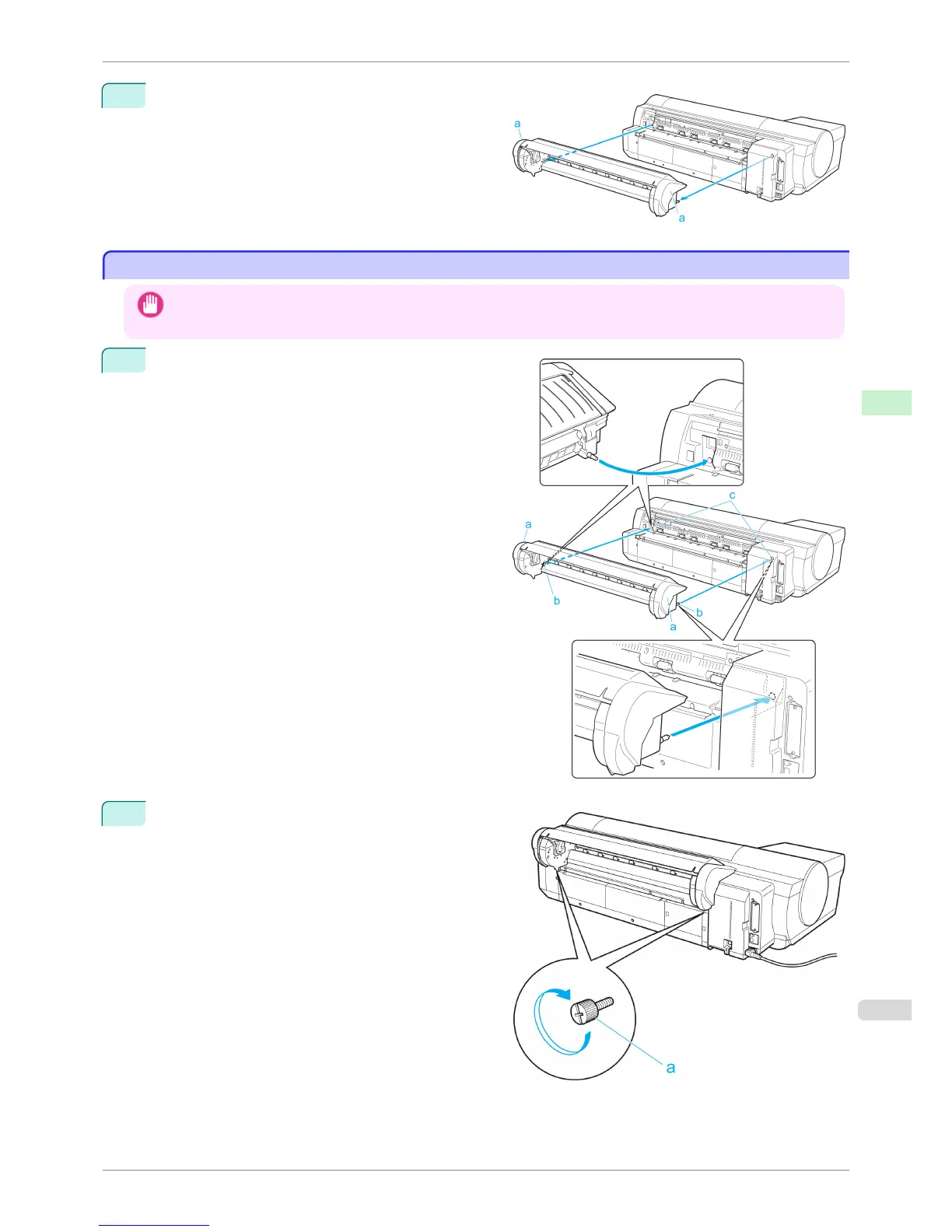
Holding the Roll Feed Unit by the Carrying Handles
(a), insert the two pins of the Roll Feed Unit (b) into
the each hole on the back of the printer (c).
2
Use a coin or screwdriver to tighten the two screws
on the back of the Roll Feed Unit (a) to secure it to
the printer.
iPF6400S
Installing the Roll Feed Unit
User's Guide
Handling and Use of Paper Handling rolls
493













 To Next Page