7
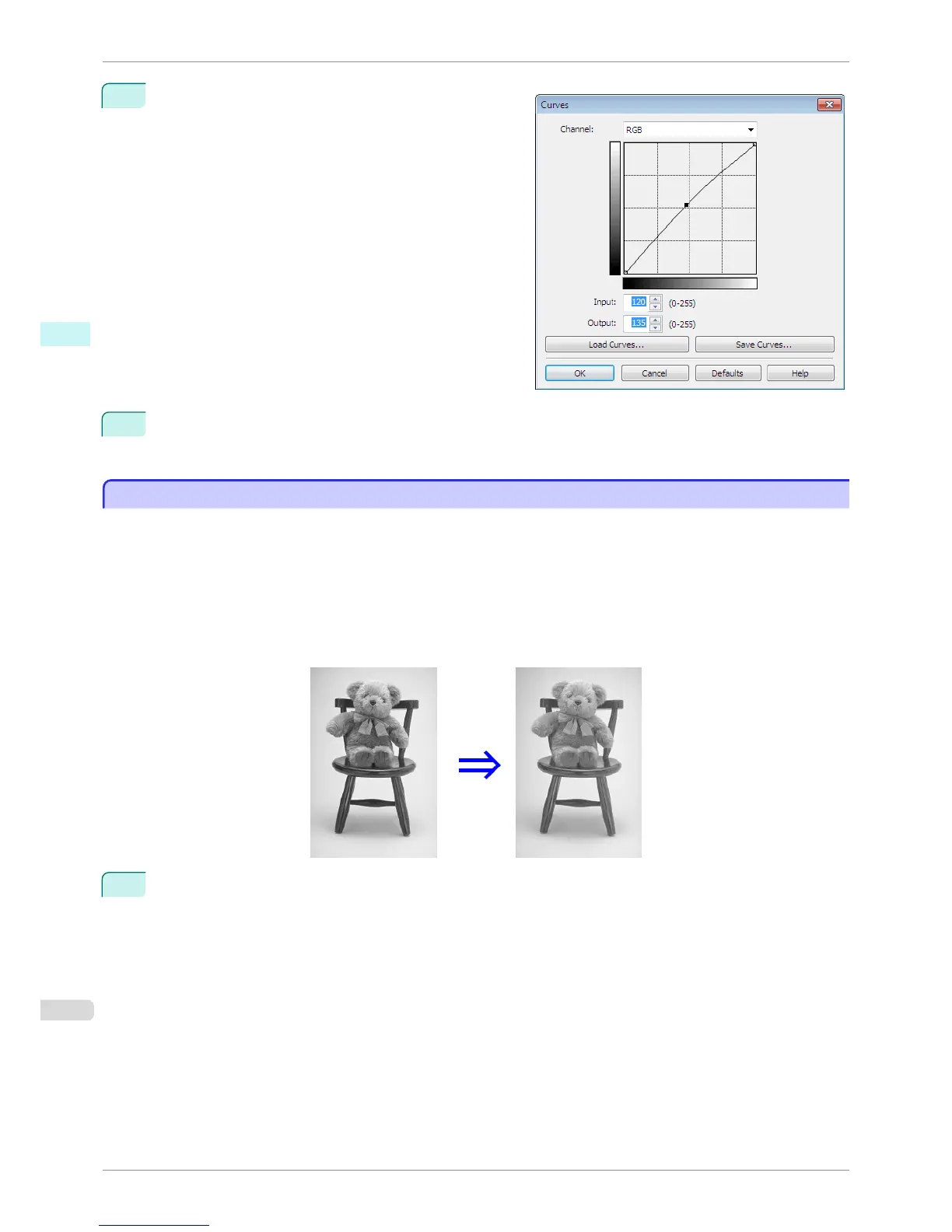
Enter 120 in Input and 135 in Output then click the OK
button.
8
Click the Print button.
The adjustments are reflected in the image and printing begins.
Adjust the Colors while Checking the Preview (for Monochrome)
Adjust the Colors while Checking the Preview (for Monochrome)
You can adjust the colors while checking the adjustments in the preview.
The following explanation is about the procedures for adjusting example image below.
•
Low for Contrast
•
Light for Highlight
•
Light for Shadow
•
Enhance brightness for the curves
The unapplied and the applied images of the above image adjustments are as below.
1
Open the Main sheet.
Adjust the Colors while Checking the Preview (for Monochrome)
iPF6400S
User's Guide
Windows Software Print Plug-In for Photoshop / Digital Photo Professional
254













 To Next Page