c
Printhead Fixer Lever
Locks the Printhead Fixer Cover. Do not open this part except during Printhead replacement.
Ink Tank Cover (Inside)
Ink Tank Cover (Inside)
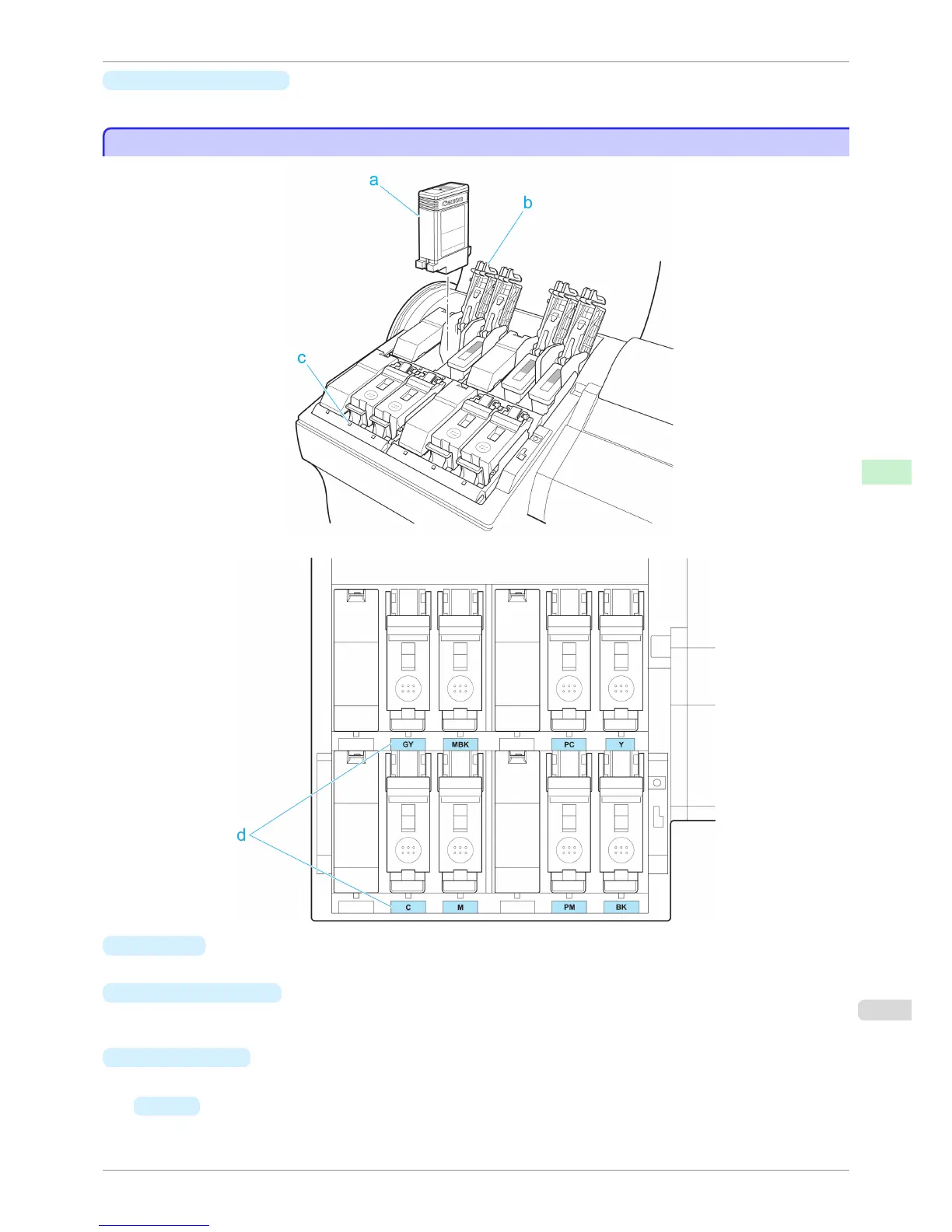
a
Ink Tank
Cartridges of ink in various colors.
b
Ink Tank Lock Lever
A lever that locks the Ink Tank in place and protects it. Lift and press down the lever when replacing an Ink
Tank.
c
Ink Lamp (Red)
Indicates the state of the Ink Tank as follows when the Ink Tank Cover is opened.
•
On
The Ink Tank is installed correctly.
iPF6400S
Ink Tank Cover (Inside)
User's Guide
Printer Parts Printer parts
609













 To Next Page