2
Click the Delete button.
Note
• Sizes that have a red circle in the Name cannot be deleted.
Creating and Printing a Layout Image for Mounting on a Frame
Creating and Printing a Layout Image for Mounting on a Frame
The procedure for creating and printing a layout image for mounting on a frame is as follows.
1
Start Photoshop.
2
Open the image to lay out and edit the image in Photoshop as needed.
3
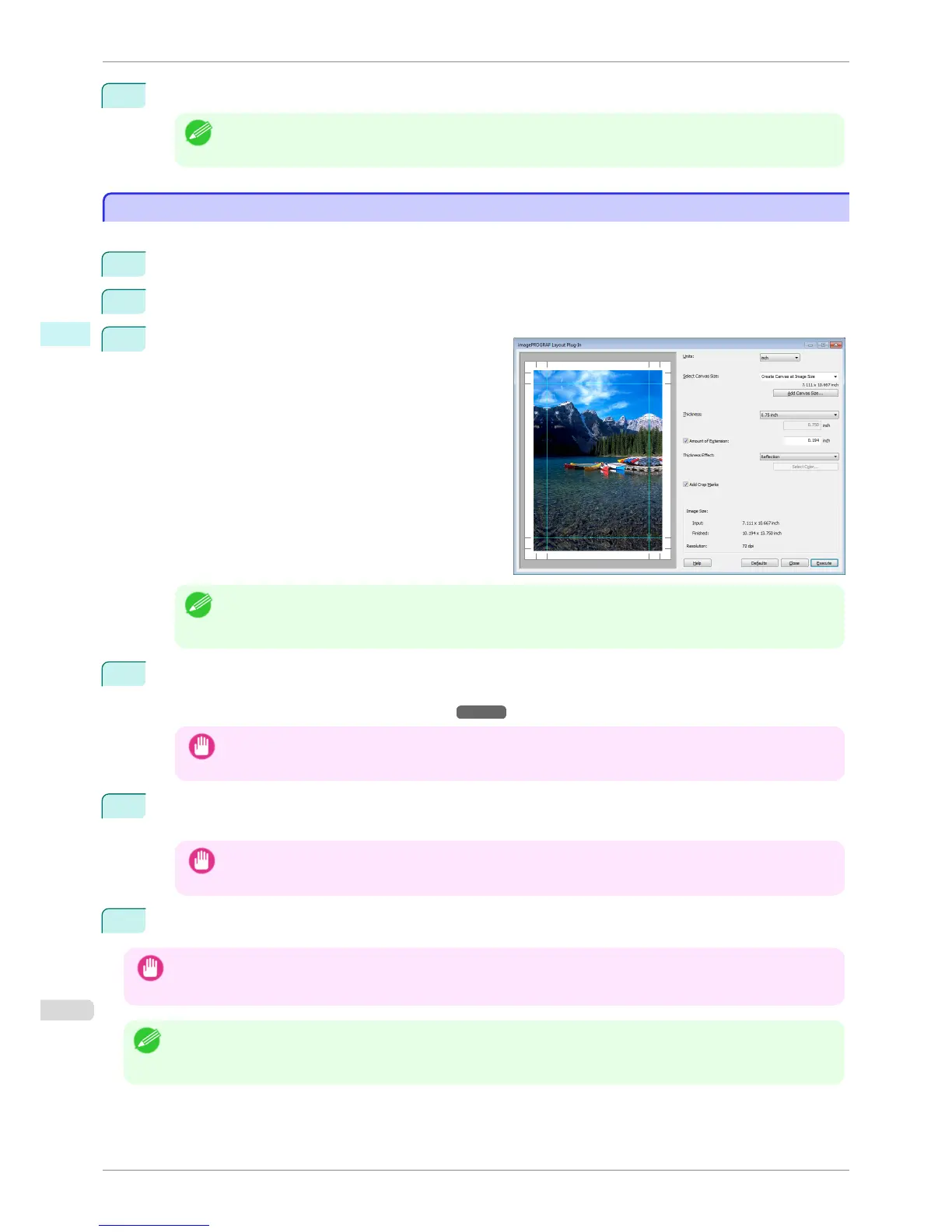
Select imagePROGRAF Layout Plug-In from Auto-
mate in the Photoshop File menu.
Run the Layout Plug-In to display the Layout Plug-In
Main Window.
Note
• The Layout Plug-In can handle images with a width and height of less than 60,000 pixels. For images with a
width or height of 60,000 pixels or more, either reduce the selection range or reduce the image through image
processing before performing step 3.
4
Select the canvas size that matches the frame for mounting the image and create a layout image by adding
effects such as frame side effects.
For details, see "Layout Plug-In Main Window." ➔ P.277
Important
• The created layout image cannot be modified in Photoshop.
5
Once you have finished creating the layout image, run the Print Plug-In for Photoshop and print on paper
that is larger than the size of the layout image.
Important
• When you click the Close button to close the Layout Plug-In, the created layout image is discarded.
6
Mount the printed layout image on the frame.
Important
• Fully dry the printed paper before mounting it on the frame.
• Take care when mounting on the frame. The ink may peel off if you touch the printed surface.
Note
• As you fold the printed paper along the frame, the folded areas may crack and reveal the paper underneath, depending
on the media type. You can prevent the folded areas from splitting to some degree by using commercially available inkjet
protection spray or liquid laminating agent for inkjets before folding.
Creating and Printing a Layout Image for Mounting on a Frame
iPF6400S
User's Guide
Windows Software Layout Plug-In for Photoshop
280













 To Next Page