Using imagePROGRAF Printmonitor (Mac OS)
1
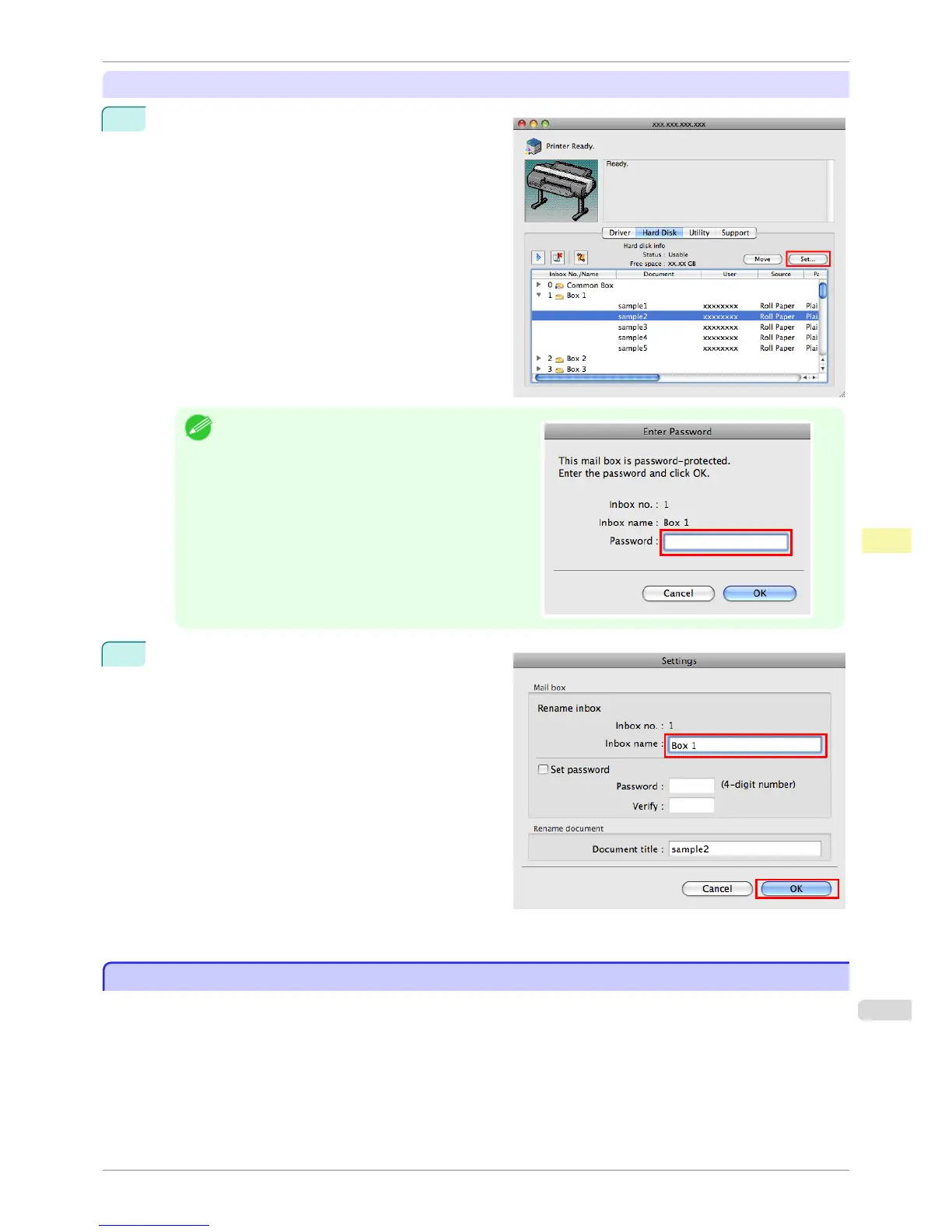
In the Hard Disk pane, click ▶ next to Inbox No./
Name. Select a saved job in the list and click Set.
Note
•
Enter a password if one has been set.
The password is a four-digit number.
2
In the Settings dialog box, enter the name and click
OK.
For details, refer to the imagePROGRAF Printmonitor help file.
Displaying a List of Saved Jobs
Displaying a List of Saved Jobs
Print jobs stored on the printer's hard disk (saved jobs) can be listed by box as follows.
These operations are available from the Control Panel or in RemoteUI, imagePROGRAF Status Monitor, and im-
agePROGRAF Printmonitor.
iPF6400S
Displaying a List of Saved Jobs
User's Guide
Print Job Management Advanced Print Job Operations
693













 To Next Page