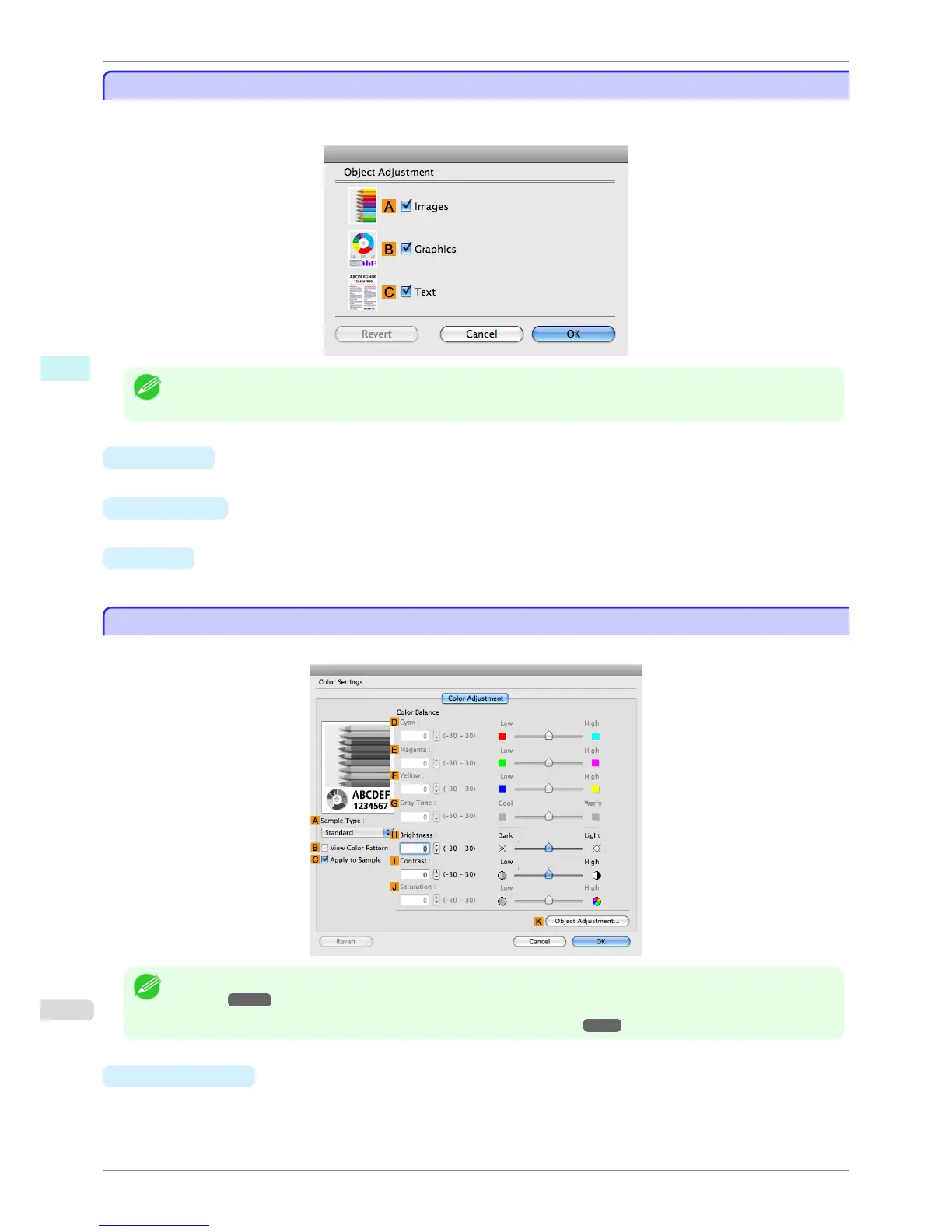
Object Adjustment dialog box: Color
Object Adjustment dialog box: Color
In the Object Adjustment dialog box, you can specify what type of print jobs to apply color adjustment to. If an
original comprises images, graphics, and text, you can specify which portion to apply color adjustment to.
Note
• To display the Object Adjustment dialog box, click Object Adjustment on the Color Adjustment panel.
• A Images
Select this option to apply color adjustment to image areas, such as photos.
• B Graphics
Select this option to apply color adjustment to graphics, such as lines and circles.
• C Text
Select this option to apply color adjustment to text.
Color Settings Pane: Monochrome
Color Settings Pane: Monochrome
On the Color Adjustment pane for monochrome printing, you can adjust the brightness and contrast.
Note
• To display the Color Adjustment pane, on the Main pane, click Color Settings in Advanced Settings. (See "Main
Pane .") ➔ P.323
• For details on settings items, see "Adjusting the Color in the Printer Driver." ➔ P.51
• A
Sample Type
Choose a sample image from Standard, Portrait, Landscape, or Graphics.
Object Adjustment dialog box: Color
iPF6400S
User's Guide
Mac OS Software Printer Driver
332













 To Next Page