j
Ink Tank Cover
Open this cover to replace an Ink Tank. (See "Ink Tank Cover (Inside).") ➔ P.609
Back
Back
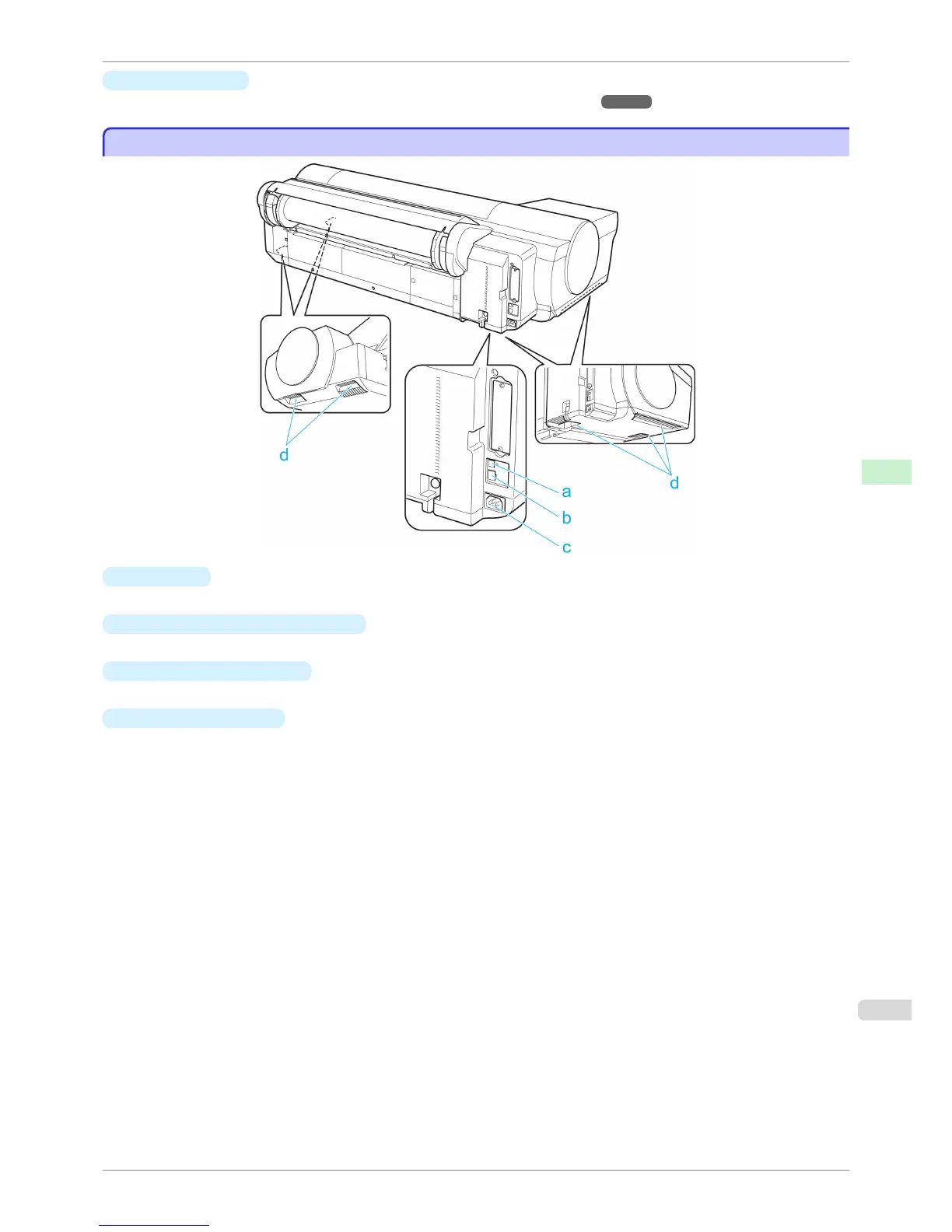
a
USB Port
Connect a USB cable to this port. The printer is compatible with Hi-Speed USB connections.
b
LAN connector (Gigabit Ethernet)
Connect a LAN cable to this port.
c
Power Supply Connector
Connect the power cord to this connector.
d
Carrying Handles (5)
When carrying the printer, hold it by these handles under both sides.
iPF6400S
Back
User's Guide
Printer Parts Printer parts
605













 To Next Page