2
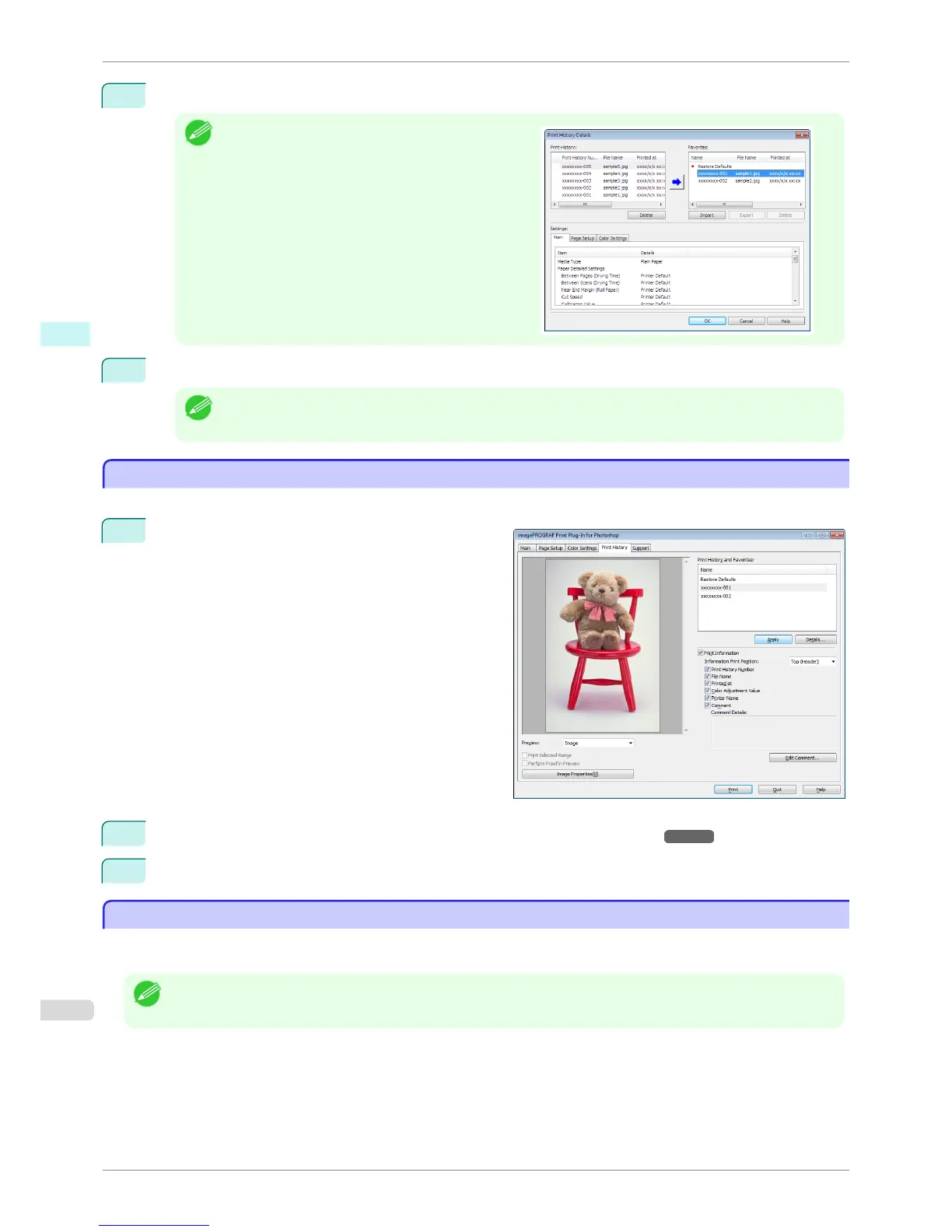
Click the Details button.
Note
•
Select the print history you wish to check the details of,
from either Print History or Favorites in the Print His-
tory Details dialog box.
3
Check the print history details in Settings, and click the OK button.
Note
• You can display the print history details by switching the sheets.
Apply Print History to an Image
Apply Print History to an Image
You can use previous print history, and apply it to an image.
1
Display the Print History sheet.
2
If required, check the print history details. (See "Confirm Print History Details.") ➔ P.267
3
Select the print history you wish to apply from Print History and Favorites, and click the Apply button.
Store Print History to Print Preferences
Store Print History to Print Preferences
You can store often-used print history to print preferences. Not only can you store the print history stored under a
different name in print preferences, you can also find it with ease.
Note
• You can store up to 200 print history items to print preferences.
Apply Print History to an Image
iPF6400S
User's Guide
Windows Software Print Plug-In for Photoshop / Digital Photo Professional
268













 To Next Page