Setting Details
Image
*When you click the image while the cursor is displayed as , the selected area is deselec-
ted.
Roll Paper Preview Display the media size and roll paper information on the top in the layout printing on roll paper.
*To select Roll Paper Preview, select Roll Paper in Paper Source.
•
Print Selected Range
Place a checkmark here to only print the selected range.
Note
• When you select Preview in the Image, then select a portion of the image on the preview display, this becomes
valid.
•
Perform Proof in Preview
Place a checkmark here to simulate the colors of the output product in the preview.
Note
• If Auto (Color) is selected under Output Profile, some media types are enabled.
• If ICC profile is selected under Output Profile, this is always enabled.
• The actual color balance of the print product and the simulation product may differ with some environments and
conditions. In addition, when you have selected an ICC Profile with Output Profile and it is not compatible with the
printer or media that you are using, the color balance of the actual print product will differ.
•
Image Properties button
When you click the button to open the Image Properties dialog box, where Image Size, Resolution, Bit and
Color Space information of the image imported to Print Plug-In are displayed.
Click the Close button to return to Print Plug-In for Photoshop/Digital Photo Professional.
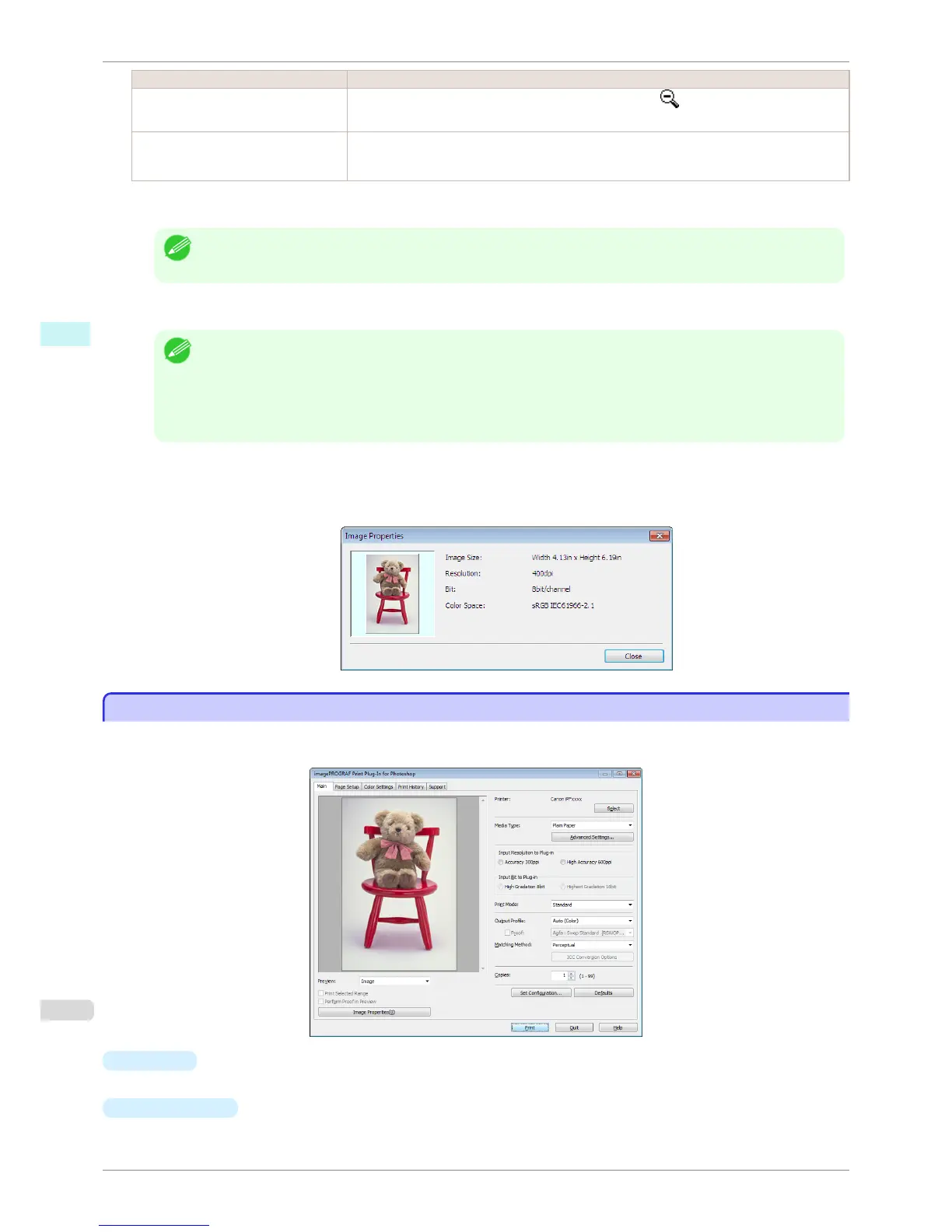
Main Sheet
Main Sheet
You can use this sheet to perform basic settings such as selecting a printer, setting the media type, or adjusting
image quality.
•
Printer
The printer types are displayed.
•
Select
button
Click this button to display the Select Printer dialog box.
Main Sheet
iPF6400S
User's Guide
Windows Software Print Plug-In for Photoshop / Digital Photo Professional
232













 To Next Page