7
Examine test pattern C1. Determine the pattern in which banding is least noticeable. Press ▲ or ▼ to se-
lect this pattern number, and then press the OK button.
C2 is displayed on the Control Panel.
8
Examine test pattern C2. Again, determine the pattern in which banding is least noticeable. Press ▲ or ▼
to select this pattern number, and then press the OK button.
The adjustment value is now registered, and adjustment is complete.
Note
•
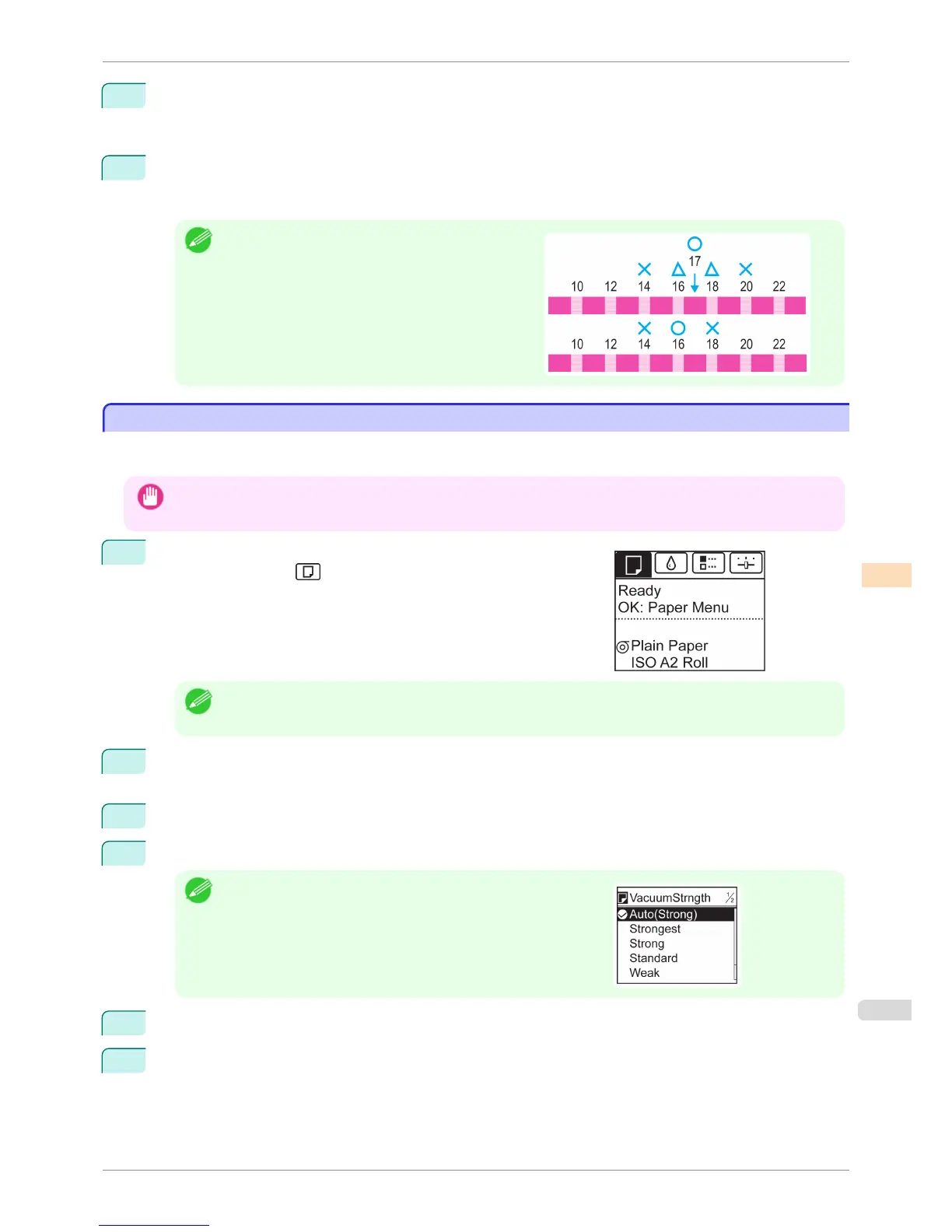
If streaks seem least noticeable in two patterns but you
cannot decide which one is better, choose an intermedi-
ate value. For example, choose 17 if you cannot decide
whether pattern 16 or 18 is better.
Adjusting the Vacuum Strength
Adjusting the Vacuum Strength
When printing on heavyweight paper or paper that curls or wrinkles easily, if the Printhead rubs against paper, ad-
justing the level of suction against paper on the Platen may improve results.
Important
• Paper rubbing against or becoming caught on the Printhead may jam or result in printed documents that are soiled.
1
On the Tab Selection screen of the Control Panel, press ◀ or ▶ to
select the Paper tab ( ).
Note
• If the Tab Selection screen is not displayed, press the Menu button.
2
Press the OK button.
The Paper Menu is displayed.
3
Press ▲ or ▼ to select Paper Details, and then press the OK button.
4
Press ▲ or ▼ to select the type of paper, and then press the OK button.
Note
•
When VacuumStrngth is set to Automatic, the setting value selec-
ted for the previous print job is displayed (to the right of Automatic )
once you select the type of paper currently supplied.
However, the value is cleared when the printer is turned off or the
paper is replaced.
5
Press ▲ or ▼ to select VacuumStrngth, and then press the OK button.
6
Press ▲ or ▼ to select the desired setting value, and then press the OK button.
iPF6400S
Adjusting the Vacuum Strength
User's Guide
Adjustments for Better Print Quality Adjusting the feed amount
721













 To Next Page