Procedures for Installing
Procedures for Installing
Start the installer in the new version of Media Configuration Tool, and follow procedures below to install the Media
Configuration Tool.
Important
• If the printer driver is installed from the User Software CD-ROM, the Media Configuration Tool is also installed and the
media information is also configured. Therefore, the following procedure does not normally need to be performed. To
install the Media Configuration Tool without using the User Software CD-ROM, such as when you have downloaded a
new version of the Media Configuration Tool from the Canon website, use the following procedure.
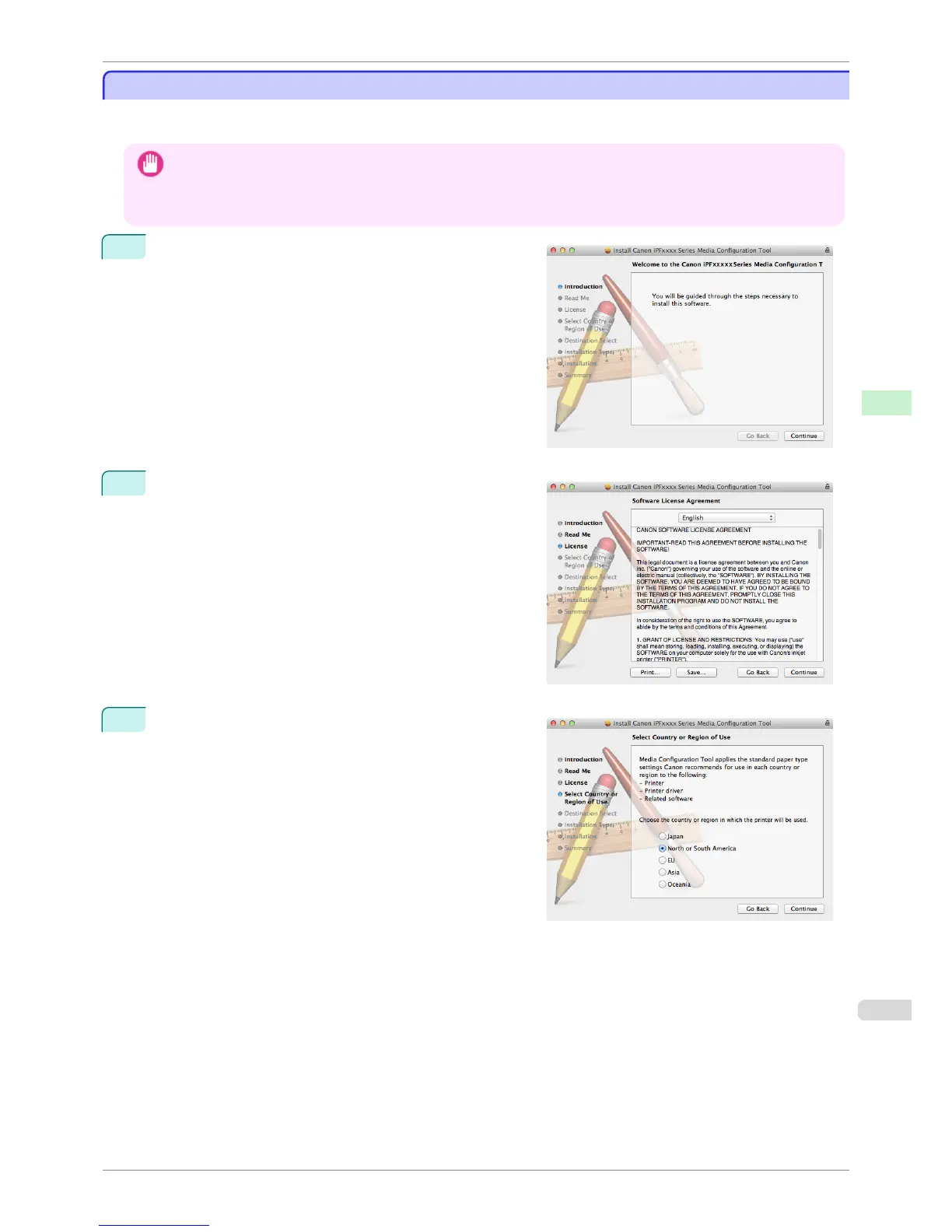
1
Double-click Canon iPFxxxx Series Media Configura-
tion Tool.pkg to start the Media Configuration Tool instal-
ler.
2
The License is displayed.
After you have read Canon Software License Agreement,
click the Continue button.
3
The next screen presents selections for the country or
area where the printer is used.
Select a country or territory then click the Continue but-
ton.
iPF6400S
Procedures for Installing
User's Guide
Handling and Use of Paper Media Configuration Tool (Mac OS)
539













 To Next Page