4
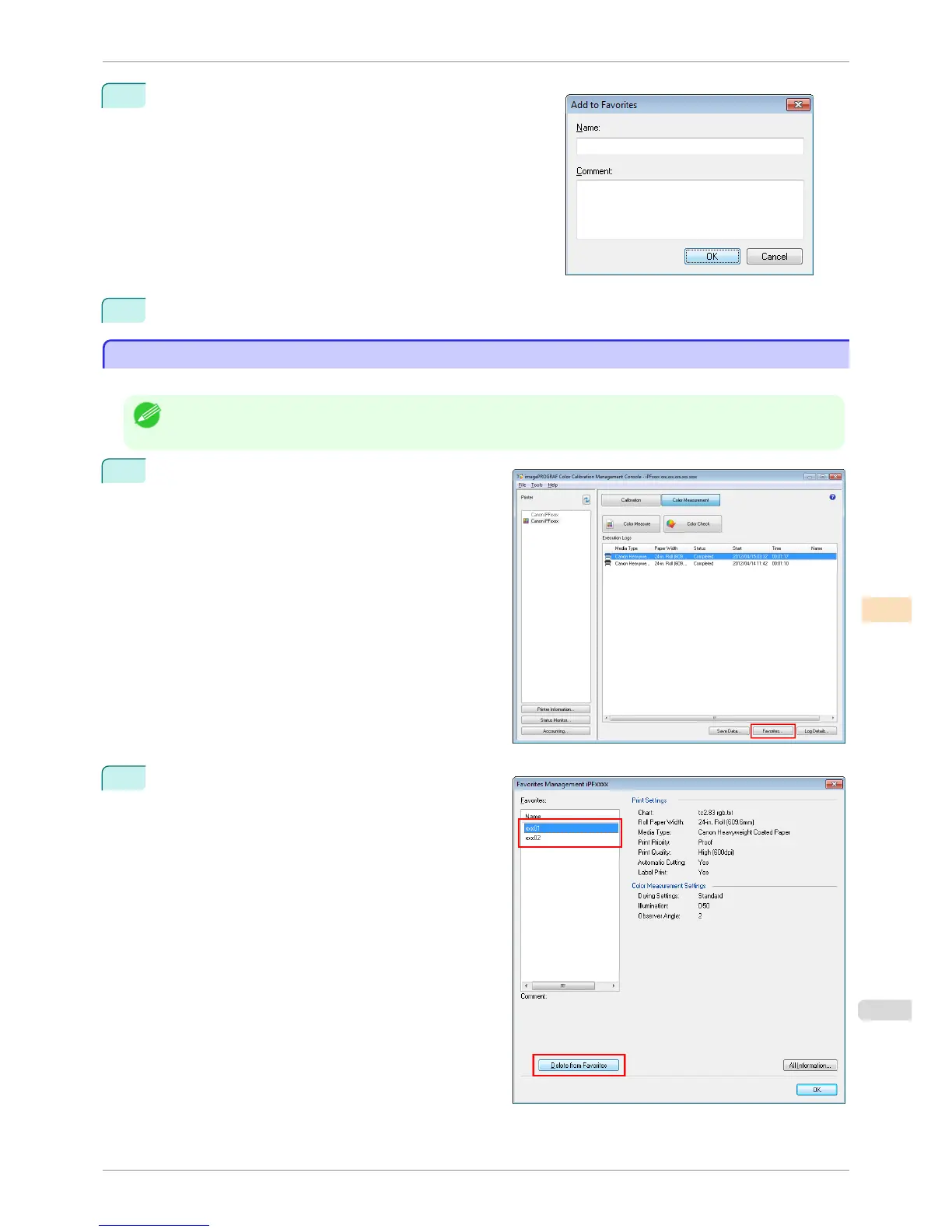
Enter the name in Name. Enter a comment in Comment if
needed.
5
Click the OK button.
Deleting Execution Logs From Favorites
Deleting Execution Logs From Favorites
You can delete Acquire Color Measurement Data execution logs from the favorites.
Note
• This step can be executed when a printer that has a spectrophotometer unit installed is selected.
1
Click the Favorites button in the main window (Color
Measurement sheet).
2
Select execution log that you want to delete in Favor-
ites and click the Delete from Favorites button.
iPF6400S
Deleting Execution Logs From Favorites
User's Guide
Color Management Color Calibration Management Console (Windows)
783













 To Next Page