2
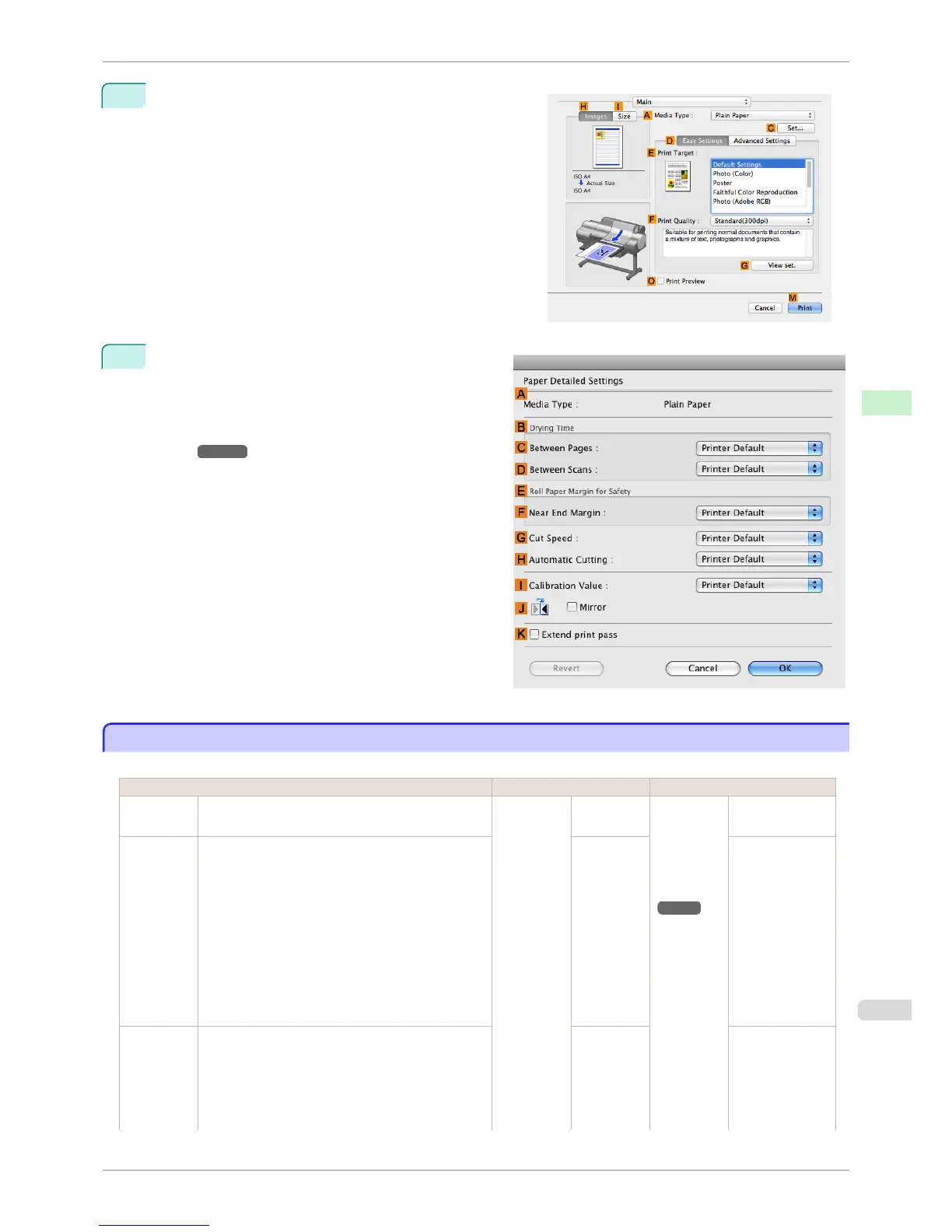
Select the Main pane and click C Settings in A Media
Type.
3
In the Paper Detailed Settings dialog box displayed
next, select the desired settings values in C Be-
tween Pages and D Between Scans in B Drying
Time, and then click OK.
(See "Paper Detailed Settings Dialog Box (Mac
OS).") ➔ P.326
Specifying the Cutting Method for Rolls
Specifying the Cutting Method for Rolls
How rolls are cut after ejection varies depending on printer settings.
Cutting Method Printer Setting Driver Setting
Automatic The roll is automatically cut by the Cutter Unit follow-
ing printer driver settings.
Media
Menu > Pa-
per Details
> (Various
Types of
Paper) >
Cutting
Mode
Automatic Auto Cut
(See "Cut-
ting Roll Pa-
per After
Print-
ing.")
➔ P.145
Yes
Eject (when
the paper
surface is
being
scratched /
to wait for
ink to dry)
Select this to move the cutter by key operation and
cut paper. Although there are cases with Automatic
in which the paper falls and the paper surface is
scratched, you can avoid damaging the paper with
this method since you can cut by holding the paper
with your hand so that the paper does not fall when
cutting. Also, since you can cut while visually confirm-
ing the drying of the ink, you can avoid ejecting paper
before the ink has dried.
To cut the roll with the Cutter Unit, press the Cut but-
ton.
Eject Yes
Manual
(when using
media that
cannot be
cut with the
Cutter Unit )
Select this for paper that cannot be cut with the Cutter
Unit and for paper of which the leading edge curls
strongly and rubs the printhead.
Manual No, Yes, Print
Cut Guideline
iPF6400S
Specifying the Cutting Method for Rolls
User's Guide
Handling and Use of Paper Handling rolls
483













 To Next Page