Cutting Method Printer Setting Driver Setting
Manual
(when using
media that
cannot be
cut with the
Cutter Unit )
Use scissors to cut each document from the roll after
printing. For continuous printing (if you will cut each
page later), select Auto Cut > Yes or select Print Cut
Guideline.
Media
Menu > Pa-
per Details
> (Various
Types of
Paper) >
Cutting
Mode
Auto Cut
(See "Cut-
ting Roll Pa-
per After
Print-
ing.")
➔ P.145
Manual No, Yes, Print
Cut Guideline
Paper cut-
ting (to have
the roll cut
at your
specified
position)
Choose this option if you want to cut pages by press-
ing Cutter Unit buttons for manual cutting after printing
when Auto Cut > No is selected or Print Cut Guide-
line is selected in the printer driver.
Otherwise choose this option if you want to cut the roll
edge after loading a roll.
Cut button
pressed
Yes No, Print Cut
Guideline
Note
• Automatic and Eject are valid only when you have selected Auto Cut > Yes in the printer driver.
• With Eject, printing does not resume after a series of jobs have been printed continuously until the roll is cut.
• Eject is the preset selection in Cutting Mode for some types of paper. For this paper, we recommend keeping the preset
cutting mode.
•
If documents printed using Automatic, Eject, or manual cutting are short, rolls are advanced a specific amount before
cutting to prevent problems with cutting and paper ejection. This may create a wider bottom margin, in some cases.
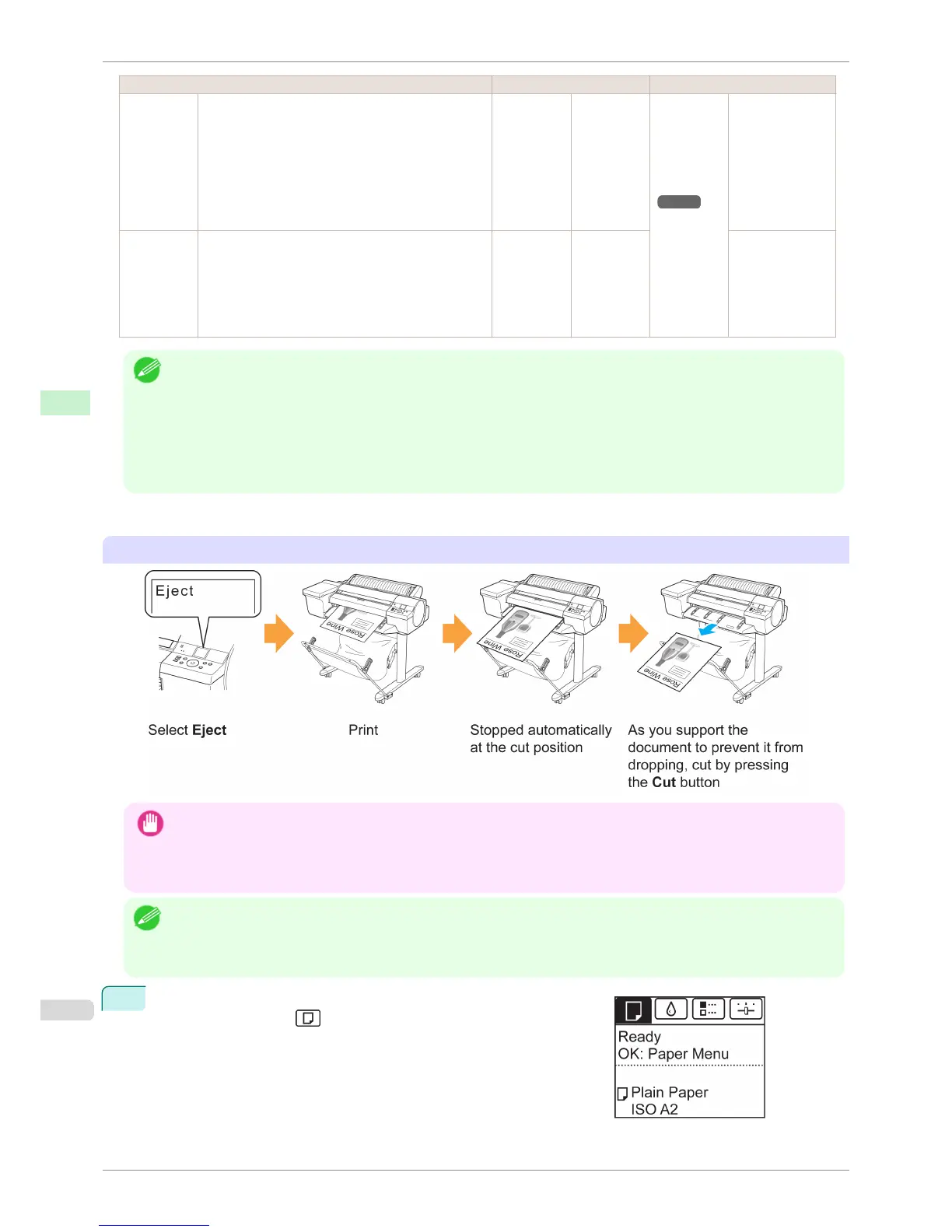
Cut rolls manually in the following cases:
Eject (when the paper surface is being scratched / to wait for ink to dry)
Important
• When cutting wide printed documents after ejection, have two people support the documents. If the paper drops, printed
documents may be damaged.
• Do not lift the paper when holding printed documents before cutting. If the paper rises, it may affect the printing quality or
cause rough cut edges.
Note
• Once the following step has been performed, the procedure can be started from step 7 the next time.
• Printing the second and subsequent times
• Printing after replacing with the same type of paper
1
On the Tab Selection screen of the Control Panel, press ◀ or ▶ to
select the Paper tab ( ).
Specifying the Cutting Method for Rolls
iPF6400S
User's Guide
Handling and Use of Paper Handling rolls
484













 To Next Page