•
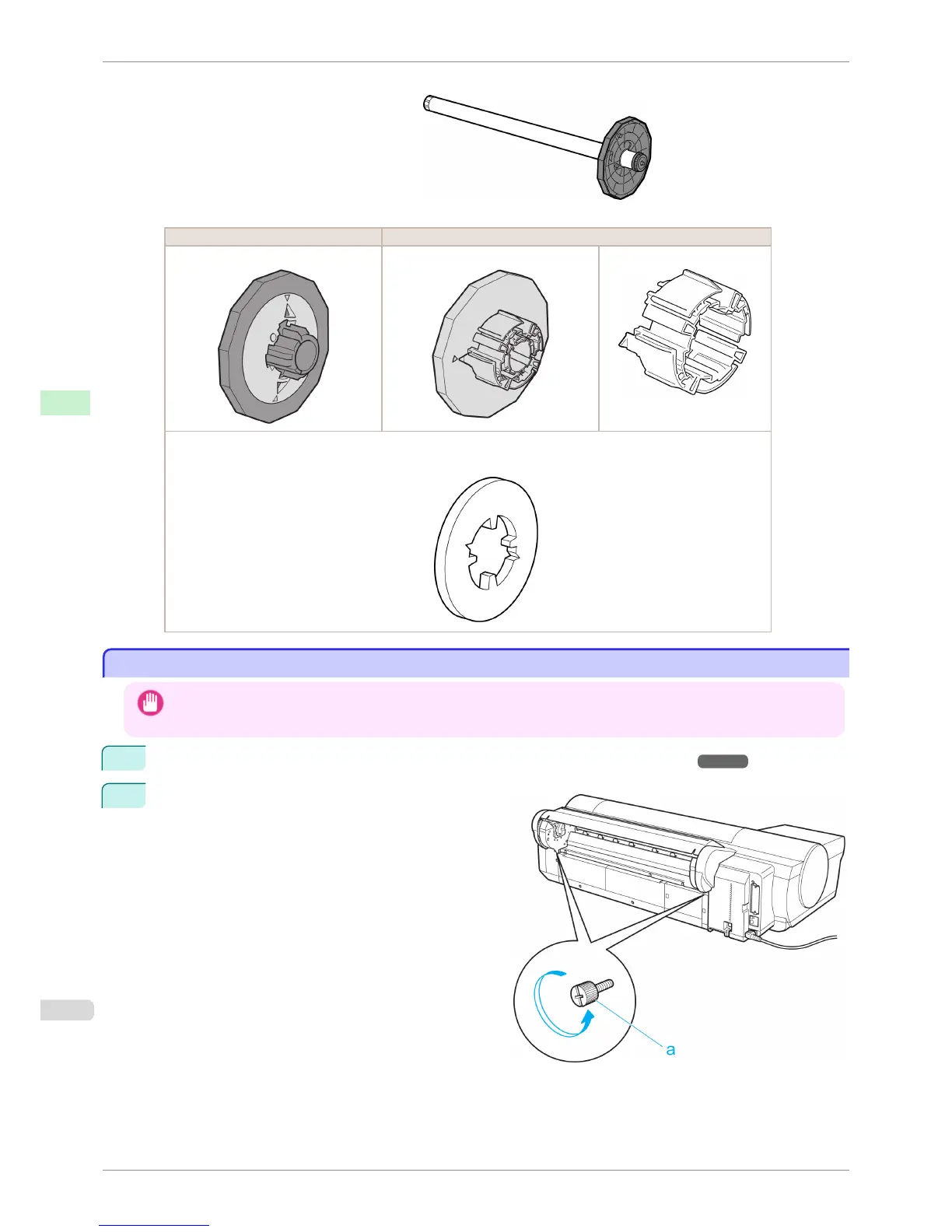
Roll Holder (for 2- and 3-inch paper cores)
•
Attachments
Using Rolls with a 2-inch Paper Core Using Rolls with a 3-inch Paper Core
Holder Stopper (for 2-inch paper cores) Holder Stopper (for 3-inch paper cores) 3-Inch Paper Core Attachment
•
Borderless Printing on A1 or A2 Rolls
Spacer for Borderless Printing
Removing the Roll Feed Unit
Removing the Roll Feed Unit
Important
• Always turn off the printer before removing the Roll Feed Unit. The printer may be damaged if you do not turn it off first.
1
Remove the roll from the Roll Feed Unit. (See "Removing the Roll from the Printer.") ➔ P.478
2
Use a coin or screwdriver to loosen the screws (a) on
both sides of the back of the Roll Feed Unit, and re-
move the screws.
Removing the Roll Feed Unit
iPF6400S
User's Guide
Handling and Use of Paper Handling rolls
492













 To Next Page