•
Giving Priority to Particular Graphic Elements and Colors for Printing ➔ P.57
• F Print Quality
Choose the level of print quality.
•
Giving Priority to Particular Graphic Elements and Colors for Printing ➔ P.57
• G Color Mode
Choose the color mode.
•
Giving Priority to Particular Graphic Elements and Colors for Printing ➔ P.57
Note
• Depending on the A Media Type setting, some G Color Mode options may not be available.
• H Color Settings
Click to display the Color Settings dialog box for more advanced color settings.
•
Adjusting the Color in the Printer Driver ➔ P.51
• I Thicken Fine Lines
Activate this option to print fine lines more distinctly.
• J Unidirectional Printing
Select this checkbox to prevent problems such as misaligned lines and improve the print quality. However, the
printing speed becomes slower.
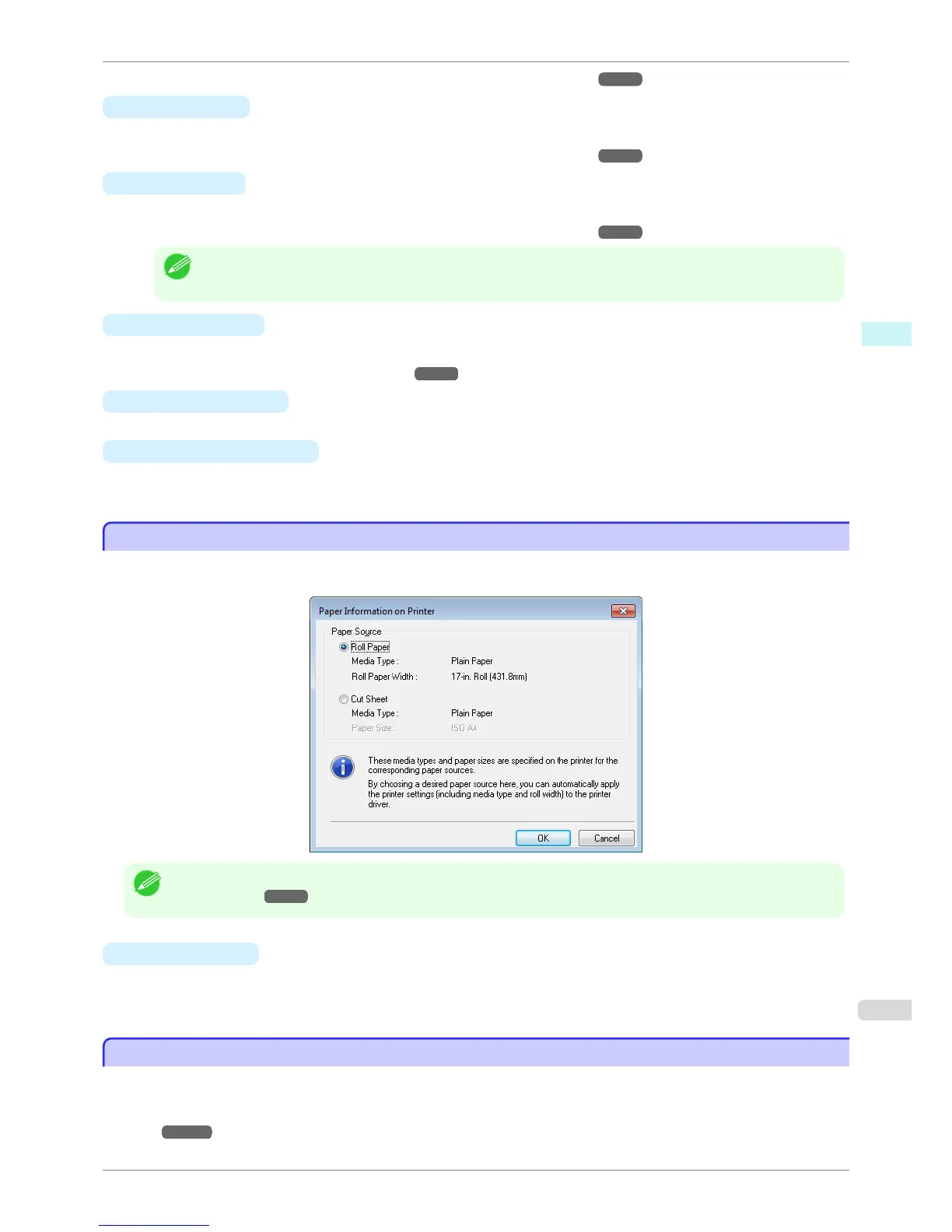
Paper Information on Printer Dialog Box
Paper Information on Printer Dialog Box
On the Paper Information on Printer dialog box, you can obtain information on the paper in the printer and config-
ure printer driver settings for the paper source and media type.
Note
• To display the Paper Information on Printer dialog box, on the Main sheet, click Get Information by Media Type. (See
"Main Sheet .") ➔ P.159
• A
Paper Source
Shows the paper source supported by the printer, as well as information about the loaded paper. To update
the paper source and media type settings in the printer driver, select the desired Paper Source option and
click OK.
Paper Detailed Settings Dialog Box
Paper Detailed Settings Dialog Box
In the Paper Detailed Settings dialog box, you can set Drying Time for the paper selected with Media Type of the
Main sheet, etc.
You can display this dialog box by clicking Settings of Media Type on the Main sheet. (See "Main
Sheet .") ➔ P.159
iPF6400S
Paper Information on Printer Dialog Box
User's Guide
Windows Software Printer Driver
161













 To Next Page