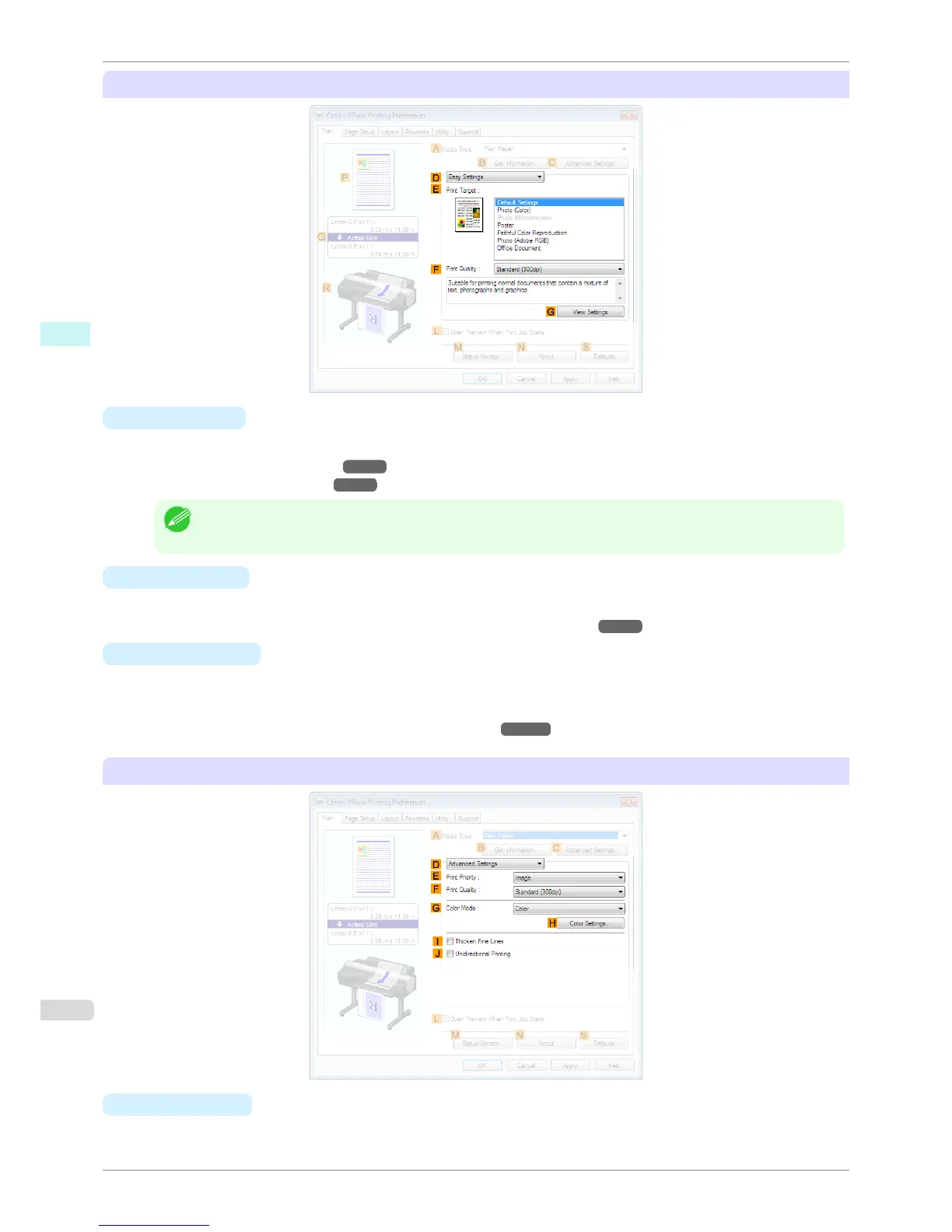
Configuration using Easy Settings
• E Print Target
Choose presets that match the type of document to be printed.
•
Printing Photos and Images ➔ P.35
•
Printing Office Documents ➔ P.45
Note
• Depending on the A Media Type setting, some E Print Target options may not be available.
• F Print Quality
Choose the level of print quality.
•
Giving Priority to Particular Graphic Elements and Colors for Printing ➔ P.57
• G View Settings
Displays the E Print Target setting values.
You can view and change the order of E Print Target setting values.
•
View Settings Dialog Box for the Printing Application ➔ P.163
Configuration using Advanced Settings
• E
Print Priority
Choose the graphic elements that you want to emphasize for printing.
Main Sheet
iPF6400S
User's Guide
Windows Software Printer Driver
160













 To Next Page