Handling sheets
Handling sheets
Loading Sheets in the Feed Slot .............................................................................................................................. 495
Changing the Type of Paper ..................................................................................................................................... 476
Removing Sheets ............................................................................................................................................................ 504
➔ Clearing a Jammed Sheet, Fed Manually ...................................................................................................... 873
➔ Clearing Jammed Paper (Paper Feed Slot) .................................................................................................. 875
Lowering the Up-down Unit of the Spectrophotometer Unit (option) Manually ................................ 494
Loading Sheets in the Feed Slot
Loading Sheets in the Feed Slot
When printing on individual sheets, load the sheet in the Top Paper Feed Slot. However, for heavyweight paper
such as POP board, load the sheet in the Front Paper Feed Slot.
Selecting the Paper Source and Type of Paper
•
If a print job was received
Sheets are automatically selected, and the media type and size specified by the print job are shown on the
Display Screen.
1
Press ▲ or ▼ to select Load Paper, and then press the OK button.
2
Load the sheet in the Top Paper Feed Slot or Front Paper Feed Slot, depending on the type of paper speci-
fied by the print job.
•
If a type of paper other than POP Board is selected
Loading Sheets in the Top Paper Feed Slot ➔ P.496
•
If POP Board is selected
Loading Heavyweight Sheets in the Front Paper Feed Slot ➔ P.498
•
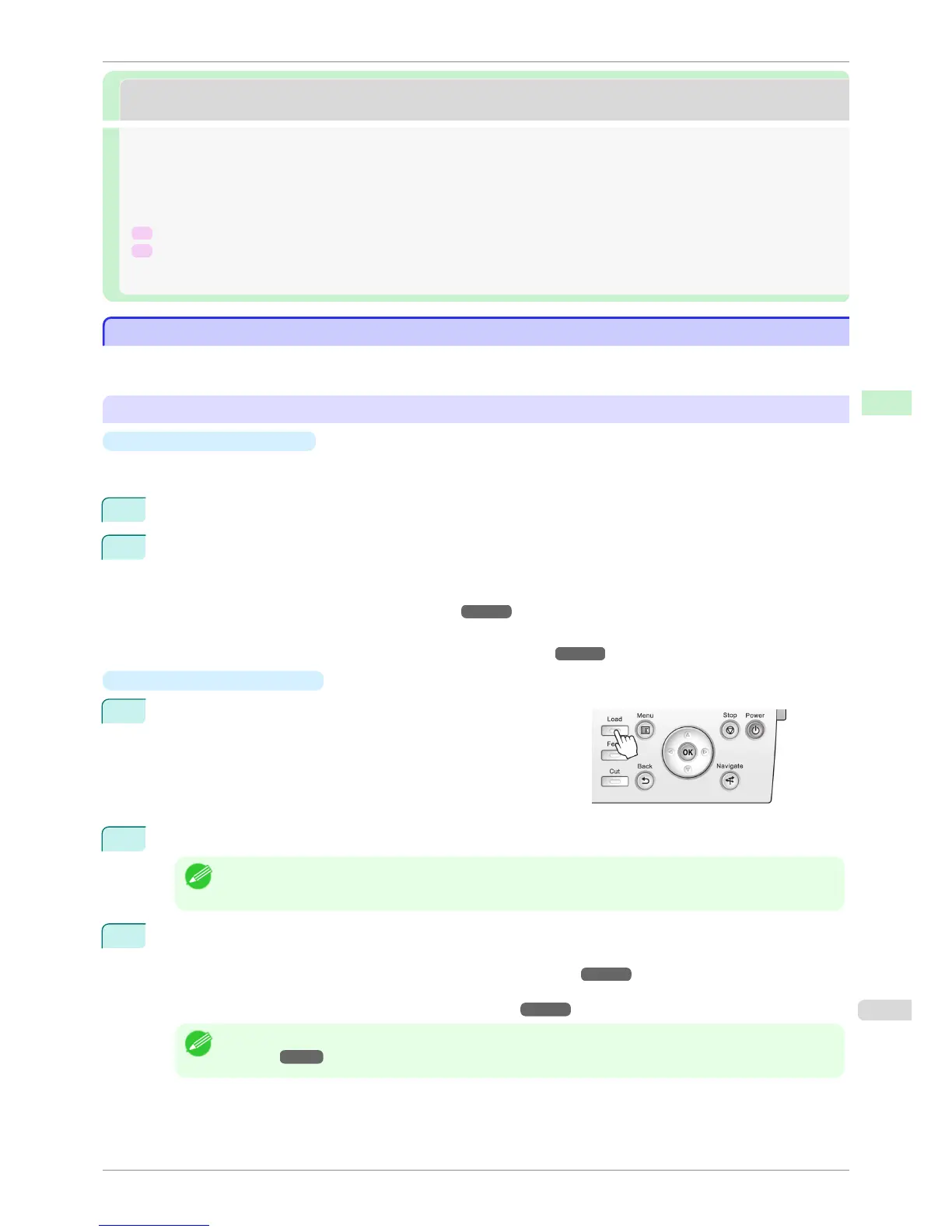
If no print job was received
1
Press the Load button.
2
Press ▲ or ▼ to select Manual Paper, and then press the OK button.
Note
• If any paper has been advanced that will not be used, a message is shown requesting you to remove it.
Press ▲ or ▼ to select Yes, and then press the OK button. Remove the paper and go to the next step.
3
Press ▲ or ▼ to select the type of paper, and then press the OK button.
When printing on heavyweight paper, select POP Board and load the sheet in the Front Paper Feed Slot.
(See "Loading Heavyweight Sheets in the Front Paper Feed Slot.") ➔ P.498
When printing on other types of paper, select the type of paper and load the sheet in the Top Paper Feed
Slot. (See "Loading Sheets in the Top Paper Feed Slot.") ➔ P.496
Note
• For details on types of paper to select, see the Paper Reference Guide. (See "Displaying the Paper Reference
Guide.") ➔ P.464
iPF6400S
Loading Sheets in the Feed Slot
User's Guide
Handling and Use of Paper Handling sheets
495













 To Next Page