Printing Photos and Office Documents
Printing Photos and Office Documents
Printing Photos and Images ......................................................................................................................................... 35
Printing Photos and Images (Windows) ............................................................................................................ 36
Printing Photos and Images (Mac OS) .............................................................................................................. 37
Printing from Photoshop ............................................................................................................................................... 39
Printing Adobe RGB Images (Windows) ........................................................................................................... 40
Printing Adobe RGB Images (Mac OS) .............................................................................................................. 43
Printing Office Documents ........................................................................................................................................... 45
Printing Office Documents (Windows) .............................................................................................................. 45
Printing Office Documents (Mac OS) ................................................................................................................ 46
Using PosterArtist to Compose Originals .............................................................................................................. 48
Printing Photos and Images
Printing Photos and Images
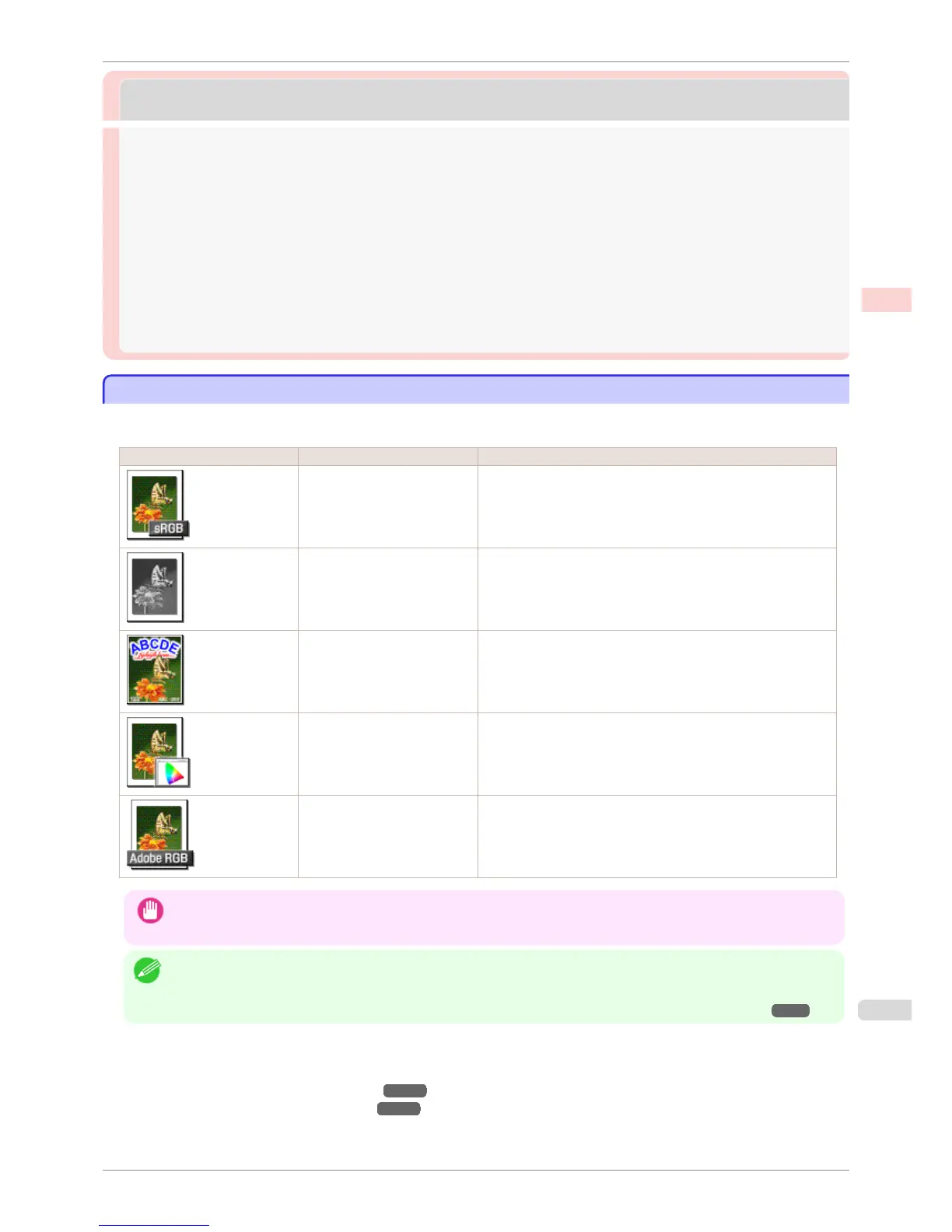
By selecting the following Print Target from Easy Settings of the printer driver, you can easily configure the print-
ing of illustrations and photos.
Print Target Description
Photo (Color) Print photographic images from digital cameras with an optimal
setting.
Photo (Monochrome) Print monochrome photos with an optimal setting.
Poster An optimal setting for posters. Print in vivid colors with impact and
high saturation.
Faithful Color Reproduction Print with minimum color difference. Suitable for printing scanner
images and when print results are too vivid.
Photo (Adobe RGB) Setting suitable for printing images created using the color space
of Adobe RGB in optimal color.
Important
• Depending on the Media Type setting, some Print Target options may not be available.
Note
• You can check the settings values for each print target by clicking View Settings.
• You can also fine-tune these values as needed. (Advanced Settings)
For details on Advanced Settings, see "Giving Priority to Particular Graphic Elements and Colors for Printing." ➔ P.57
For instructions on printing photos and images, refer to the following topics, as appropriate for your computer and
operating system.
•
Printing Photos and Images (Windows) ➔ P.36
•
Printing Photos and Images (Mac OS) ➔ P.37
iPF6400S
Printing Photos and Images
User's Guide
Enhanced Printing Options Printing Photos and Office Documents
35













 To Next Page