Free Layout
Free Layout
The Features of Free Layout ..................................................................................................................................... 192
Starting Free Layout ..................................................................................................................................................... 192
Free Layout Main Window .......................................................................................................................................... 194
Detailed Settings ............................................................................................................................................................ 195
Preferences Dialog Box ............................................................................................................................................... 195
Page Options Dialog Box ............................................................................................................................................ 196
Zoom Dialog Box ............................................................................................................................................................ 197
Format Dialog Box ......................................................................................................................................................... 198
Laying out a Multiple-File Document on One Page ......................................................................................... 199
Laying out a Document Created with Multiple Application Programs on One Page ........................ 201
Selecting an Object ....................................................................................................................................................... 204
Changing the Object Size ........................................................................................................................................... 204
Moving an Object ........................................................................................................................................................... 205
Rotating an Object ......................................................................................................................................................... 205
Laying out Objects Automatically ........................................................................................................................... 206
Aligning Objects .............................................................................................................................................................. 206
Changing the Object Overlapping Order ............................................................................................................. 208
Pasting a Copied or Cut Object ............................................................................................................................... 209
Folded Duplex Window ................................................................................................................................................. 210
Finished Size Settings Dialog Box ........................................................................................................................... 211
Binding Settings Dialog Box ...................................................................................................................................... 212
Prints using Folded Duplex ........................................................................................................................................ 212
The Features of Free Layout
The Features of Free Layout
The main features of Free Layout are as follows.
•
Allows you to lay out at will and print a document created with application software.
•
You can not only lay out multiple pages on one page but also lay out and print a multiple-file document on one
page, or lay out and print a document created with multiple application programs on one page.
•
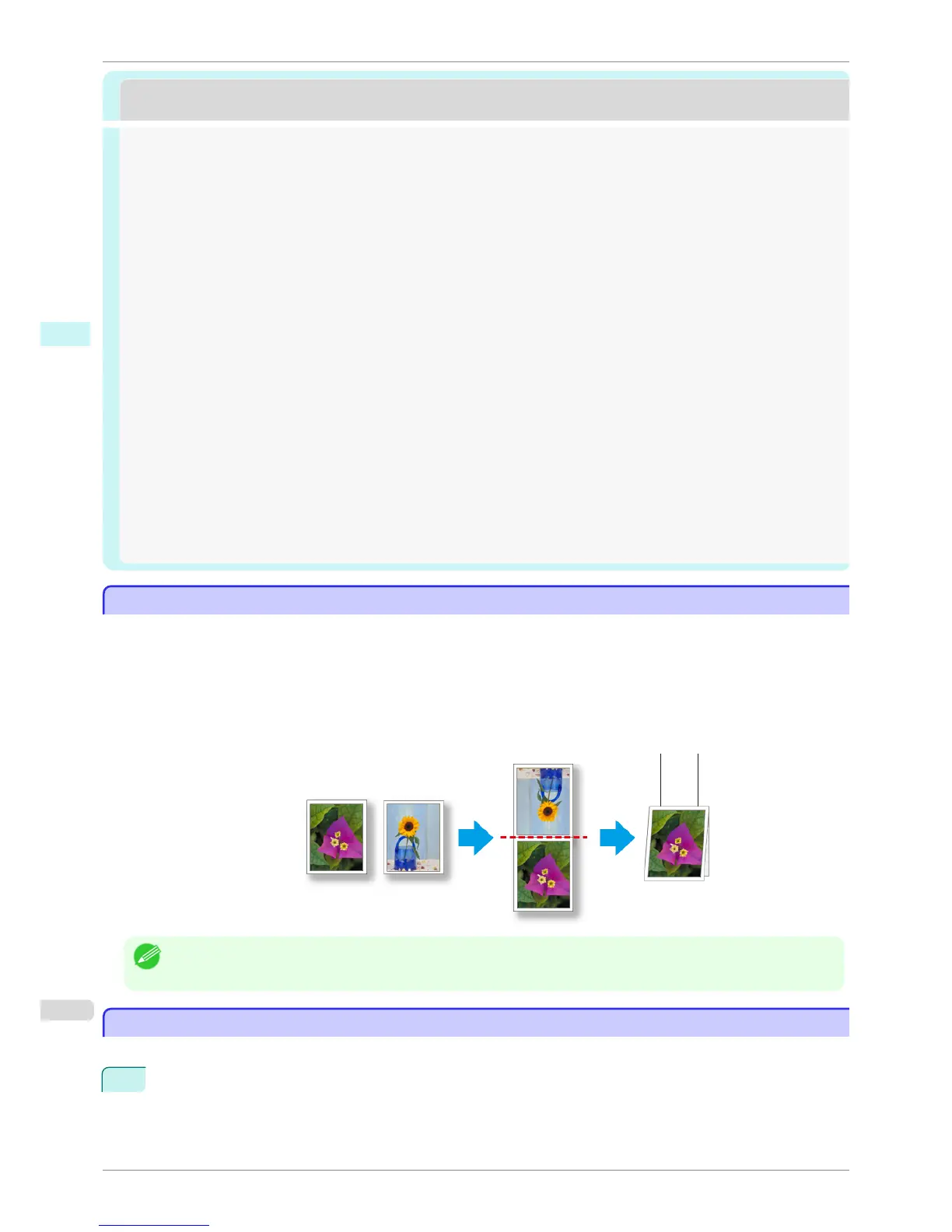
Any two pages can be arranged and printed in a layout that becomes duplex on folding.
This can be used such as for advertising posters that are suspended from the ceiling.
Note
• The media type, image size, detailed media settings, and the printer settings can cause the actual print output to differ
from the Free Layout settings.
Starting Free Layout
Starting Free Layout
Follow the procedure below to start the Free Layout.
1
Start the apllication software which you use.
The Features of Free Layout
iPF6400S
User's Guide
Windows Software Free Layout
192













 To Next Page