•
Off
No Ink Tank is installed, or the ink level detection function is off.
•
Flashing Slowly
Not much ink is left.
•
Flashing Rapidly
Ink tank is empty.
d
Ink Color Label
Load an Ink Tank that matches the color and name on this label.
Vents
Vents
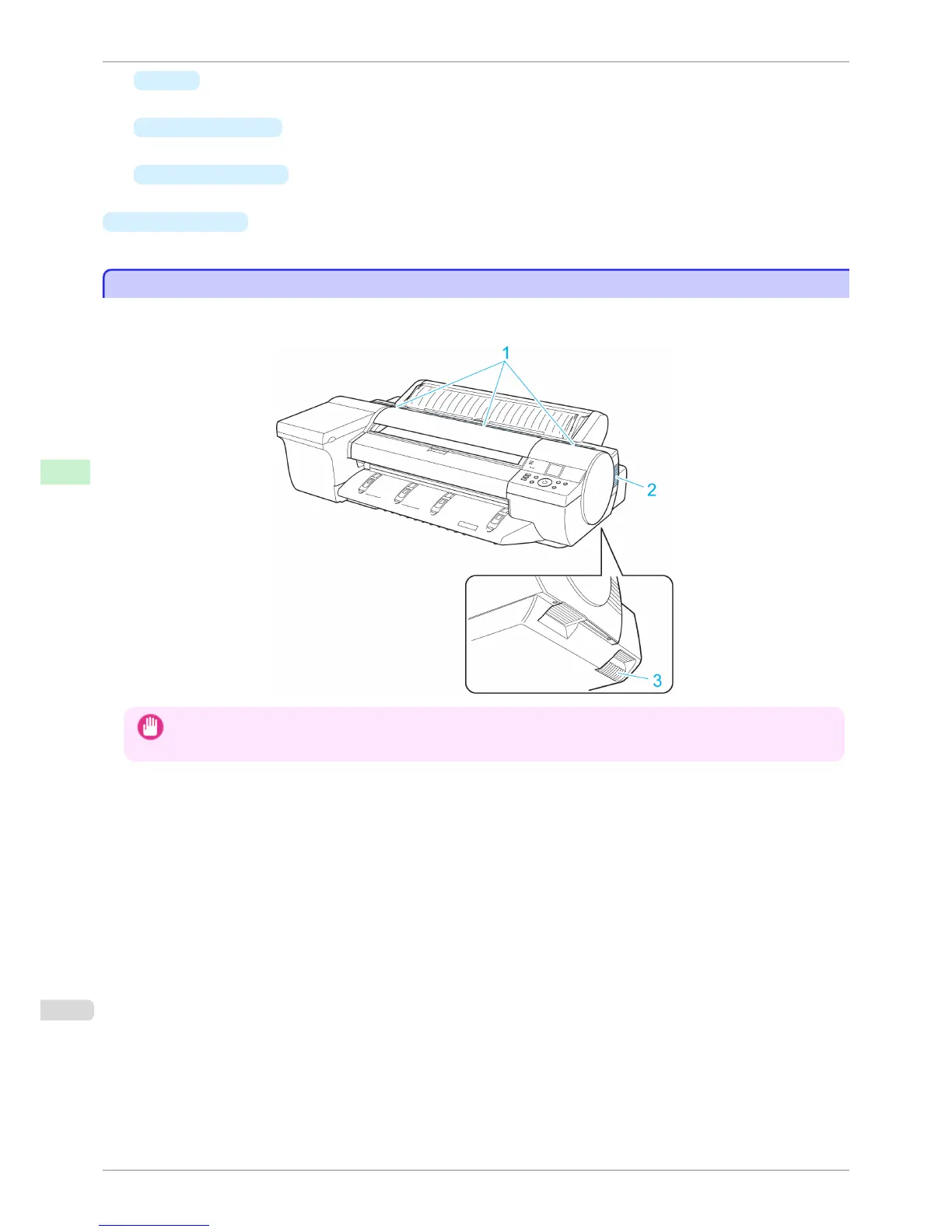
There are vents at three positions of the printer as shown: on top (1), on the right (2), and on the bottom on the
right (3).
Important
• Do not block these vents.
• Also, avoid setting paper or other light objects near the vents.
Vents
iPF6400S
User's Guide
Printer Parts Printer parts
610













 To Next Page