Setting Details
Colorimetric Color-matching optimized for printing image data with accurate colors in input color space.
This is the easiest-to-use mode when you want to adjust the color and print. However, gra-
dation may be lost for colors of wider range than the color reproduction range of the printer.
Generally, this is also called relative colorimetric.
3
Select Color Space for the print output.
Setting Details
sRGB Uses color space for a standard monitor. This selection is ideal for most software applica-
tions.
Adobe RGB Uses wide color space. Use this setting to print images created with Adobe RGB color
space.
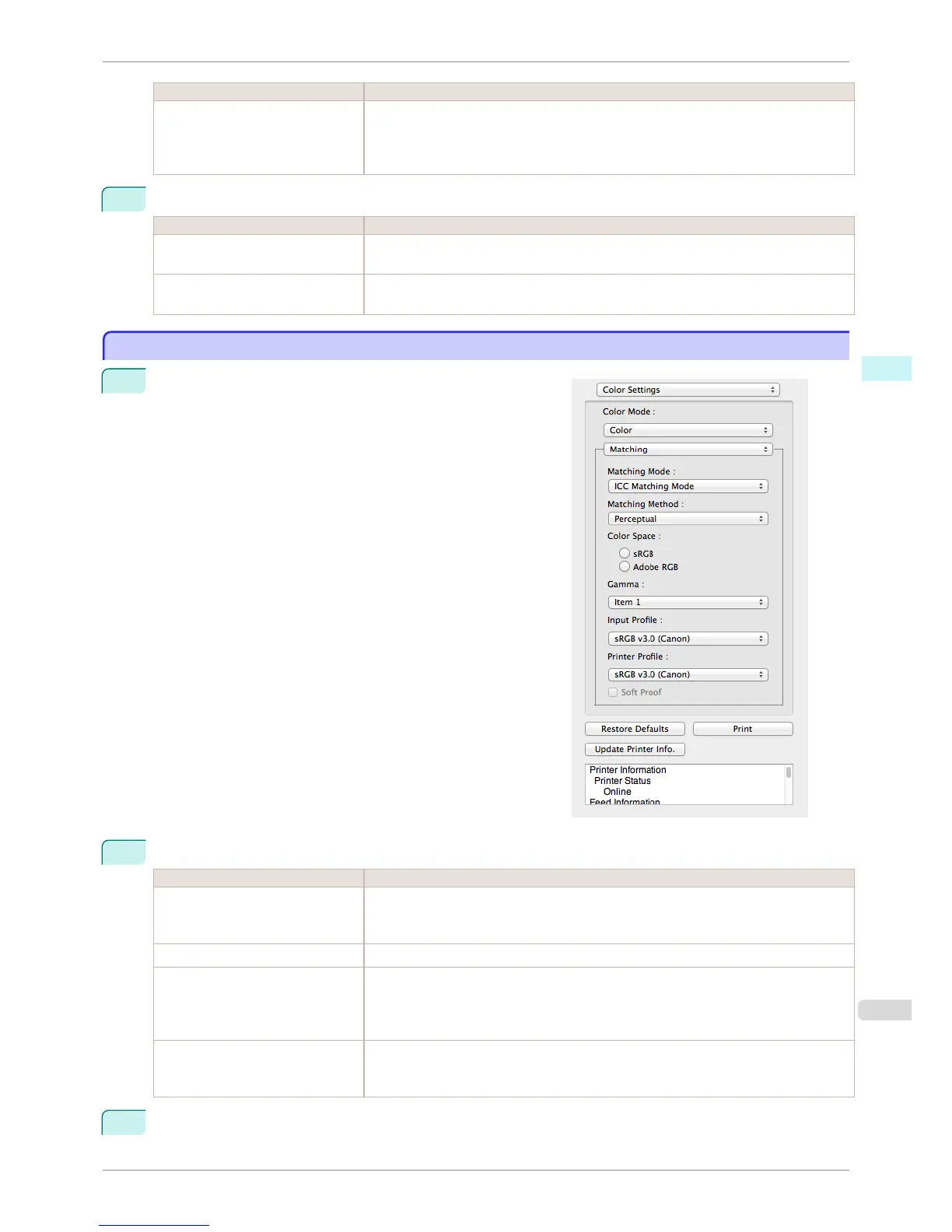
ICC Matching Mode
ICC Matching Mode
1
Under Matching Mode, select ICC Matching Mode.
2
Click the Matching Method list, and then select a setting.
Setting Details
Perceptual Color-matching optimized for printing typical photos attractively. Smooth gradation is a fea-
ture. This is also an easy-to-use mode when performing color adjustment using application
software.
Saturation Color-matching optimized for printing posters, etc., vividly.
Colorimetric Color-matching optimized for printing image data with accurate colors in input color space.
This is the easiest-to-use mode when you want to adjust the color and print. However, gra-
dation may be lost for colors of wider range than the color reproduction range of the printer.
Generally, this is also called relative colorimetric.
Colorimetric (No White-Point Cor-
rection)
The processing method of color-matching is identical to Colorimetric. Use this when you
want to further reproduce the target paper material color of the image data. Generally, this
also is called absolute colorimetric.
3
Click the Input Profile list and select an input profile.
iPF6400S
ICC Matching Mode
User's Guide
Mac OS Software Preview
353













 To Next Page