Import Print History to Print Preferences
Import Print History to Print Preferences
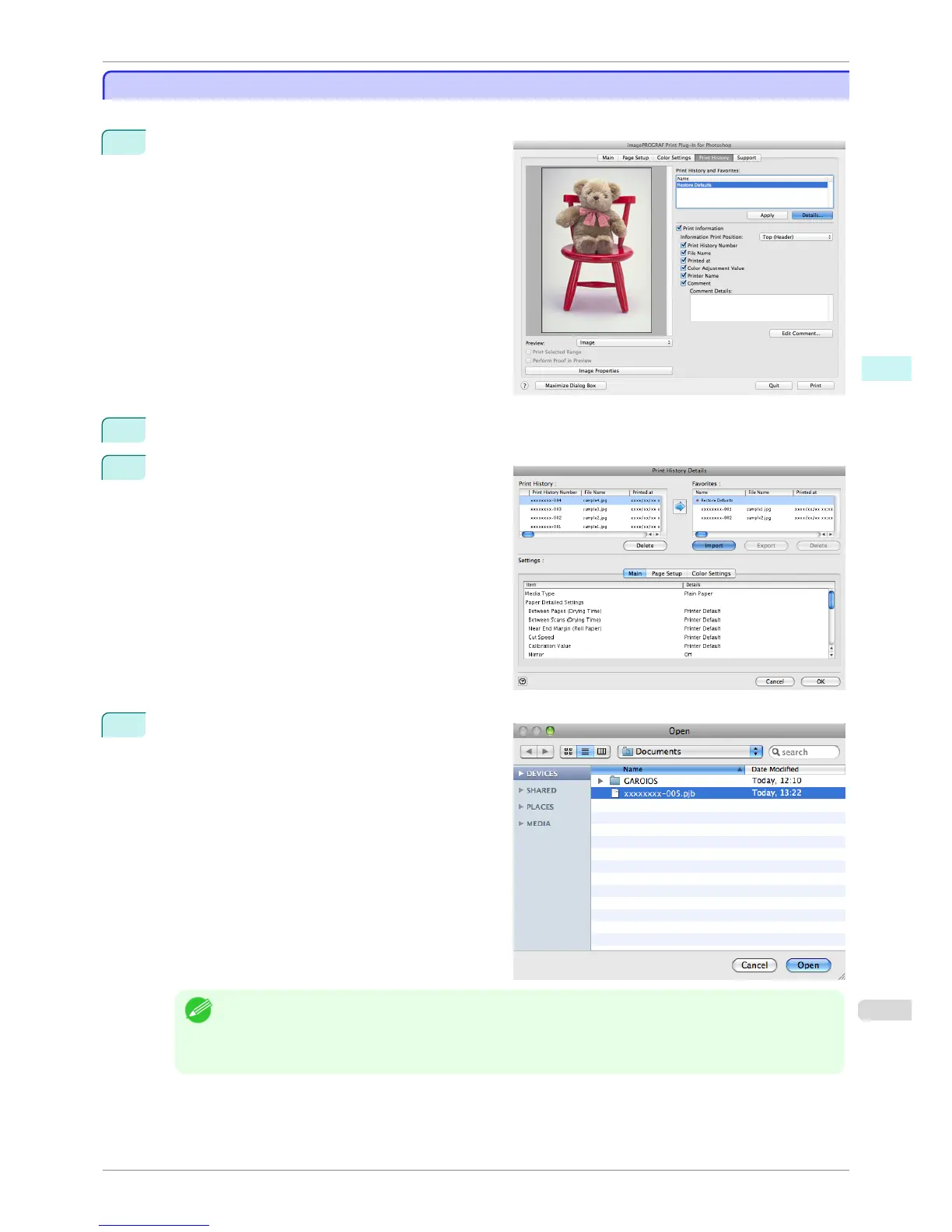
You can import print history in file format and store it to print preferences.
1
Display the Print History sheet.
2
Click the Details button.
3
Click the Import button of the Favorites in the Print
History Details dialog box.
4
Select the print history you wish to import in the
Open dialog box, and click the Open button.
The print history is imported.
Note
• The print history file name suffix is *.pjb/*.pjb2.
• You cannot import a print history file exported from a different OS in Print Plug-In.
• You cannot import a print history file exported from a different printer in Print Plug-In.
iPF6400S
Import Print History to Print Preferences
User's Guide
Mac OS Software Print Plug-In for Photoshop / Digital Photo Professional
449













 To Next Page