Reducing Dust from Cutting Rolls
Reducing Dust from Cutting Rolls
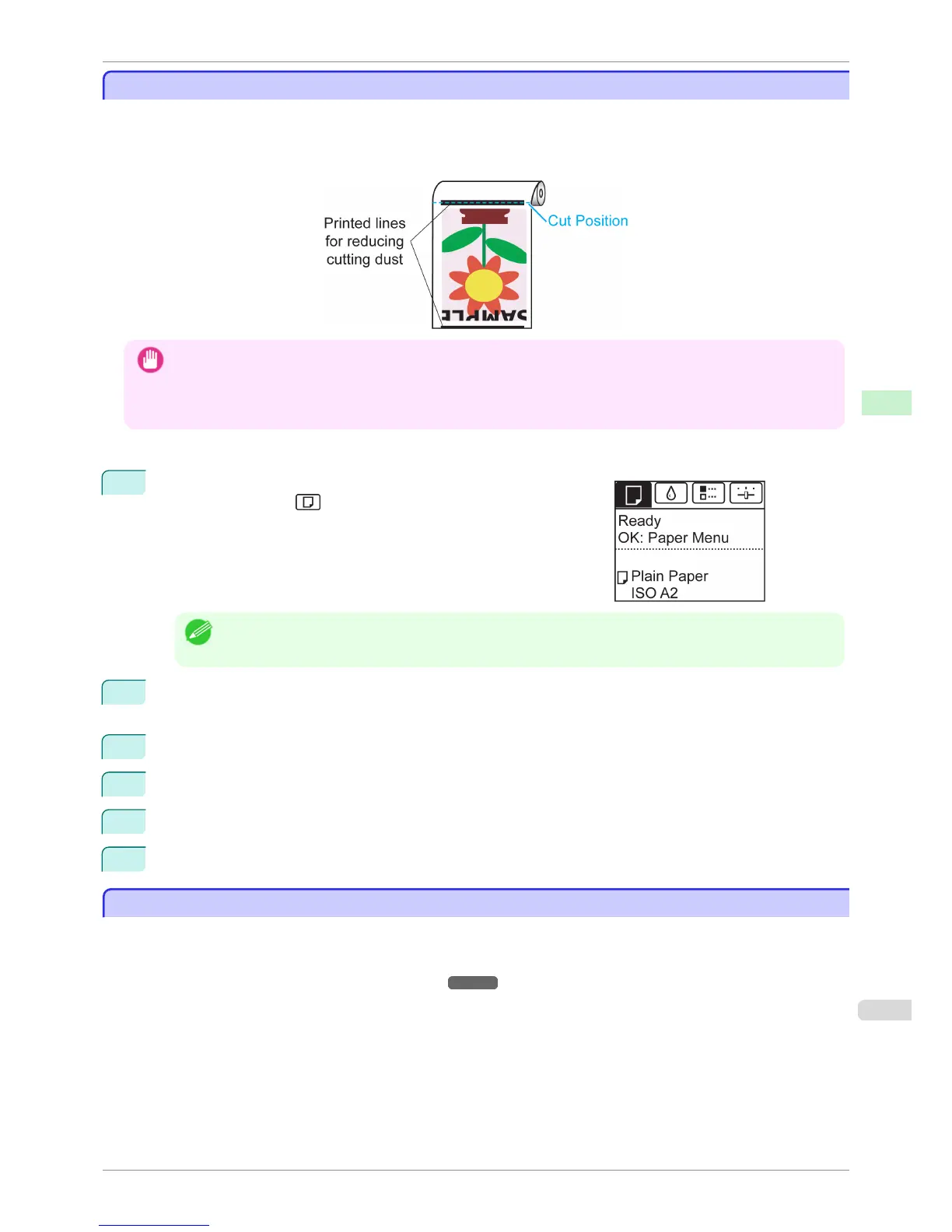
For media such as Backlit Film that are more likely to generate debris when cut, select CutDustReduct. > On in
the Paper Menu of the Control Panel. This option reduces debris from cutting by printing black lines at the leading
and trailing edges of documents. It may help prevent Printhead damage. You can specify for CutDustReduct. to
be activated for particular types of paper.
Important
• Do not set CutDustReduct. to On for paper that wrinkles easily, such as Plain Paper or lightweight paper. This may
impair cutting and cause paper jams.
• Borderless printing is not available when CutDustReduct. is set to On. To use borderless printing, select CutDustRe-
duct. > Off.
Set CutDustReduct. to On as follows.
1
On the Tab Selection screen of the Control Panel, press ◀ or ▶ to
select the Paper tab ( ).
Note
• If the Tab Selection screen is not displayed, press the Menu button.
2
Press the OK button.
The Paper Menu is displayed.
3
Press ▲ or ▼ to select Paper Details, and then press the OK button.
4
Press ▲ or ▼ to select the type of paper loaded in the printer, and then press the OK button.
5
Press ▲ or ▼ to select CutDustReduct., and then press the OK button.
6
Press ▲ or ▼ to select On, and then press the OK button.
Roll Holder Set
Roll Holder Set
Load a roll on the roll holder and then load the holder in the printer. The Roll Holder in the Roll Holder Set RH2-25
is for use with both 2-inch and 3-inch paper cores. Use the correct attachment for the particular paper core. For
borderless printing on A1 (594 mm) or A2 (420 mm) rolls, attach the included Spacer for Borderless Printing to the
Roll Holder. (See "Loading Rolls on the Roll Holder.") ➔ P.471
•
Roll Holder Set RH2-25
iPF6400S
Reducing Dust from Cutting Rolls
User's Guide
Handling and Use of Paper Handling rolls
491













 To Next Page