Note
• This can be used if Adobe CMM is selected as the Conversion Engine.
•
Proof Options
Configures settings related to printing press simulation.
The proof options consist of the following settings.
Setting Details
Simulate Paper Color Select this when performing paper color simulation.
Roll Paper Options Dialog Box
Roll Paper Options Dialog Box
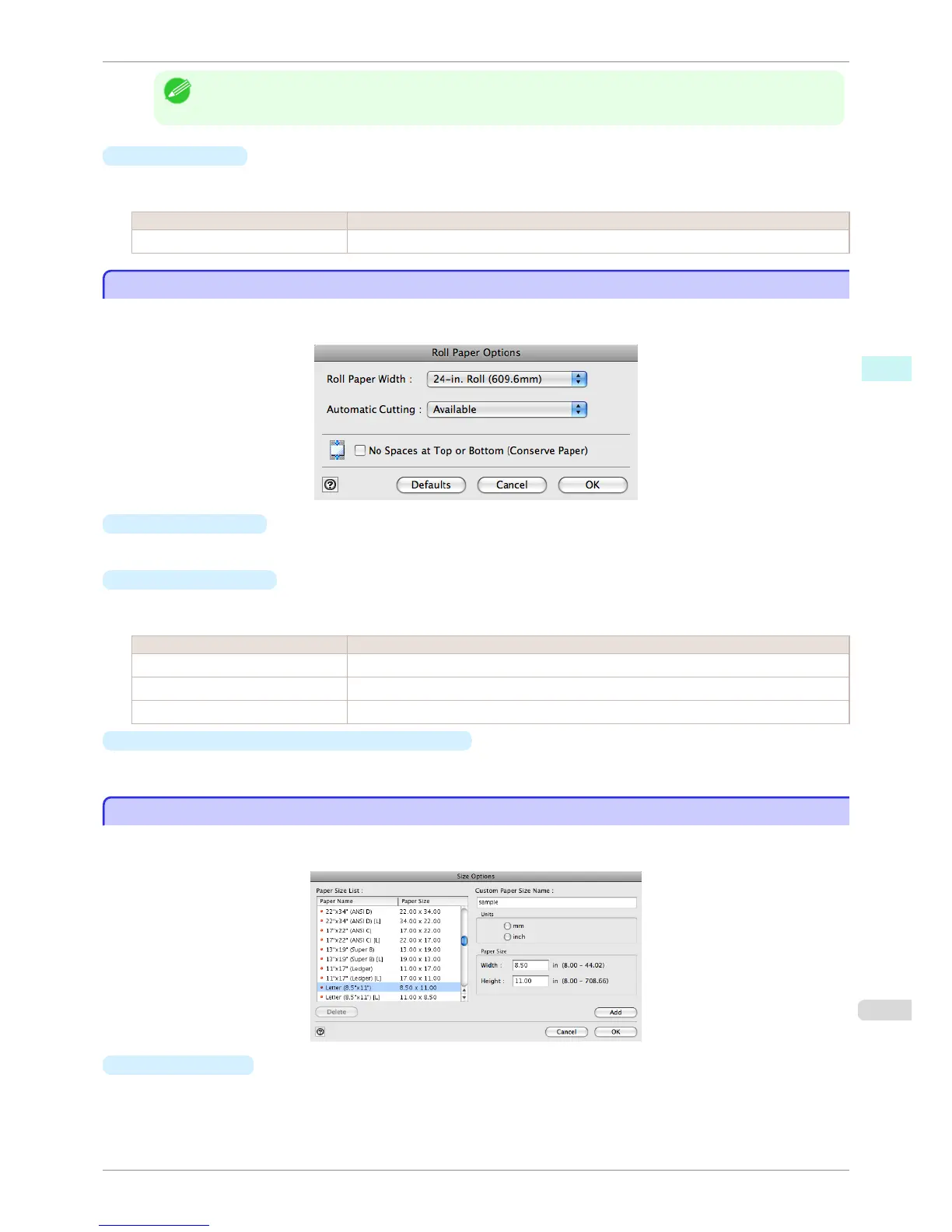
This dialog box appears when you click the Roll Paper Options button on the Page Setup Sheet. You can set the
roll paper width and perform the auto cut settings.
•
Roll Paper Width
This selects the width of the roll media set to the printer.
•
Automatic Cutting
You can set the printer to cut roll paper automatically or print a guideline for cutting.
The following settings are available for automatic cutting.
Setting Details
Available Each page is automatically cut after it is printed.
None Each page is not cut after it is printed and printing continues without interruption.
Print Cut Guideline A print cut guideline is printed after each page and printing continues without interruption.
•
No Spaces at Top or Bottom (Conserve Paper)
When you place a checkmark here, the print data is printed without margins.
Size Options Dialog Box
Size Options Dialog Box
This dialog box appears when you click the Size Options button on the Page Setup Sheet. You can select a me-
dia name, size and other settings.
•
Paper Size List
Displays all the standard sizes and custom media sizes.
iPF6400S
Roll Paper Options Dialog Box
User's Guide
Mac OS Software Print Plug-In for Photoshop / Digital Photo Professional
423













 To Next Page