•
Rename Button
To change the name on the printer control panel and the name in the printer driver for genuine paper and feed
confirmed paper, select the paper to change and click this button.
For details on the procedure for changing paper display names, see "Changing Media Names." ➔ P.517
•
Delete Button
To delete added genuine paper and feed confirmed paper from the printer control panel and printer driver, se-
lect the paper to delete and click this button.
For details on the procedure for deleting added media types, see "Deleting Media Types You Have Add-
ed." ➔ P.519
•
Show/Hide Button
To change whether or not genuine paper or feed confirmed paper is displayed in the printer control panel and
printer driver, select the paper to change and click this button.
For details on the procedure for changing whether or not to display media types, see "Switching Media Types
Display Show/Hide." ➔ P.520
•
Change Display Order button ( or )
To change the display order of a media type in the printer control panel and printer driver, select the paper to
change and click this button.
For details on the procedure for changing the display order of media types, see "Changing the Display Order of
Media Types." ➔ P.522
Note
• The display order for custom paper can also be changed.
Important
• When you update the media type information, perform the same update on all of the PCs that are using that printer.
Note
• It may not be possible to deleting, showing/hiding, and changing the display order under some conditions.
• If a display name is displayed grayed out, that media type will not appear in the printer driver or printer panel.
Adding Media Types
Adding Media Types
Media information files (.amf files) released by Canon are registered in the printer control panel and printer driver.
Important
• Do not perform printing on the target printer while adding the media types.
• Reinstalling Media Configuration Tool after registering a media information file may delete the registered media informa-
tion file.In this case, first download and install latest Media Configuration Tool, then download and register the required
media information file.
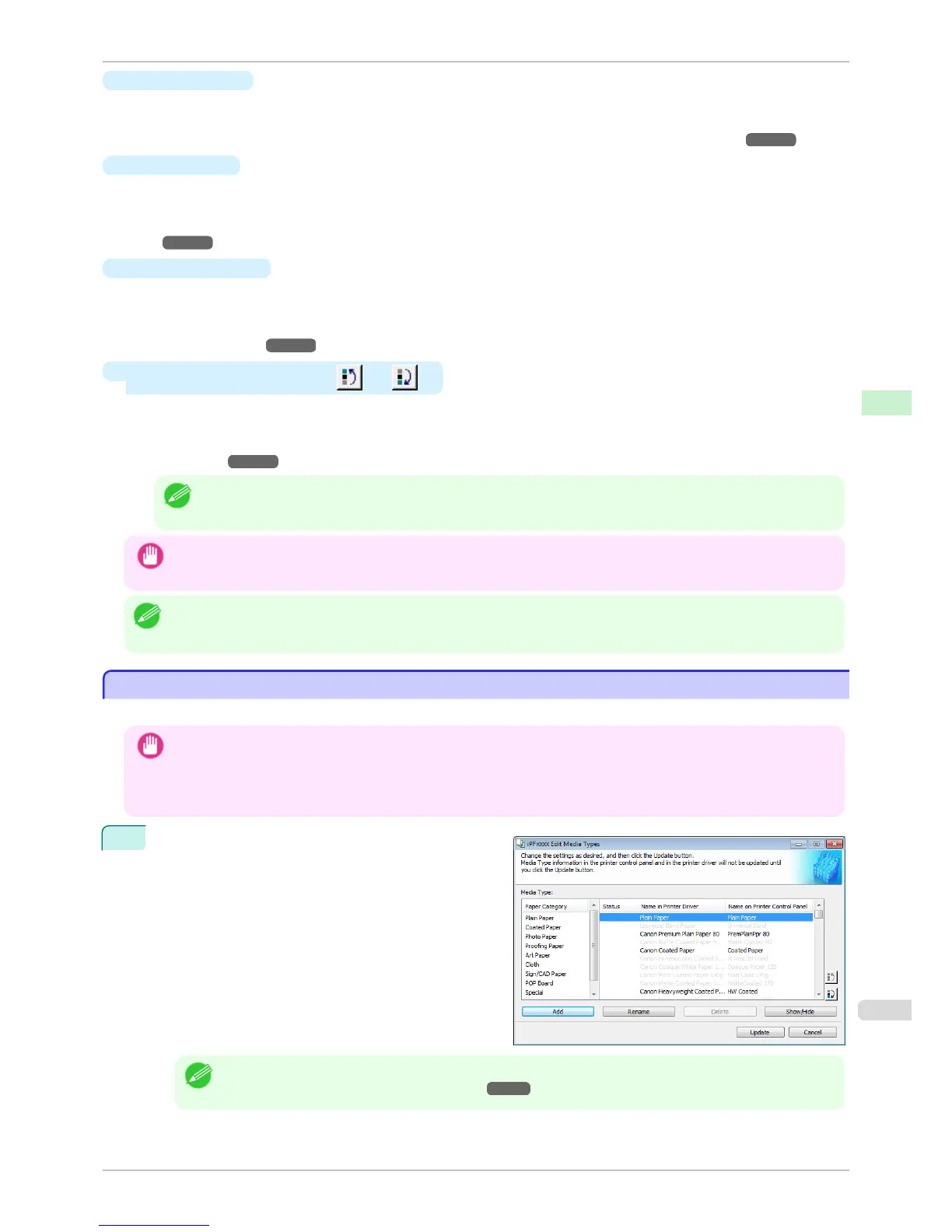
1
Open the Edit Media Types dialog box, and then
click the Add button.
Note
• For details on the procedure for opening the Edit Media Types dialog box, see "Editing Media Type Information
for Genuine Paper and Feed Confirmed Paper." ➔ P.514
iPF6400S
Adding Media Types
User's Guide
Handling and Use of Paper Media Configuration Tool (Windows)
515













 To Next Page