Ink Tanks
Ink Tanks
Ink Tanks ............................................................................................................................................................................ 816
Replacing Ink Tanks ...................................................................................................................................................... 816
Checking Ink Tank Levels ........................................................................................................................................... 822
When to Replace Ink Tanks ....................................................................................................................................... 822
Ink Tanks
Ink Tanks
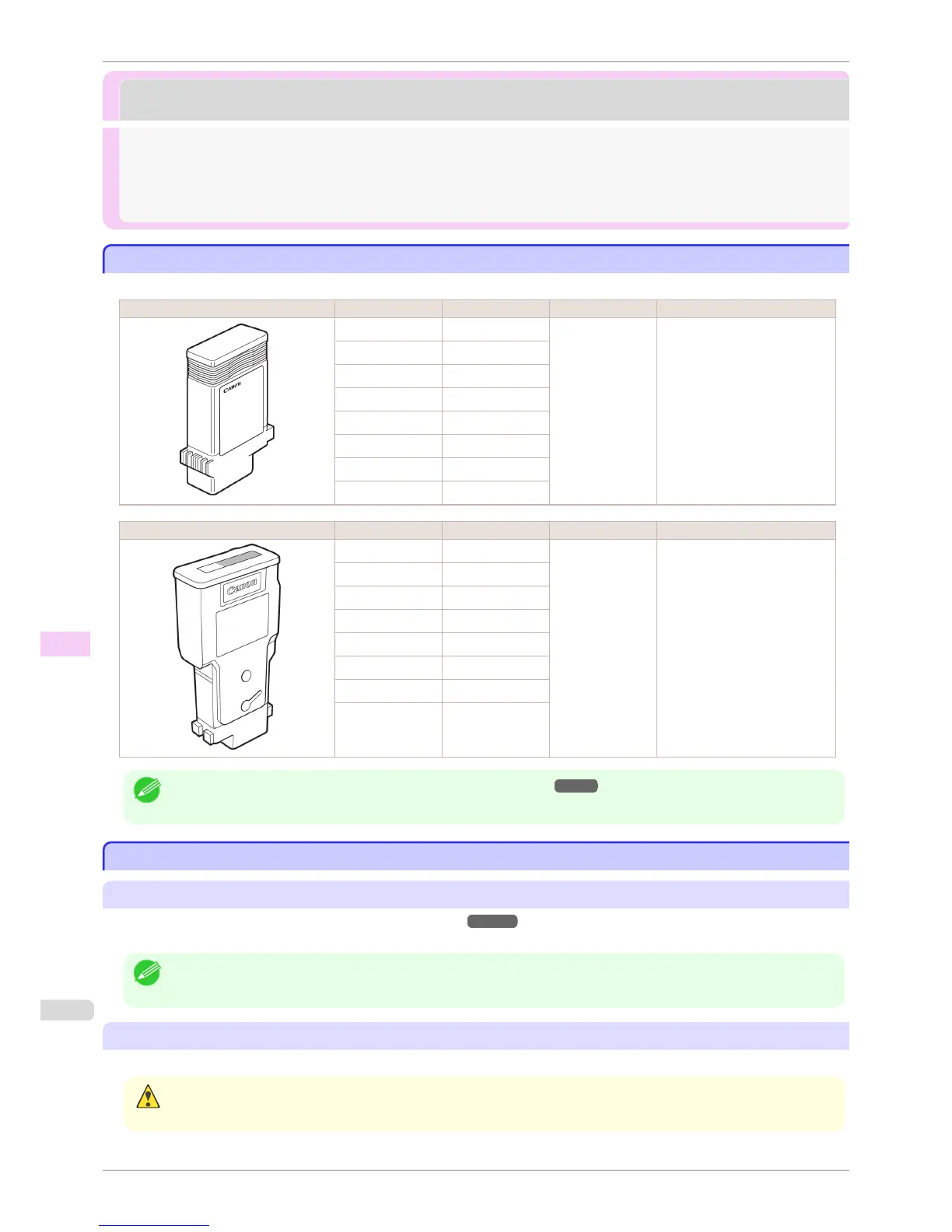
When purchasing, check the Model number.
Shape Colors Model number Ink Type Capacity
Matte black PFI-106 MBK
Pigment ink 130 ml (4.4 fl oz)
Black PFI-106 BK
Cyan PFI-106 C
Magenta PFI-106 M
Yellow PFI-106 Y
Photo cyan PFI-106 PC
Photo magenta PFI-106 PM
Gray PFI-106 GY
Shape Colors Model number Ink Type Capacity
Matte black PFI-206 MBK
Pigment ink 300 ml (10.2 fl oz)
Black PFI-206 BK
Cyan PFI-206 C
Magenta PFI-206 M
Yellow PFI-206 Y
Photo cyan PFI-206 PC
Photo magenta PFI-206 PM
Gray PFI-206 GY
Note
• For instructions on Ink Tank replacement, see "Replacing Ink Tanks." ➔ P.816
Replacing Ink Tanks
Replacing Ink Tanks
Compatible ink tanks
For information on supported ink tanks, see "Ink Tanks."
➔P.816
Replacement ink tanks in 130 ml (4.4 fl oz) and 300 ml (10.2 fl oz) capacities are supported.
Note
• Depending on the color, you can also use ink tanks of different capacities.
Precautions when handling ink tanks
Take the following precautions when handling ink tanks.
Caution
• For safety, keep ink tanks out of the reach of children.
• If ink is accidentally ingested, contact a physician immediately.
Ink Tanks
iPF6400S
User's Guide
Maintenance and Consumables Ink Tanks
816













 To Next Page