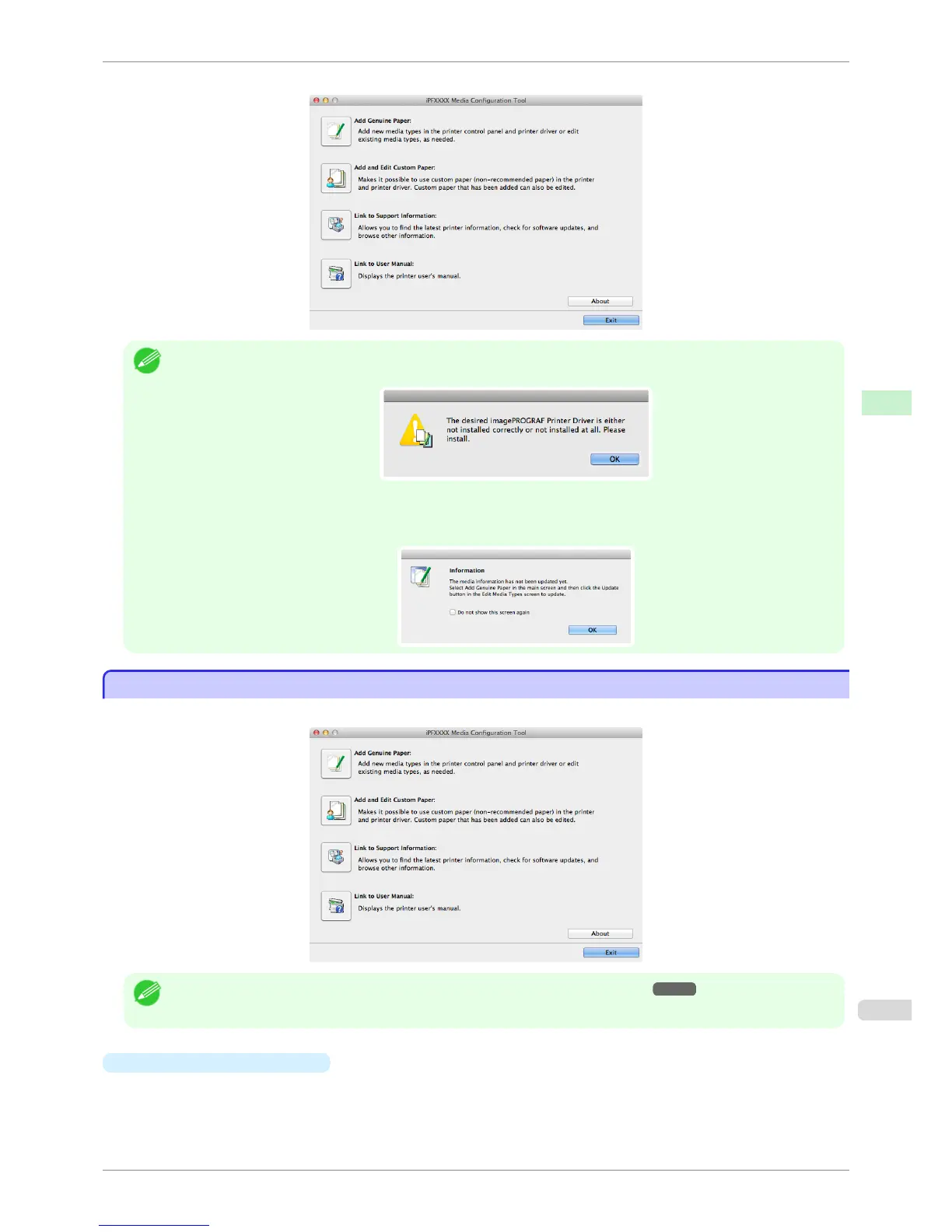
Media Configuration Tool main window is displayed.
Note
• If a compatible printer driver is not installed, the Media Configuration Tool will not start. If you attempt to start the Media
Configuration Tool when a printer driver is not installed, the warning message below is displayed.
• If you only start the Media Configuration Tool, the media information on the printer control panel and in the printer driver
is not updated. If this screen is displayed, select Add Genuine Paper in the main window, and click the Update button in
the Edit Media Types screen to update the media information.
Media Configuration Tool Main Window
Media Configuration Tool Main Window
The explanation below is on the Media Configuration Tool main window.
Note
• For the step to open the Media Configuration Tool main window, see "Starting Method." ➔ P.540
•
Add Genuine Paper button
When this button is clicked, the Edit Media Types dialog box is displayed, which allows you to add media
information files released by Canon to the printer control panel and printer driver. You can also change names,
toggle between displaying and hiding, and delete added media types.
You can also change the display order of Canon genuine paper and custom paper.
iPF6400S
Media Configuration Tool Main Window
User's Guide
Handling and Use of Paper Media Configuration Tool (Mac OS)
541













 To Next Page