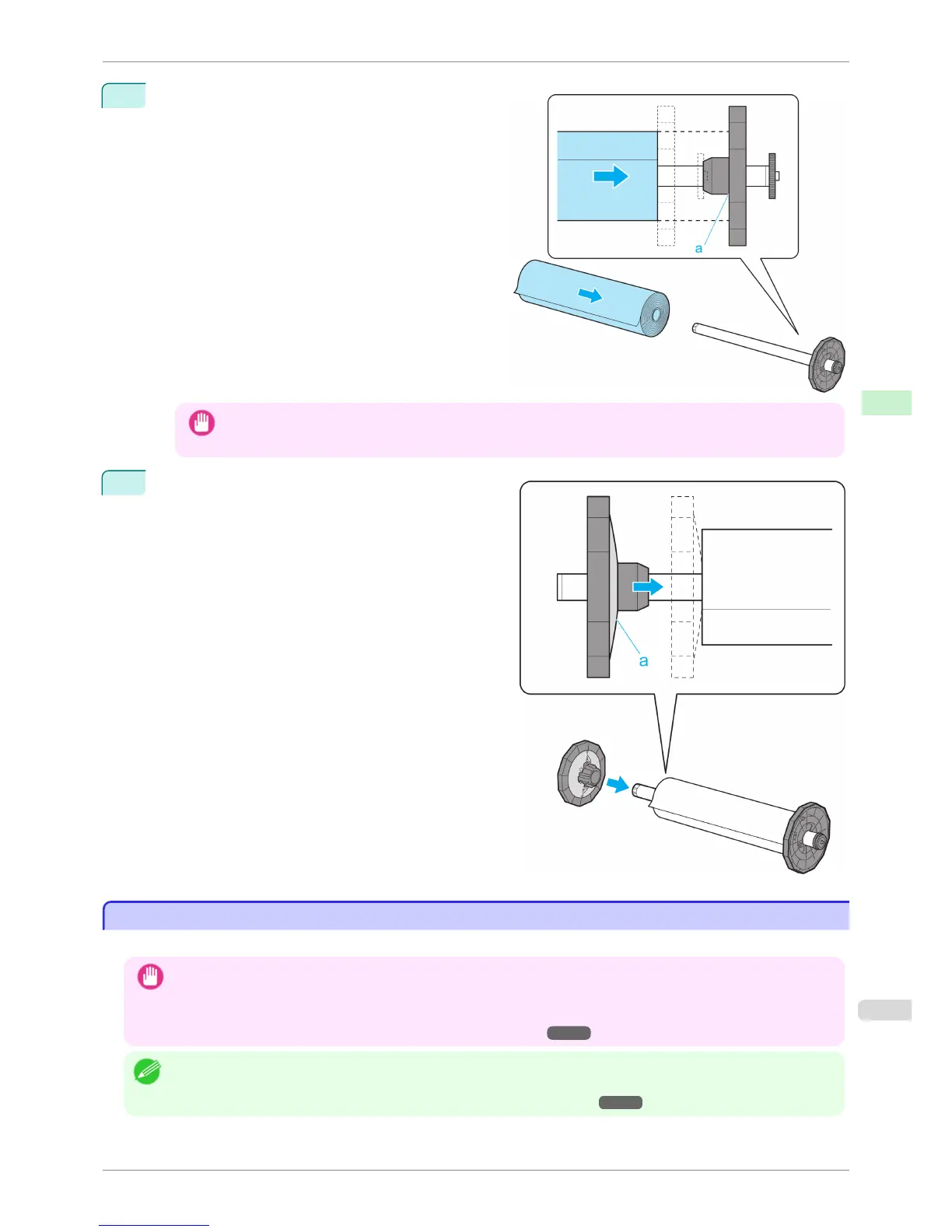
3
With the Roll Holder resting horizontally and the edge
of the roll paper facing forward as shown, insert the
roll in the Roll Holder from the left. Insert the roll firm-
ly until it touches the flange (a) of the Roll Holder,
leaving no gap.
Important
• Always have the Roll Holder resting horizontally when loading rolls. Attempting to load rolls with the Roll Hold-
er upright may damage the Roll Holder.
4
Insert the Holder Stopper from the left in the Roll Hold-
er as shown. Push it firmly in until the flange (a) of the
Holder Stopper touches the roll.
Attach the appropriate Holder Stopper for the size of
the paper core.
Loading Rolls in the Printer
Loading Rolls in the Printer
Follow these steps to load rolls in the printer.
Important
• Always load rolls when the printer is on. If the printer is off when you load a roll, the paper may not be advanced correct-
ly when you turn the printer on.
• Before loading a roll, confirm whether the inside of the Top Cover or the Ejection Guide is soiled. If soiled, we recom-
mend cleaning in advance. (See "Cleaning Inside the Top Cover.") ➔ P.839
Note
• The loading method for a printer with a Spectrophotometer Unit (option) is the same as for a printer with no Spectropho-
tometer Unit (option). If it is difficult to perform operations from the front of the printer, lower the Up-down Unit. (See
"Lowering the Up-down Unit of the Spectrophotometer Unit (option) Manually.") ➔ P.494
iPF6400S
Loading Rolls in the Printer
User's Guide
Handling and Use of Paper Handling rolls
473













 To Next Page