Export Custom Media Information
Export Custom Media Information
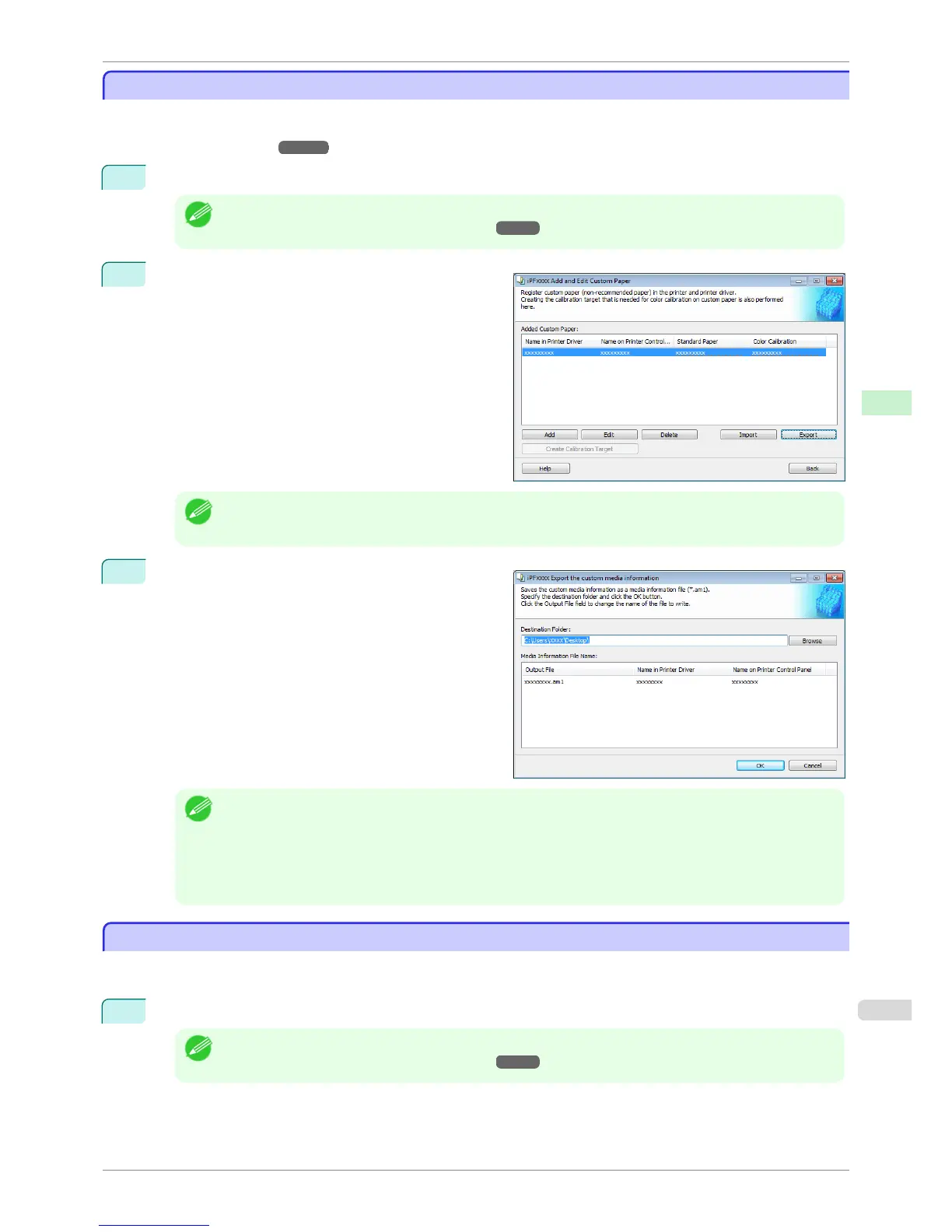
You can export to file and save media information about custom paper that you have added.
The saved Custom Media Information File can be used by importing it into another printer or PC. Refer to "Import
Custom Media Information" ➔ P.533 for details on "importing custom media information".
1
Open the Add and Edit Custom Paper dialog box.
Note
• For details on the procedure for opening the Add and Edit Custom Paper dialog box, see "Using Paper Other
than Genuine Paper and Feed Confirmed Paper." ➔ P.523
2
Select the paper you want to export to media infor-
mation file from the Added Custom Paper list and
then click the Export button.
Note
• You can select multiple paper.
3
Specify the location to save the Custom Media Infor-
mation File.
Note
• You can change the file name by selecting and editing the File.
A Custom Media Information File (.am1 file) is saved.
• The Custom Media Information File is common to the iPF6400S, iPF8400S, and iPF9400S.
• For custom paper where a calibration target has been created, the calibration target information is also exported
to the file.
Import Custom Media Information
Import Custom Media Information
You can import a Custom Media Information File that has been saved in a folder, and add the file to the printer
control panel and to the printer driver of the PC you are using.
1
Open the Add and Edit Custom Paper dialog box.
Note
• For details on the procedure for opening the Add and Edit Custom Paper dialog box, see "Using Paper Other
than Genuine Paper and Feed Confirmed Paper." ➔ P.523
iPF6400S
Export Custom Media Information
User's Guide
Handling and Use of Paper Media Configuration Tool (Windows)
533













 To Next Page