Note
• In order to execute color calibration on paper other than genuine Canon paper/feed certified paper, a calibration target is
required for that paper. Calibration targets can be created on a printer with a spectrophotometer unit installed by using
the Media Configuration Tool that is included with printers that support the spectrophotometer unit.
For details on creating a calibration target, refer to the following topics.
• Create Calibration Target ➔ P.564
Acquiring Color Measurement Data from the Color Chart
You can measure the colors of any arbitrary color chart and save the color measurement data on your computer.
You can then create an ICC profile by importing this data into commercially available ICC profile creation software.
For the procedure for acquiring color measurement data, see "Acquiring Color Measurement Data For Any Color
Chart." ➔ P.802
Note
• This function can be executed when a printer that has a spectrophotometer unit installed is selected.
Execute Color Check
You can execute a color check.
When a color check is executed, a built-in pattern is printed, the color difference from a calibration target registered
in the printer is calculated, and the check results are displayed.
Execute a color check when you want to check the color status of a printer in detail.
For the procedure for executing color check, see "Executing Color Check." ➔ P.807
You can also configure to automatically execute color check on a specified date and time.
For the procedure for configuring color check scheduler settings, see "Scheduling Color Check." ➔ P.810
Note
• This function can be executed when a printer that has a spectrophotometer unit installed is selected.
Installation Procedure
Installation Procedure
The installation procedure for the Color Calibration Management Console is as follows.
1
Place the User Software CD-ROM in the CD-ROM drive.
2
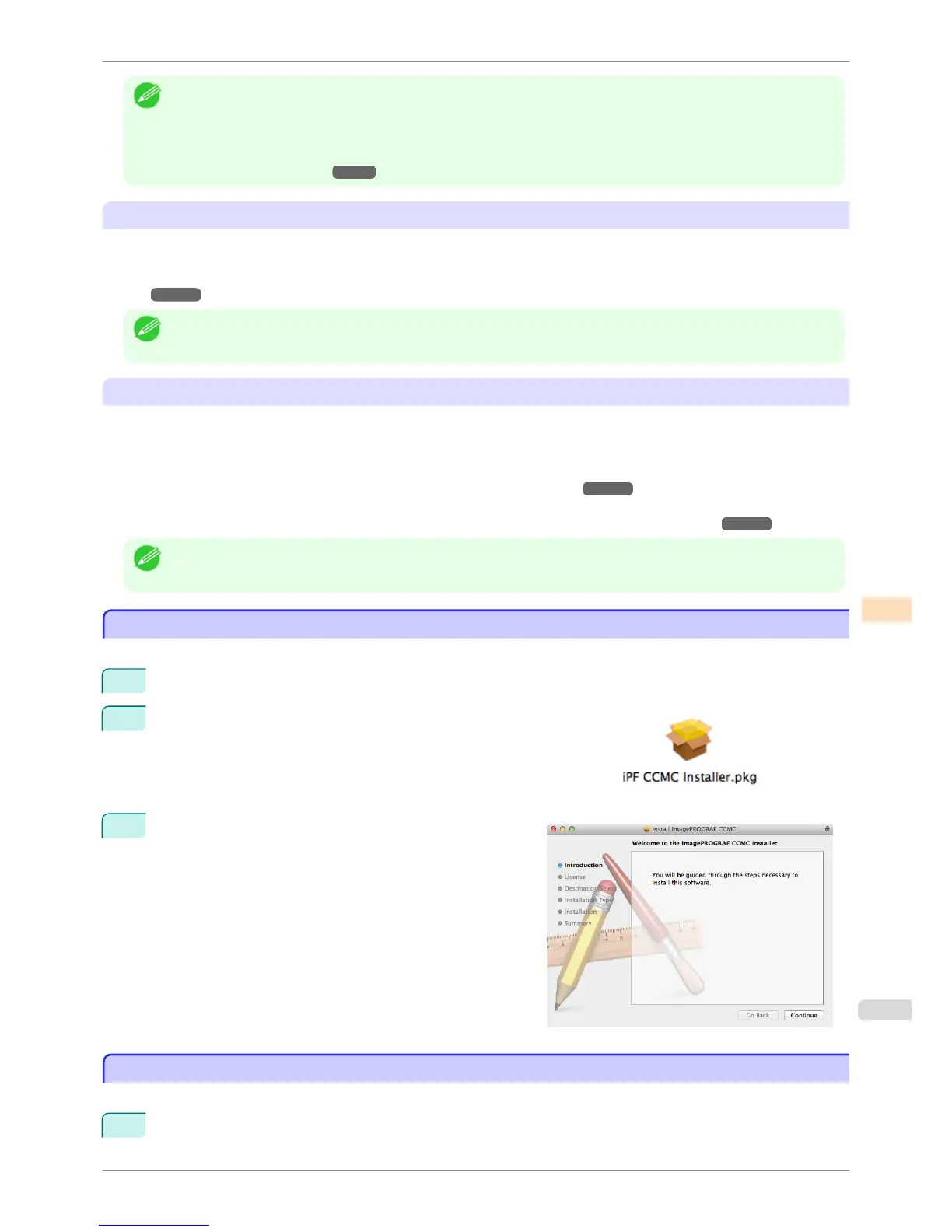
Open the Set/CCMC folder on the User Software CD-ROM and open
the iPF CCMC Installer icon (CCMC stands for Color Calibration
Management Console).
3
Follow the instructions on the screen.
Uninstallation Procedure
Uninstallation Procedure
The uninstallation procedure for the Color Calibration Management Console is as follows.
1
Close the Color Calibration Management Console.
iPF6400S
Installation Procedure
User's Guide
Color Management Color Calibration Management Console (Mac OS)
787













 To Next Page