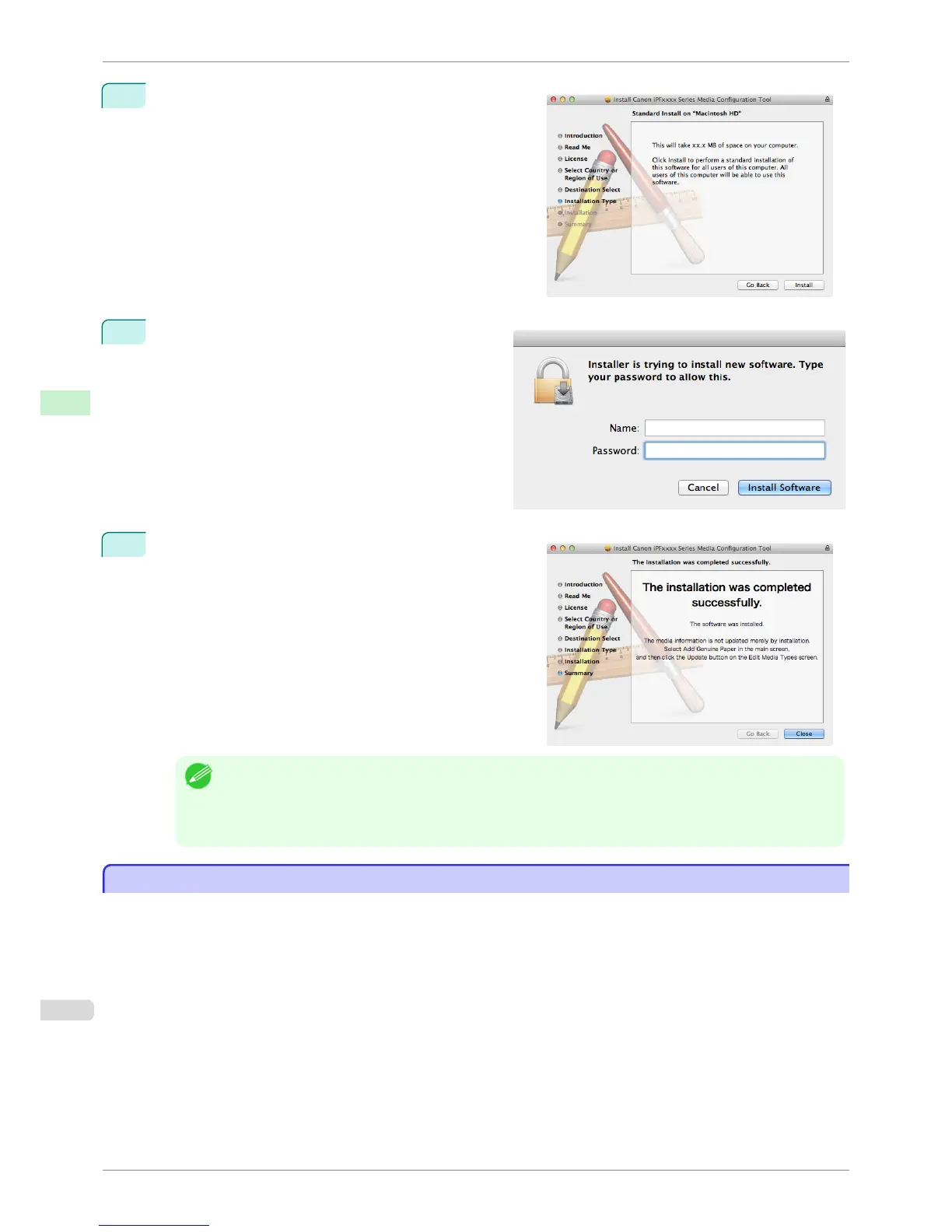
4
Click the Install button.
5
Enter an administrator name/password and click the
Install Software button.
6
Click the Close button.
The installation of Media Configuration Tool is complete.
Note
• When the installation is completed properly, the Media Configuration Tool folder is saved in the following fold-
er.
Applications > Canon Utilities > iPFxxxx Media Configuration Tool
• The iPFxxxx in the folder above will be the printer name in use.
Starting Method
Starting Method
Follow the procedure below to start the Media Configuration Tool.
From the Applications menu > Canon Utilities >iPFxxxx Media Configuration Tool > MCTxxxx.app.
Starting Method
iPF6400S
User's Guide
Handling and Use of Paper Media Configuration Tool (Mac OS)
540













 To Next Page