2
Select the printer in the A Printer list.
3
In the F Paper Size list, click the size of the original. In this case, click ISO A4 - for Paper Tray (Large
Margins).
4
If you configured the settings using the Page Attributes dialog box, click F OK to close the dialog box, and
then select Print from the application software menu.
5
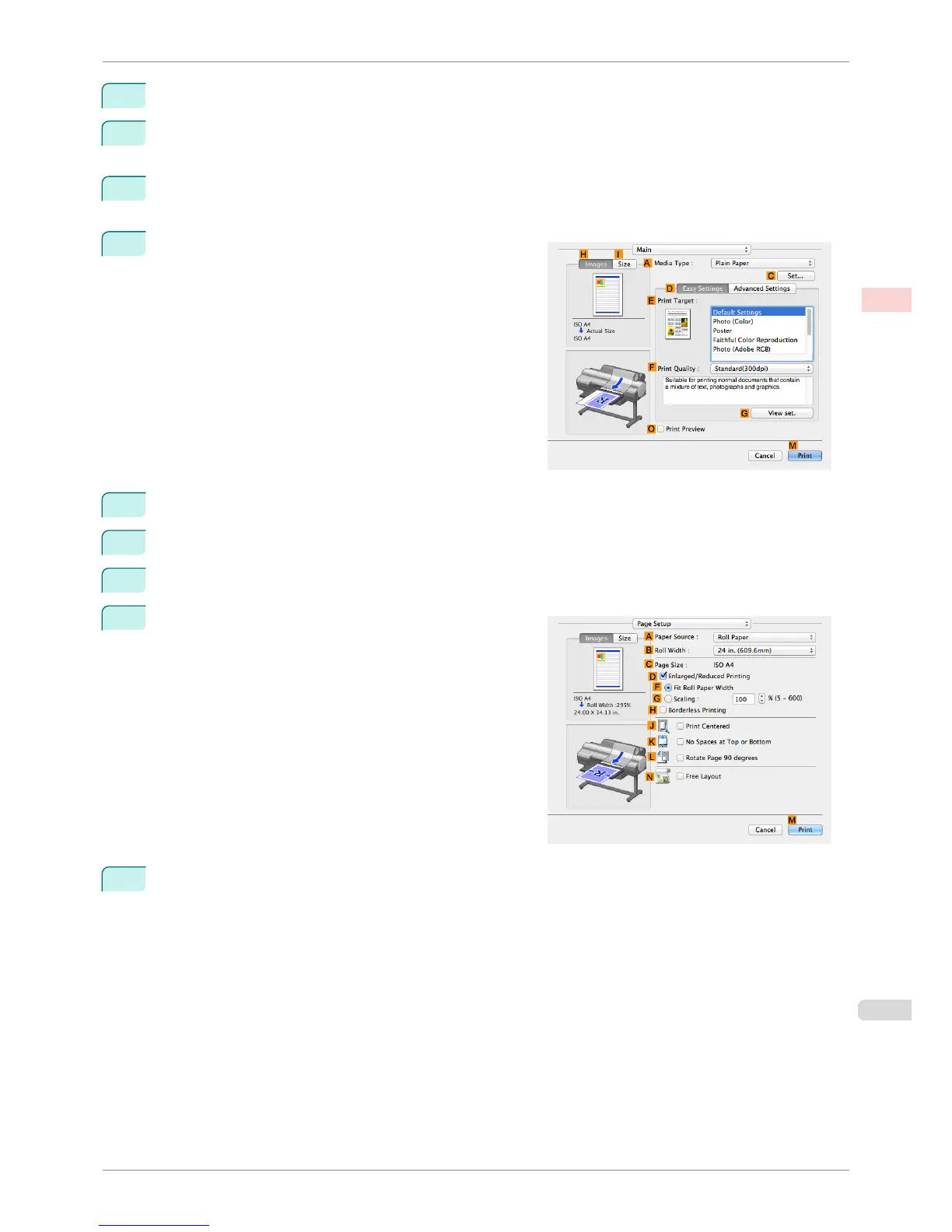
Access the Main pane.
6
In the A Media Type list, select the type of paper that is loaded. In this case, click Plain Paper.
7
Make your selection in the E Print Target list.
8
Make your selection in the F Print Quality list.
9
Access the Page Setup pane.
10
Click Manual in the A Paper Source list.
iPF6400S
Printing Originals Centered on Sheets (Mac OS)
User's Guide
Enhanced Printing Options Centering originals
127













 To Next Page