2
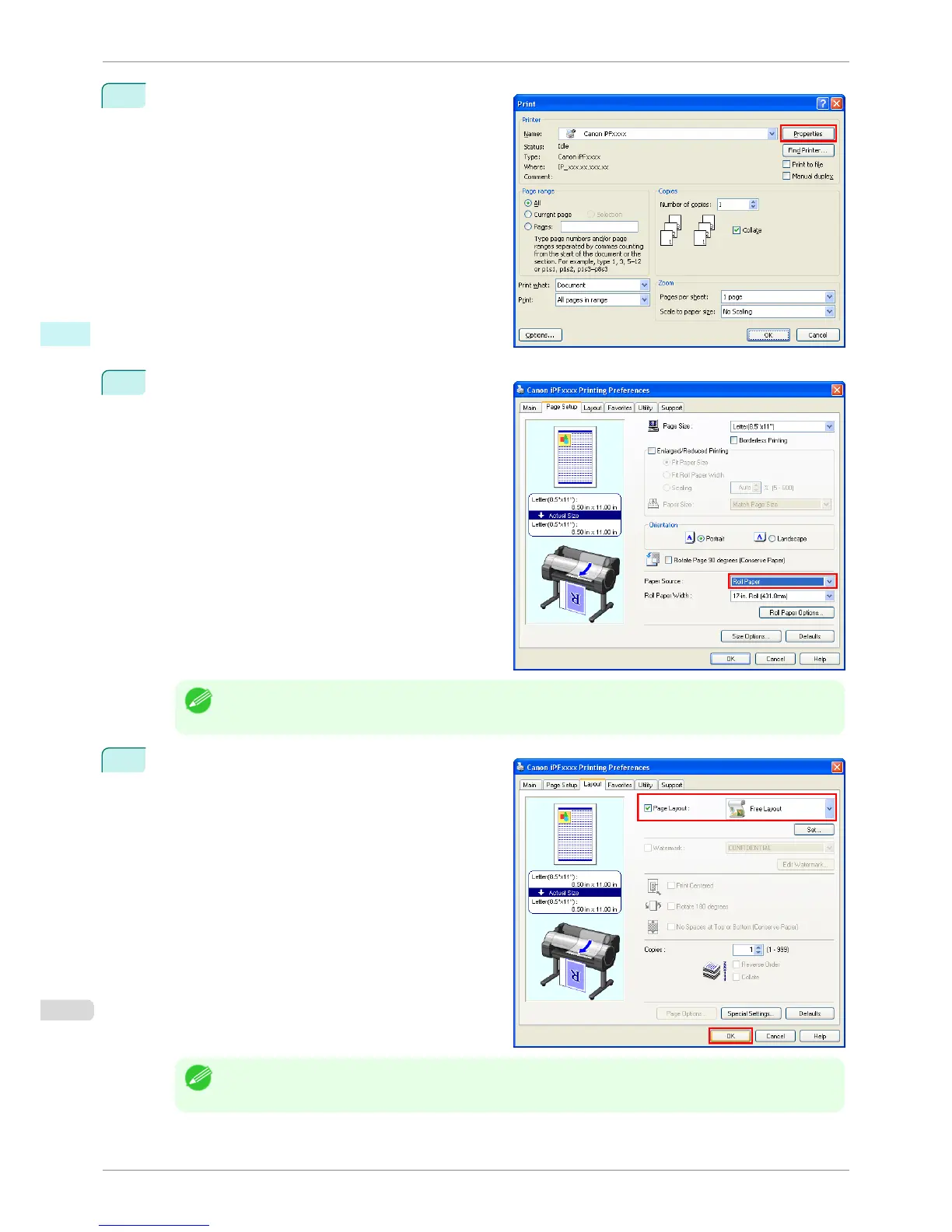
Click Properties to open the Properties dialog box.
3
In the Page Setup sheet, select Paper Source.
Note
• Your printer is depicted in the lower-left area of this screen.
4
In the Layout sheet, click on the Page Layout check
box and select Free Layout from the list.
Note
• Your printer is depicted in the lower-left area of this screen.
• When you select Free Layout, all other setting items will be disabled.
Laying out a Document Created with Multiple Application Programs on One Page
iPF6400S
User's Guide
Windows Software Free Layout
202













 To Next Page