6
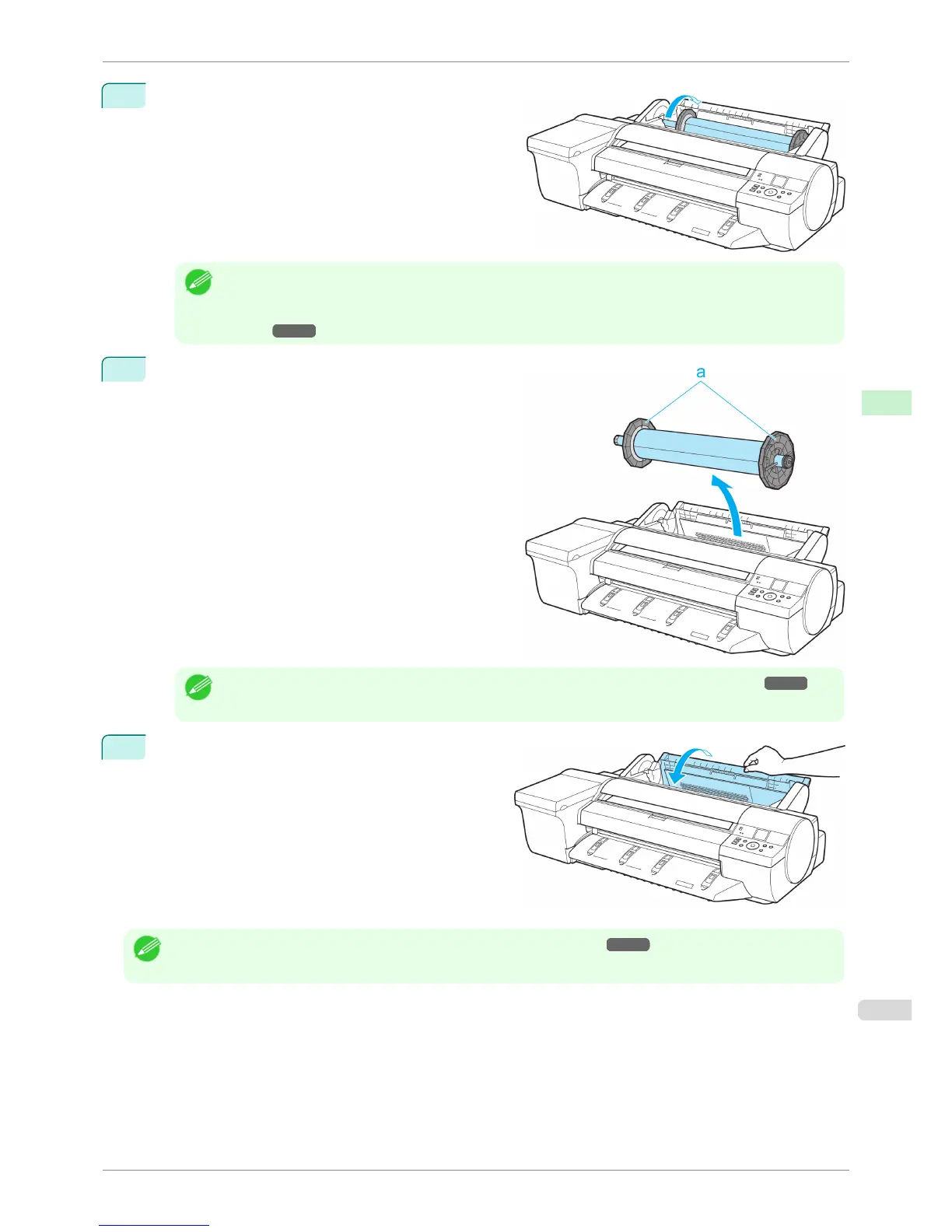
Using both hands, rotate the Roll Holder toward the
back to rewind the roll.
Note
• If it is difficult to perform operations from the front of the printer, perform operations from the back of the printer.
If the printer has a Spectrophotometer Unit (option), lowering the Up-down Unit makes it easier to perform oper-
ations from the front of the printer. (See "Lowering the Up-down Unit of the Spectrophotometer Unit (option) Man-
ually.") ➔ P.494
7
Holding the Roll Holder flange (a), remove the holder
from the Roll Holder Slot.
Note
• For instructions on removing rolls from the Roll Holder, see "Removing Rolls From the Roll Holder." ➔ P.480
8
Close the Roll Feed Unit Cover.
Note
• To load new paper in the printer at this point, see "Loading Rolls in the Printer." ➔ P.473
iPF6400S
Removing the Roll from the Printer
User's Guide
Handling and Use of Paper Handling rolls
479













 To Next Page