3
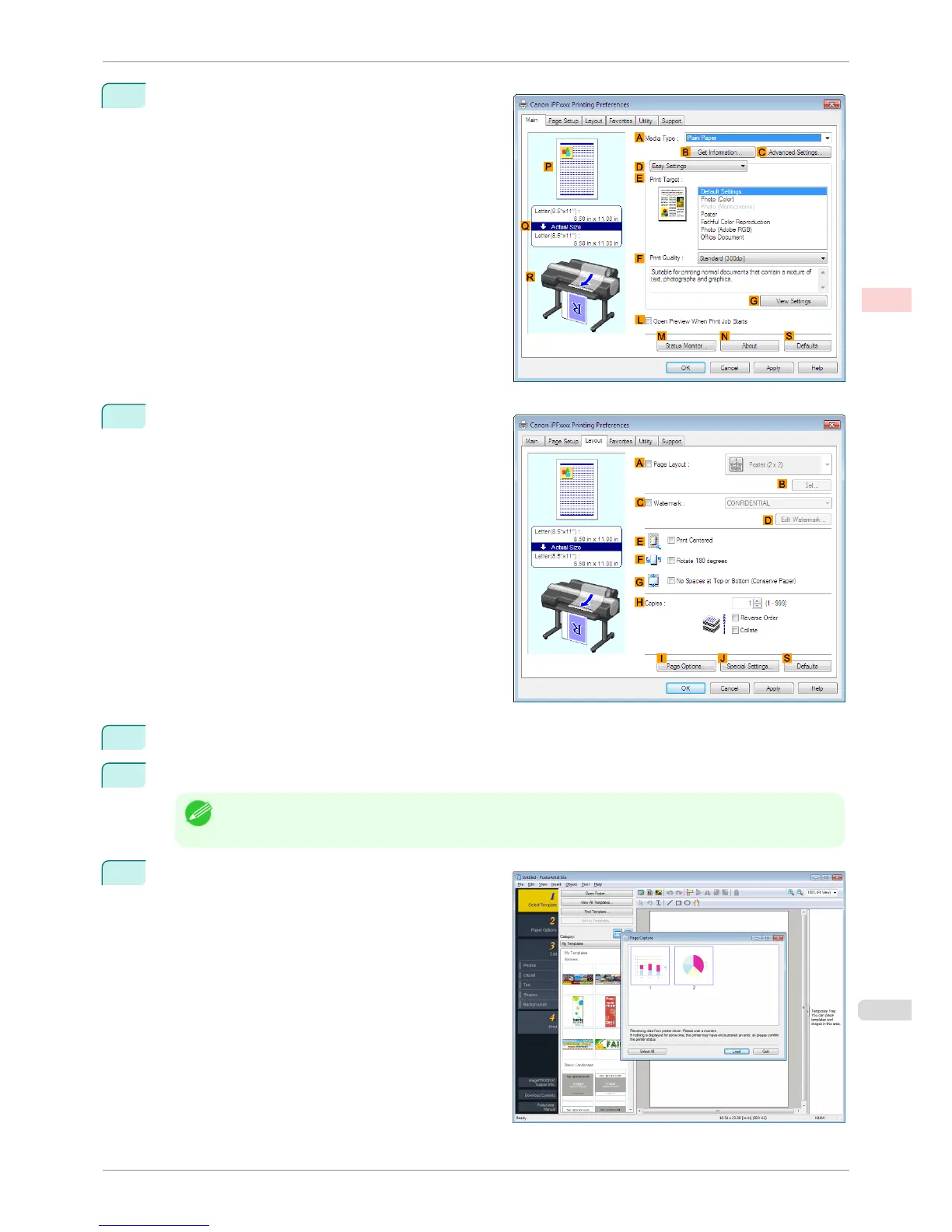
Make sure the Main sheet is displayed.
4
Click the Layout tab to display the Layout sheet.
5
Select the A Page Layout check box.
6
Click in the Edit Using PosterArtist in the A Page Layout list.
Note
• This function cannot be used with a 64-bit version OS.
7
When you attempt to print, PosterArtist starts up and
the PageCapture window is displayed. (At this point,
the document will not be printed yet.)
iPF6400S
Using PosterArtist to Compose Originals
User's Guide
Enhanced Printing Options Printing Photos and Office Documents
49













 To Next Page