2
Select the printer in the dialog box, and then display the printer driver dialog box. (See "Accessing the Print-
er Driver Dialog Box from Applications .") ➔ P.156
3
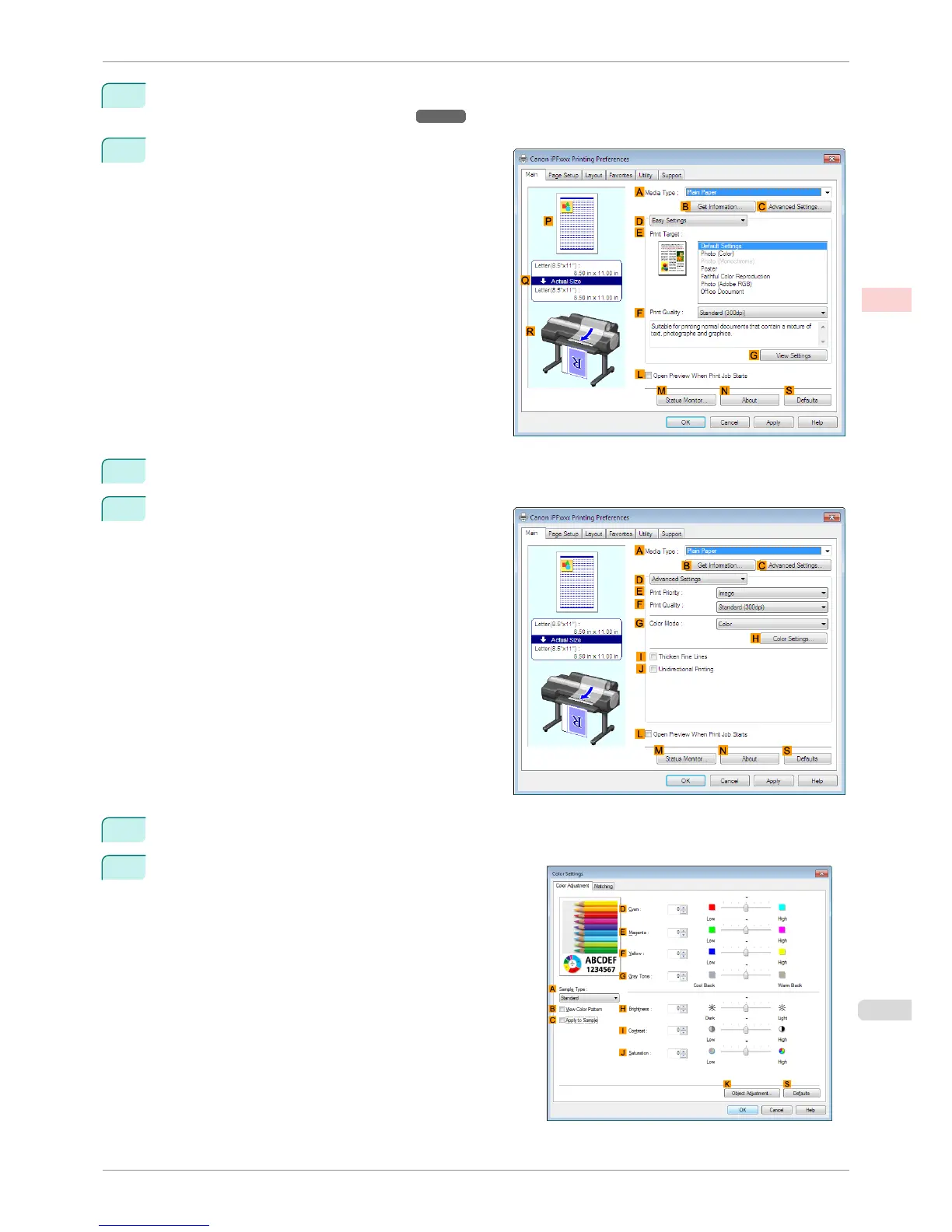
Make sure the Main sheet is displayed.
4
In the A Media Type list, select the type of paper that is loaded.
5
Click D Advanced Settings to switch the print mode.
6
Click Color in the G Color Mode list.
7
Click H Color Settings to display the Color Settings dia-
log box.
iPF6400S
Fine-Tuning Colors of Photos and Images (Windows)
User's Guide
Enhanced Printing Options Adjusting Images
53













 To Next Page