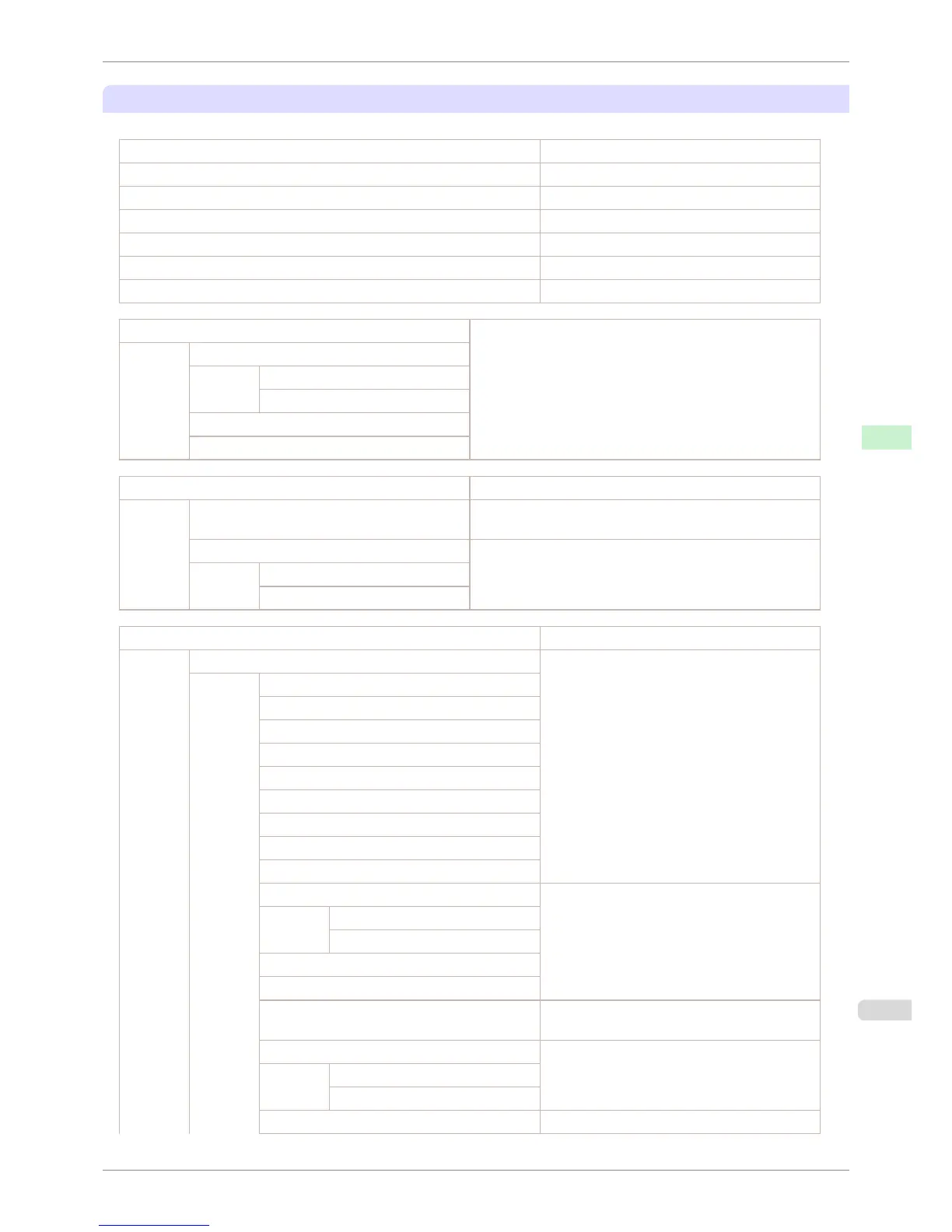
Checking the information in Status Print reports
The following information is included in Status Print reports.
Canon imagePROGRAF iPFxxxx Status Print Printer model
Firm Firmware version
Boot Boot ROM version
MIT(DBF) MIT database format version
MIT(DB) MIT database version
S/N Printer serial number
Date Indicates when the status print report was printed.
Paper Menu Information on the loaded paper.
Paper Type
Roll Media
Cut Sheet
ManageRemainRoll
Keep Paper Type
Job Menu Job-related information.
Job Log A counter for maintenance purposes.
Various information about previous jobs.
HDD Information Indicates the total hard disk capacity and the mail box free
space.
Total capacity
Box free space
Set./Adj. Menu Settings and adjustment information.
System Setup Printer system settings, as well as settings regard-
ing warnings and errors.
Sleep Timer
Shut Down Timer
Buzzer
Contrast Adj.
Date Format
Language
Time Zone
Length Unit
Detect Mismatch
Paper Size Basis Paper-related settings.
Roll Selection 1
Roll Selection 2
Keep Paper Size
TrimEdge Reload
Rep.P.head Print Settings after a test pattern was printed following
head replacement.
Nozzle Check Nozzle-check settings.
Frequency
Warning
Use RemoteUI Settings used by RemoteUI.
iPF6400S
Status Print
User's Guide
Control Panel Printer Menu
597













 To Next Page